
ASF Meaning: What Does Advanced Systems Format Mean?
You’ve probably seen an old .asf, .wmv, or .wma file and wondered what the letters actually mean. That question still matters in 2026 because Windows still supports ASF-based media workflows, while Microsoft also labels parts of the older Windows Media Format SDK as legacy and recommends newer APIs for fresh development. So the format is old, yes. Dead? Not really. This guide explains ASF meaning, how the format works, how it connects to WMV and WMA, and when you should keep the original file instead of converting it right away.
ASF meaning refers to Advanced Systems Format, a Microsoft media container designed to store synchronized digital media and support streaming over networks. Microsoft describes it as the container format behind Windows Media Audio and Windows Media Video-based content, while IANA still lists application/vnd.ms-asf as a Common media type. That’s why ASF still turns up in playback, archives, and older Windows media libraries.
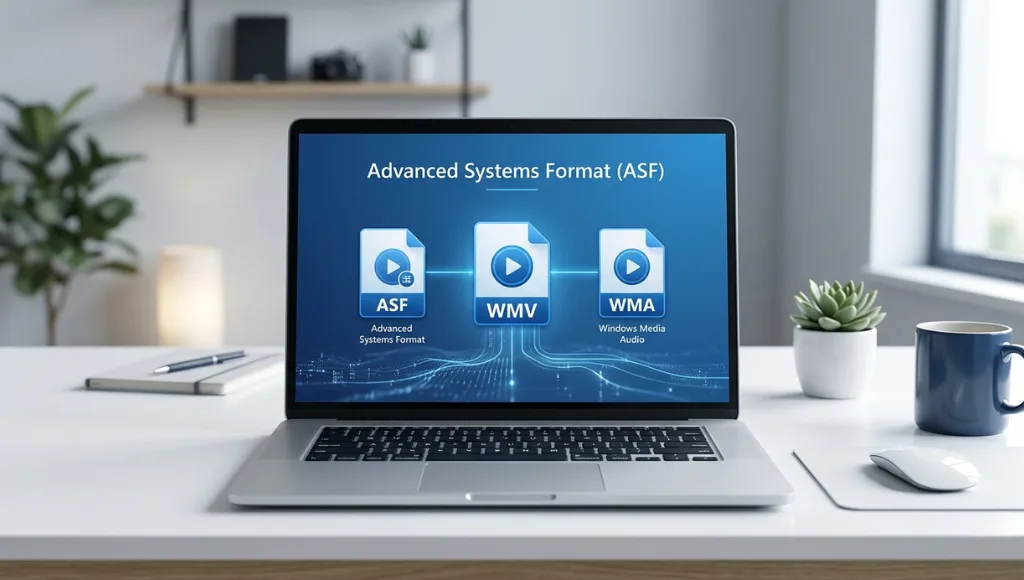
Why does ASF meaning still matter?
It matters because ASF is one of those formats that disappears from everyday conversation but keeps showing up in real files. Microsoft’s Media Foundation documentation still lists ASF, .asf, .wma, and .wmv among supported media formats, and Microsoft’s support pages for Windows N editions still include the Media Feature Pack needed for Windows media technologies. In plain English: people still encounter ASF when opening legacy video, audio, or training content on Windows systems.
There’s another reason this topic keeps confusing people: ASF is a container, not a codec. Microsoft says ASF is the container format for Windows Media Audio and Windows Media Video-based content, which means a file may be ASF-based even when the extension shown to you is .wma or .wmv. That single distinction clears up a lot of beginner confusion fast.
And here’s the part many thin glossary pages miss. The Library of Congress describes ASF as a format used for end-user delivery and sometimes as a middle-state source when lower-resolution streaming versions are produced. It also notes that the Library holds ASF files in its collections. So even if ASF is no longer the format people talk about first, it still has a place in preservation, migration, and compatibility work.
How does ASF work?
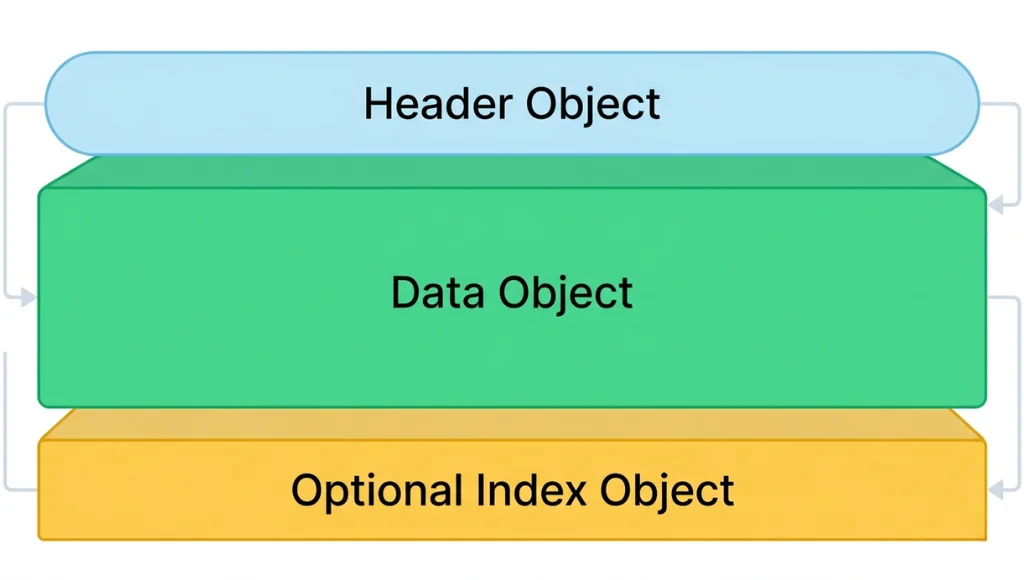
The short answer is this: ASF works by wrapping media streams and metadata inside an object-based file structure. Microsoft’s documentation says the base unit of an ASF file is an object, identified by a GUID and a size value, and the file is organized around top-level structures such as the Header Object, Data Object, and optional Index Object. That structure is what lets ASF store timed media, metadata, and seeking information in one package.
A useful way to understand it is to think in four steps.
1. Identify the container
When you ask, “What does ASF mean?” the first thing to understand is that ASF is the outer package. It tells the system how media data is arranged, not necessarily how the audio or video itself was compressed. Microsoft also notes that ASF can contain more than just standard audio and video content.
2. Check the file extension
This is where many learners get tripped up. A .wmv file is commonly tied to video wrapped in ASF, and a .wma file is commonly tied to audio in the same family. The Library of Congress specifically describes WMV as a file format based on ASF that wraps a video bitstream. So the extension is helpful, but it is not the whole story.
3. Confirm the playback environment
Sometimes the file is fine and the system is the issue. Microsoft’s support pages say the Media Feature Pack restores Windows media technologies on Windows 10/11 N editions, including support tied to Windows Media formats. That means playback problems can come from missing components, not a broken ASF file.
4. Decide whether to keep, open, or convert
Here’s the practical rule: keep the original first, convert second. Because ASF can include metadata, streaming-related structure, and optional index information, it is smarter to preserve the source file and make a viewing copy only when you need broader compatibility. That approach lines up with Microsoft’s structure docs and with the Library of Congress preservation framing.
ASF vs WMV vs MP4: what’s the difference?
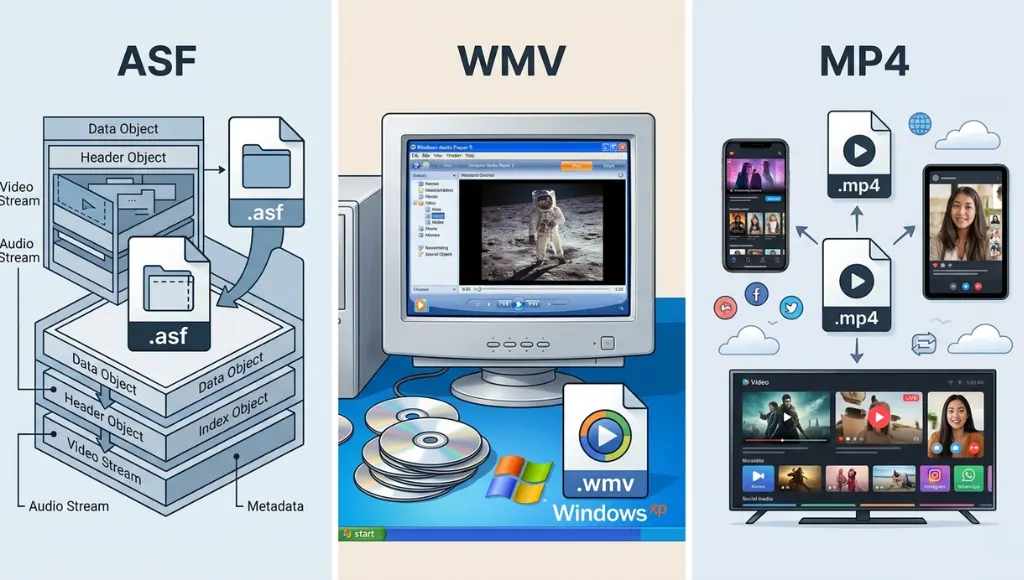
Here’s the clear version. ASF is the container format. WMV is usually the video-facing format label built on ASF. MP4 is the format most people choose today for easy sharing and broad device support. Microsoft’s docs tie ASF directly to WMA and WMV, while Media Foundation separately lists MP4-family formats as supported file containers too.
| Format | What it really means |
|---|---|
| ASF | A Microsoft container for synchronized digital media and streaming-oriented content |
| WMA | Usually audio content stored in the ASF family |
| WMV | Usually video content based on ASF |
| MP4 | A newer mainstream container used widely across devices and apps |
| Header/Data/Index | Core ASF structure used for media information, packets, and seeking |
| Metadata support | ASF can carry descriptive and stream-related metadata |
| Best legacy use | Opening, checking, or preserving older Windows media |
| Best modern use | Sharing and publishing copies in MP4 for easier playback |
This is the point where people often ask, “So is ASF the same as WMV?” No. They’re related, but they’re not identical. Microsoft even says it is not accurate to call an ASF file a Windows Media file unless it contains only content encoded with Windows Media codecs. That nuance matters more than it sounds.
My practical take is a little contrarian: don’t rush to flatten everything into MP4 on day one. For sharing, MP4 is usually easier. But for archives, old training libraries, or client handoff folders, the original ASF-based file may still be the safest master copy to keep.
Benefits and real-world use cases
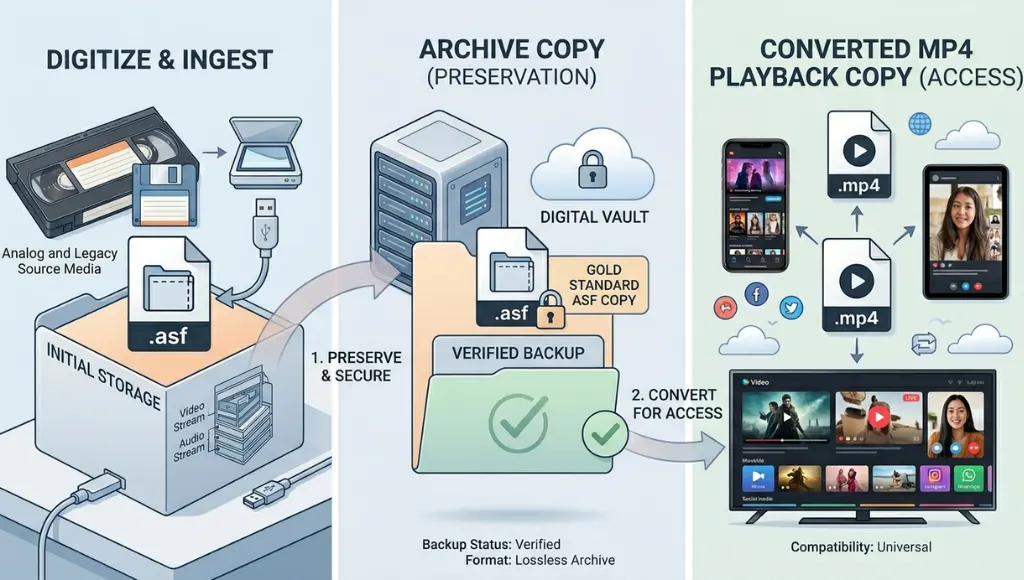
Understanding ASF meaning in technology helps in three real situations. First, it helps you open or troubleshoot legacy Windows media. Second, it helps you explain why a .wmv file behaves differently from an .mp4 file. Third, it helps you avoid damaging source material during migration. None of that sounds glamorous. It is still useful.
ASF also has some technical strengths that explain why it lasted. Microsoft says ASF was built for synchronized digital media and network transmission, and related documentation notes support for metadata, indexing, and digital rights management in the wider Windows Media stack. That made ASF a solid fit for streaming-era Windows media workflows, even if newer publishing habits have moved elsewhere.
This topic is especially useful for technology learners, support staff, media librarians, digital archivists, and anyone cleaning up old Windows video folders. It is less useful if your only goal is posting fresh public video online. In that case, you will usually want MP4 for the final delivery copy.
Common mistakes to avoid
Mistake 1: Treating ASF like a codec.
It isn’t. ASF is the container, while the audio or video inside may use specific codecs such as Windows Media Audio or Windows Media Video.
Mistake 2: Assuming .wmv and .asf mean the same thing.
They are closely related, but not identical labels. The .wmv extension usually points to video wrapped in ASF, while ASF is the broader container concept.
Mistake 3: Thinking ASF is unsupported today.
It is older technology, but Microsoft still documents ASF support in Media Foundation and Windows media components, and IANA still registers application/vnd.ms-asf as a common media type.
Mistake 4: Converting the only copy first.
That is the easiest way to lose original structure or metadata. Keep the source file, make a duplicate, and convert the duplicate if needed.
FAQ
ASF means Advanced Systems Format. It is a Microsoft media container built for synchronized digital media, especially audio and video content that may be stored or streamed over a network. It often appears behind older .asf, .wma, and .wmv files.
No. ASF is the container family, while WMV usually refers to video content based on that structure. A simple way to think about it is that ASF is the package design, and WMV is one common video use of that package.
ASF file format is used to store synchronized media, metadata, and streaming-related content in one structured container. Historically it was a strong fit for Windows media delivery, and today it still appears in archives, training libraries, and older media systems.
Usually yes, especially on systems with the needed media components installed. Microsoft still documents ASF support in Media Foundation, and Windows N editions can add missing media capabilities through the Media Feature Pack.
For sharing, usually yes. For preservation or technical review, keep the original and convert a copy instead. That gives you a modern playback version without throwing away the original source structure.
Because Microsoft describes ASF as the container format for Windows Media Audio and Windows Media Video-based content. That relationship is exactly why people often confuse the acronym, the extensions, and the codec family.
Final takeaway: learn the difference between a container and a codec, keep the original file before converting anything, and treat ASF as a legacy format that still has real value in compatibility work. That’s the simplest way to understand ASF meaning without getting lost in old Windows media terminology.
Conclusion
ASF stands for Advanced Systems Format, a Microsoft media container that still matters because it powers many older .asf, .wma, and .wmv files and remains relevant in playback, archiving, and compatibility workflows. The key to understanding ASF is knowing that it is a container, not a codec, which is why it often gets confused with WMV and WMA. While MP4 is usually the better choice for modern sharing and publishing, ASF still holds value for preserving original media, metadata, and file structure. The safest approach is to keep the original ASF-based file intact and convert only a copy when broader compatibility is needed.