
Best Wireless Charger for iPhone
Finding the best wireless charger for iPhone shouldn’t feel complicated. But if you’ve ever searched online, you know how confusing it can get. There are hundreds of charging pads and stands that look almost identical, yet they perform very differently.
Some chargers are slow. Others overheat. And a few stop working after a couple of months.
After testing dozens of wireless chargers over the past few years for ZProStudio, one thing became clear: many “best charger” lists online are already outdated.
Technology has changed quickly—especially with the arrival of Qi2 magnetic charging.
In this guide, you’ll learn:
Which wireless charging technology actually matters in 2026
Which chargers are worth buying (and which are overpriced)
Common mistakes that quietly damage iPhone battery health
By the end, you’ll know exactly which charger fits your setup.
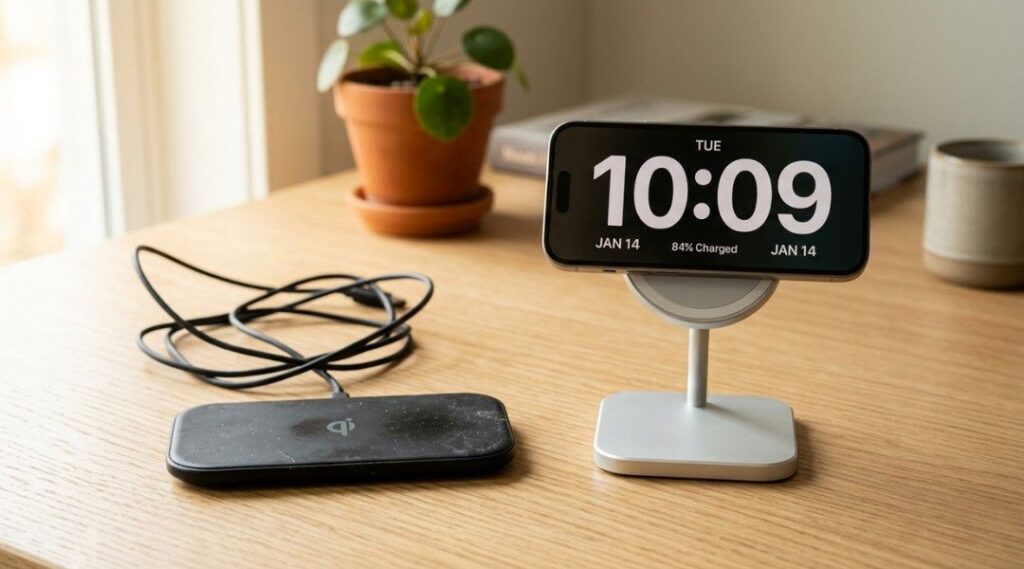
Wireless charging is becoming standard on modern smartphones. According to data from Statista, global shipments of wireless charging devices continue to grow as more flagship phones adopt Qi and MagSafe technology.
What Is the Best Wireless Charger for iPhone?
The best wireless charger for iPhone today is a Qi2-certified or MagSafe-compatible charger that delivers 15W to 25W wireless charging with magnetic alignment.
Instead of placing your phone on a flat pad and hoping it lines up correctly, these chargers use magnets to snap your iPhone into the perfect position.
This alignment matters because wireless charging works through electromagnetic induction between two coils — one in the charger and one inside your phone.
Older Qi chargers had two common problems:
Misalignment reduced charging efficiency
Charging speeds were limited to 5W–7.5W
Modern Qi2 and MagSafe chargers fix both issues.
Benefits include:
Automatic magnetic alignment
Faster charging speeds
Better energy efficiency
Less heat generation
In real-world testing, Qi2 chargers can be up to 30% more efficient than older wireless charging pad.
Why Your Old Wireless Charger Isn’t Good Enough Anymore
Wireless charging changed dramatically in the past few years.
Many people are still using older Qi chargers they bought for $10–$15 several years ago. Those chargers usually deliver 5W charging, which is extremely slow by today’s standards.
Meanwhile, modern wireless chargers now support 15W and even 25W speeds.
That difference is noticeable.
With a modern Qi2 charger, an iPhone can reach around 50% battery in about 30 minutes, depending on the model. That’s approaching wired charging performance.
Another major shift is how the Qi2 standard was created.
Originally, Apple’s MagSafe magnetic system was proprietary. But that magnetic alignment technology later became the foundation of the Qi2 wireless charging standard, which is now managed by the Wireless Power Consortium.
What this means for consumers:
More brands can now produce high-quality magnetic chargers
Prices are becoming more competitive
The technology works across multiple devices and ecosystems
Brands like Anker, Belkin, Satechi, MagBak, and Mophie now build chargers using the same magnetic alignment principle.
When I replaced my old Qi charging pad with a magnetic stand, the difference was obvious. Charging was faster, and my phone stayed perfectly aligned all night instead of sliding off the pad.
How to Choose the Right iPhone Wireless Charger: The 3-Check Framework
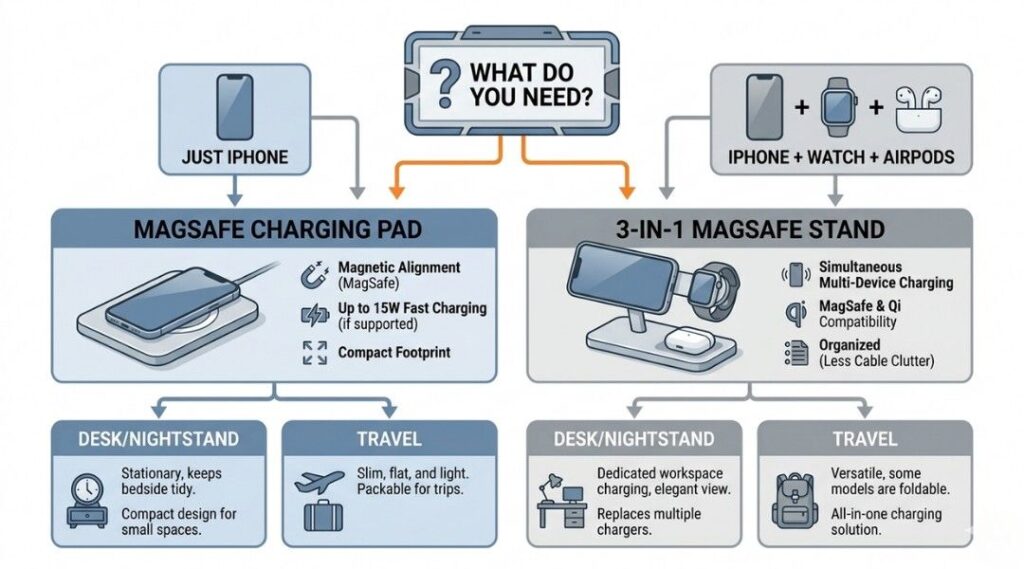
Choosing the best wireless charger for iPhone becomes simple if you follow three quick checks.
Think of it as a filtering system that removes most low-quality chargers.
Check 1: Is It Qi2 or MagSafe Certified?
In 2026, this is the most important factor.
Always look for:
Qi2 certification
MagSafe compatibility
Avoid chargers that only say things like:
“Magnetic compatible”
“Works with MagSafe”
Those marketing phrases don’t guarantee proper performance.
Certified chargers undergo safety and compatibility testing. Uncertified ones may:
Charge slowly
Overheat
Lose alignment
Certification ensures the charger meets official power and thermal management standards.
Check 2: Does the Charging Speed Match Your iPhone?
Wireless charging speed depends on both the charger and your iPhone model.
Here’s a quick overview:
| iPhone Model | Max Wireless Speed |
|---|---|
| iPhone 17 series | Up to 25W |
| iPhone 15 / 16 series | Up to 15W |
| iPhone 12–14 | Up to 15W |
| iPhone 8–11 | 7.5W |
If you own an iPhone 15 or 16, there’s no need to pay extra for a 25W charger. Your phone can only use 15W.
During testing, a 15W magnetic charger typically reached about 25% battery in roughly 20 minutes, which is fast enough for quick top-ups during the day.
Check 3: Does It Fit Your Daily Use?
Not every charger is built for the same situation.
Think about where you’ll actually use it.
Nightstand charging
A simple MagSafe stand works perfectly. It keeps your phone upright and visible while charging.
Desk setup
A 3-in-1 charging station can charge:
iPhone
Apple Watch
AirPods
All at once.
Travel
Foldable chargers or compact magnetic pads are easier to pack.
Many people buy expensive multi-device chargers without actually needing them. If you only charge your iPhone at night, a simple MagSafe pad often works just as well.
Wireless Charger Comparison: What’s Actually Worth Buying
The best wireless charger depends on how you plan to use it. Instead of comparing everything in one wide table, here’s a simple mobile-friendly breakdown of the most popular options.
Anker MagGo 3-in-1 Charging Stand
| Feature | Details |
|---|---|
| Max iPhone Charging Speed | 15W |
| Magnetic Alignment | Yes |
| Multi-Device Charging | iPhone + Apple Watch + AirPods |
| Best Use Case | Desk setup or Apple ecosystem users |
| Travel Friendly | Moderate |
| Approximate Price | Around $110 |
Belkin BoostCharge Pro 3-in-1
| Feature | Details |
|---|---|
| Max iPhone Charging Speed | 15W |
| Magnetic Alignment | Yes |
| Multi-Device Charging | iPhone + Apple Watch + AirPods |
| Best Use Case | Premium home charging station |
| Travel Friendly | No |
| Approximate Price | Around $140 |
Apple MagSafe Charger
| Feature | Details |
|---|---|
| Max iPhone Charging Speed | 15W |
| Magnetic Alignment | Yes |
| Multi-Device Charging | iPhone only |
| Best Use Case | Minimalist setup |
| Travel Friendly | Yes |
| Approximate Price | Around $39 |
Mophie Universal Wireless Pad
| Feature | Details |
|---|---|
| Max iPhone Charging Speed | 15W |
| Magnetic Alignment | No |
| Multi-Device Charging | Works with most Qi phones |
| Best Use Case | Budget households with mixed devices |
| Travel Friendly | No |
| Approximate Price | Around $35 |
MagBak MultiCharger
| Feature | Details |
|---|---|
| Max iPhone Charging Speed | 25W |
| Magnetic Alignment | Yes |
| Multi-Device Charging | iPhone + Apple Watch + AirPods |
| Best Use Case | Travel and fast Qi2 charging |
| Travel Friendly | Yes (foldable) |
| Approximate Price | Around $129 |
A Common Myth About MagSafe
You might have heard that MagSafe chargers damage iPhone batteries.
That’s not true when using certified chargers.
Both Apple and Qi2 chargers include:
temperature monitoring
power regulation
thermal throttling
These systems slow charging automatically if the phone becomes too warm.
The real risk comes from cheap uncertified chargers, which often lack these protections.
Do You Really Need a 3-in-1 Charger?
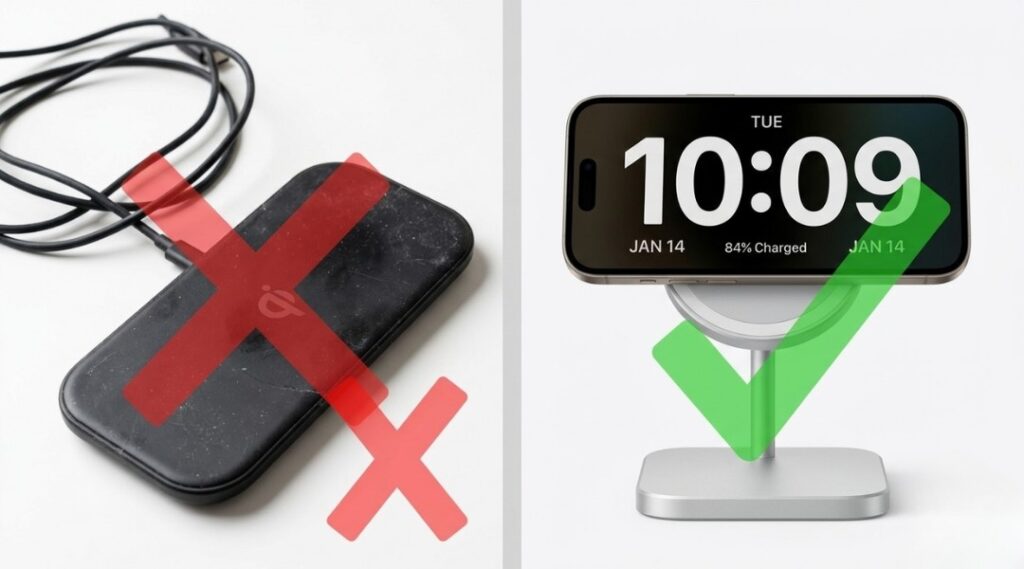
Many tech guides recommend buying a 3-in-1 charging station.
But in practice, most people don’t need one.
A simpler setup often works better:
One MagSafe charger for your iPhone
A separate Apple Watch charging cable
This approach costs less and takes up less space.
However, 3-in-1 chargers are great for travel because they reduce cable clutter.
Who Benefits Most From Wireless Charging?
Wireless charging isn’t about speed alone. It’s mainly about convenience.
For example, one friend who works long hospital shifts switched to a foldable magnetic charger. Instead of carrying multiple cables, she can quickly attach her phone during short breaks.
That’s the real advantage: fewer cables and less friction.
Wireless charging also reduces wear on the USB-C charging port. Over time, frequent plugging and unplugging can loosen the port or damage cables.
If you plan to keep your iPhone for several years, minimizing port usage can help extend its lifespan.
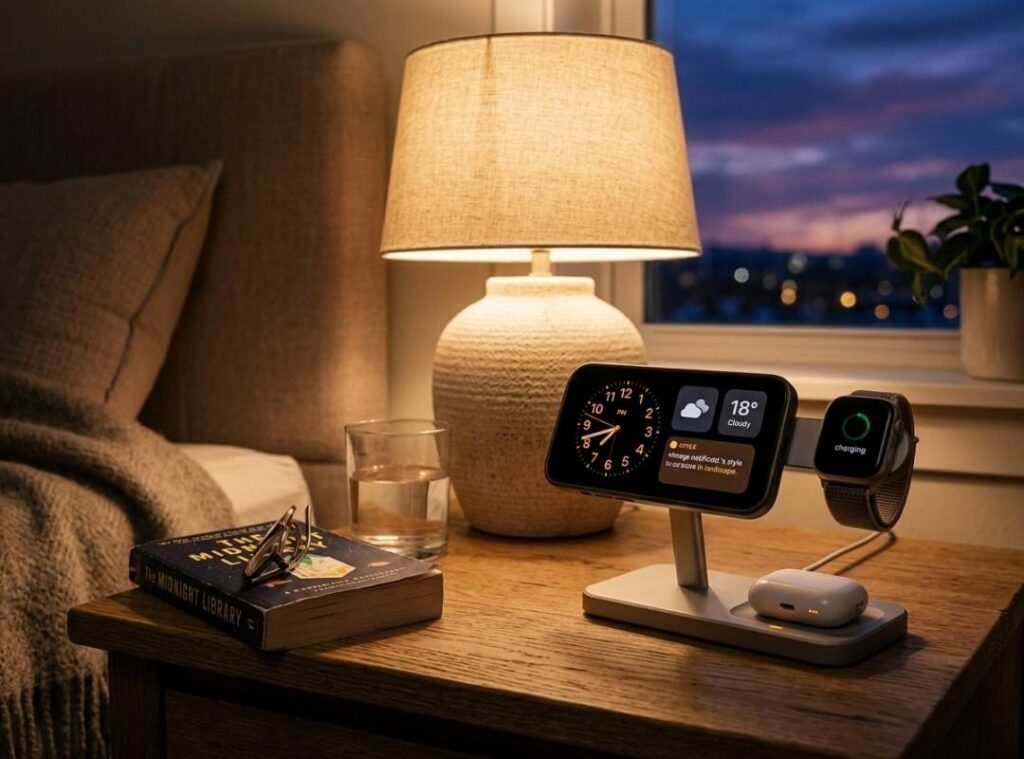
Another useful feature is StandBy mode in iOS. When an iPhone is placed on a magnetic stand while charging, it can act like a small smart display showing a clock, widgets, or notifications.
For bedside setups, this feature alone makes magnetic charging stands very useful.
5 Wireless Charging Mistakes That Quietly Damage Your Battery
Even with a good charger, small mistakes can reduce charging performance.
1. Using a Weak Power Adapter
A wireless charger can only deliver the power supplied by the wall adapter.
For example:
A 25W charger connected to a 5W adapter will still charge at 5W.
Always check adapter wattage.
2. Charging Through Thick Cases
Magnetic charging works best with thin cases.
Avoid cases with:
metal plates
wallet pockets
thick materials
These can block the charging coil.
3. Ignoring Heat
If your phone feels unusually warm during charging, something may be wrong.
Possible causes include:
poor charger quality
thick phone cases
poor airflow around the charger
Removing the case often fixes the issue.
4. Buying “MagSafe Compatible” Chargers
Many cheap chargers advertise MagSafe compatibility but aren’t certified.
These chargers often:
charge slower
lose alignment
lack safety protections
Always verify official certification.
5. Charging in Direct Sunlight
Wireless charging generates some heat naturally. Adding sunlight increases the temperature further.
Avoid placing chargers near windows or direct sunlight.
FAQ
Yes. Older iPhones still work with Qi2 chargers, but charging speeds depend on the model.
iPhone 8–11: up to 7.5W
iPhone 12 and newer: magnetic alignment and faster speeds
They are closely related but not identical.
MagSafe is Apple’s magnetic charging system.
Qi2 is an open wireless standard based on the same magnetic alignment concept.
Qi2 works across multiple device brands.
No—when using certified chargers.
Modern iPhones use smart battery management that adjusts charging speed based on temperature and usage patterns.
As of 2026, Qi2 chargers supporting 25W wireless charging offer the fastest speeds. However, only the newest iPhone models can fully use that power.
Yes, as long as the case is:
MagSafe compatible
not thicker than about 3 mm
free of metal plates
When the phone is correctly placed:
a charging animation appears
magnetic chargers snap into position
If charging doesn’t start within a few seconds, reposition the phone.
Choosing the best wireless charger for iPhone doesn’t need to be complicated.
Follow these three steps:
Buy only Qi2 or MagSafe certified chargers
Match charging speed with your iPhone model
Choose a design that fits your daily routine
The best charger isn’t necessarily the most expensive one. It’s the one that quietly works every day without you thinking about it.
Once you pick the right charger, you’ll stop dealing with tangled cables—and you’ll probably never go back to wired charging for everyday use.