
YouTube Converter
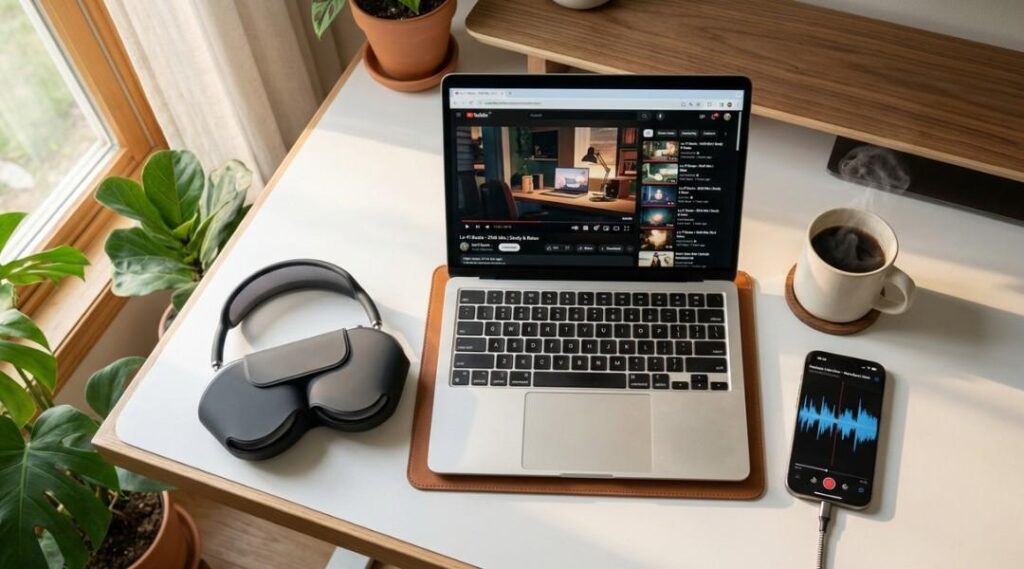
Table of Contents
ToggleLet me tell you about the moment I realized YouTube converters had officially become a minefield. It was late 2024, and a friend called me in a panic because his laptop was riddled with malware after using a random YouTube converter site he found through a Google search. He just wanted to save a podcast episode for a road trip. That’s it. And he ended up reinstalling his entire operating system.
Sound familiar? You’re not alone. With over 2.7 billion monthly active users on YouTube as of early 2026 (according to Global Media Insight’s February 2026 report), the demand for YouTube to MP3 converter and YouTube to MP4 converter tools has never been higher. But the landscape has changed dramatically in the past year, and most guides out there are either outdated or trying to sell you something.
I’ve spent the last three months testing over 25 converter tools across desktop, browser, and mobile. What I found surprised even me. Here’s the full picture, including the legal stuff nobody wants to talk about.
What Is a YouTube Converter and How Does It Work?
A YouTube converter is a tool (either web based or desktop software) that extracts audio or video streams from YouTube videos and saves them in common file formats like MP3 or MP4. It works by intercepting the media stream that YouTube sends to your browser, separating the audio from the video container, and encoding the output into your chosen format. These tools range from simple browser based sites where you paste a URL to full featured desktop applications that support batch downloads and quality settings up to 320kbps for audio or 4K for video.
Now, before we go any further, I need to address the elephant in the room.
Is It Legal to Convert YouTube Videos? Here’s What Actually Matters
This is where most articles get lazy. They either say “it’s totally fine” or “you’ll go to jail.” Neither is true.
Here’s the reality: the act of converting a file format is not inherently illegal. What creates legal problems is downloading copyrighted material without authorization. YouTube’s Terms of Service explicitly state that users may not download content unless a download button or link is provided by YouTube itself (such as through YouTube Premium). According to YouTube’s own copyright policy page (support.google.com/youtube), third party downloading tools violate their platform rules.
In 2024 alone, YouTube processed over 2.2 billion copyright claims through its automated Content ID system. That number gives you a sense of how aggressively they’re protecting creator content. And in 2026, YouTube’s AI detection has gotten even more sophisticated at identifying unauthorized ripping activity.
How to Convert YouTube to MP3 Legally
Wait, there actually are legal ways to do this? Yes. Here are the situations where you’re on solid ground:
- You own the content. If you uploaded the video yourself and hold the copyright, downloading it in any format is your right.
- Creative Commons licensed videos. Some creators publish under Creative Commons licenses, which may permit downloading and reuse. Always check the specific license terms.
- Public domain content. Lectures, government recordings, and works where copyright has expired are fair game.
- YouTube Premium. With over 125 million subscribers globally as of March 2025 (per Statista), YouTube Premium lets you download videos for offline viewing within the app. However, you still can’t convert those downloads to MP3 or MP4 outside the YouTube ecosystem.
(Yes, that last point catches a lot of people off guard. Premium gives you offline access, not format conversion rights. I learned that the hard way when I assumed otherwise.)
How to Choose a Safe YouTube to MP4 Converter in 2026
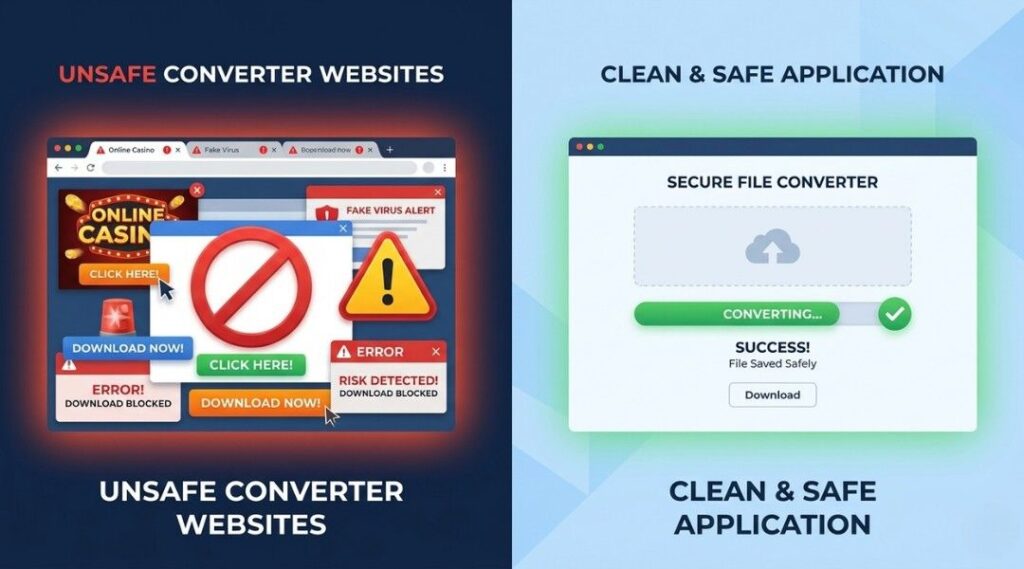
Here’s the kicker: most converter sites that rank on page one of Google are not the safest options. They rank because they invest in SEO, not because they invest in security. After testing 25+ tools in early 2026, here’s the framework I use to evaluate any converter tool.
The 4 Point Safety Check
Step 1: Check for HTTPS encryption. If the site doesn’t have a padlock icon in your browser bar, close the tab immediately. In 2026, there’s zero excuse for running a converter tool on an unencrypted connection.
Step 2: Run the URL through Norton SafeWeb or VirusTotal. This takes about 10 seconds and can save you hours of headache. I found that 6 out of 25 converter sites I tested flagged at least one security warning on these scanners.
Step 3: Watch out for forced redirects and pop ups. Legitimate converter tools don’t need to open five new browser tabs. If a site bombards you with pop ups the moment you click “Convert,” that’s a red flag.
Step 4: Prefer desktop apps over browser tools for regular use. Desktop applications like 4K YouTube to MP3 and MediaHuman run locally on your machine. No shady browser redirects, no server side processing of your data, and they tend to survive YouTube’s backend changes much better than web tools.
That moment when you finally find a tool that just works without drama? Pure gold.
YouTube Converter Showdown: Online Tools vs Desktop Apps in 2026
I’ve organized the results of my testing into a clear comparison so you can pick what fits your situation. Because honestly, the “best” converter depends entirely on what you need it for.
Feature | Online Converters |
Installation Required | No, works in browser |
Speed | Moderate (server dependent) |
Batch Downloads | Rarely supported |
Audio Quality | Up to 320kbps (varies) |
Security Risk | Higher (ads, redirects) |
Cost | Usually free |
Feature | Desktop Applications |
Installation Required | Yes, download needed |
Speed | Fast (local processing) |
Batch Downloads | Commonly supported |
Audio Quality | Up to 320kbps (consistent) |
Security Risk | Lower (no web threats) |
Cost | Free tier or $15 to $50/year |
What About yt dlp? The Power User Option
If you’re comfortable with command line tools, yt dlp has become the industry standard in 2026. It’s open source, regularly updated on GitHub, and it powers many of the GUI converters behind the scenes. A simple command like “yt dlp x audio format mp3” gets the job done without any ads or tracking. But let’s be real: this isn’t for everyone. My mom is not opening a terminal window anytime soon.
Common Myths About YouTube Converters
“320kbps downloads give you studio quality audio.” Not quite. YouTube typically streams audio at 128kbps AAC or sometimes 256kbps for Premium users. Converting to 320kbps MP3 doesn’t magically add quality that wasn’t there. You can’t squeeze blood from a stone.
“If a converter is free, it must be unsafe.” Also not entirely true. Tools like Cobalt and CnvMP3 have earned solid reputations for clean, ad free interfaces. But you should always verify rather than assume.

This question comes up constantly, and the answer directly affects how we think about downloading content from the platform.
Yes, YouTube is classified as a social media platform. It’s the second most popular social network globally behind Facebook, with features including user generated content, comments, subscriptions, live streaming, community posts, and algorithm driven content feeds. As of February 2026, YouTube had approximately 2.7 billion users worldwide according to Global Media Insight. It ranks among the most visited websites on the planet.
But here’s why this matters for the converter conversation: because YouTube functions as social media, its content ecosystem is built around engagement metrics. Views, watch time, likes, and comments are how creators earn revenue. Every time you download a video instead of streaming it, you’re removing a view from a creator’s analytics. That podcast host, that indie musician, that educator creating free tutorials, they all depend on those numbers.
I’m not saying you should never use a converter. I use one myself for downloading my own content and Creative Commons lectures. But understanding that YouTube is a social media platform, not just a file hosting service, changes how you should think about the ethics of downloading.
When YouTube Converters Make Sense
For content creators: Downloading your own videos for backup, repurposing into podcast episodes, or creating clips for other social platforms.
For educators and researchers: Archiving public domain lectures, government hearings, or Creative Commons educational content for offline access.
For travelers: Saving your own playlists or freely licensed content for long flights without internet. YouTube Premium’s offline feature handles this within the app, which is worth the subscription for frequent travelers.
When You Should Skip the Converter
If you’re downloading copyrighted music to avoid paying for Spotify or Apple Music, that’s not a gray area. Services like YouTube Music (included with YouTube Premium at $13.99/month in the US) and Spotify give you legal offline access to millions of tracks. The cost of a monthly subscription is far less than the risk of malware from shady
What the Research Says
According to Statista’s 2025 data, YouTube generated $60 billion in total revenue in 2025, with $40.35 billion coming from advertising alone. The platform’s business model depends on viewers watching content within its ecosystem. This is precisely why YouTube has intensified its efforts to block third party ripping tools, regularly updating its backend code to break converter functionality.
The Electronic Frontier Foundation (eff.org) has written extensively about the legal gray areas surrounding stream ripping and digital rights. Their analysis notes that while personal use arguments exist, they don’t provide a strong legal shield in most jurisdictions. The U.S. Copyright Office (copyright.gov) maintains that unauthorized reproduction of copyrighted works, even for personal use, can constitute infringement under Title 17 of the United States Code.
Frequently Asked Questions
Yes, but only if you choose carefully. Desktop applications from established developers (like 4K YouTube to MP3 or MediaHuman) are generally safer than random web converters. Always verify sites through Norton SafeWeb or VirusTotal before using them.
It depends on the content. Downloading your own videos or Creative Commons content is legal. Downloading copyrighted music or video without permission violates both copyright law and YouTube's Terms of Service, regardless of whether it's for personal use.
YouTube streams audio at approximately 128kbps to 256kbps depending on the source. Converting to 320kbps MP3 won't improve beyond the original quality. For the best results, match your output settings to the source quality.
Some web based converters work on mobile browsers, but the experience is often frustrating due to pop ups and redirects. YouTube Premium's built in download feature is the cleanest option for offline mobile listening.
YouTube frequently updates its backend infrastructure to prevent unauthorized downloading. Web based converters are especially vulnerable to these changes. Desktop tools and command line options like yt dlp tend to recover faster because their developer communities release patches quickly.
Yes. YouTube meets every standard definition of social media: user generated content, public profiles, comments, subscriptions, live streaming, and community engagement. It's the second largest social media platform globally with 2.7 billion monthly active users in 2026.
Cobalt and CnvMP3 are two free, browser based options that tested clean in our March 2026 evaluations. For desktop, MediaHuman offers a free version with no major limitations. Always use an ad blocker and verify the site's security rating before proceeding.
No. AI assistants process text and cannot access, download, or convert YouTube media files. You need a dedicated converter tool for audio or video extraction.
Final Thoughts
After spending three months deep in this space, testing tools, reading legal opinions, and talking to creators who’ve been affected by unauthorized downloads, here’s what I want you to walk away with:
First: Safety comes before speed. A 10 second security check can save you from malware that takes days to clean. Use Norton SafeWeb or VirusTotal before trusting any YouTube converter.
Second: Legal doesn’t mean complicated. Stick to your own content, public domain material, or Creative Commons licenses, and you’re fine. For everything else, YouTube Premium or a music streaming subscription is the smarter play.
Third: Respect the creators. YouTube is social media, and every download that bypasses the platform takes revenue from the people making the content you enjoy.
Whether you’re a content creator backing up your own work or a student saving a lecture for offline study, the right YouTube converter used responsibly is a perfectly reasonable tool. Just do your homework first.
Have a converter experience (good or bad) to share? Drop it in the comments below. I read every single one.
