Free SEO Tools
Google changed how it evaluates content quality four times between January and March 2026, and sites relying on paid tools with no free alternatives felt every update. Free SEO tools now cover keyword research, technical audits, backlink tracking, and on-page scoring at a level that paid suites charged $200/month for in 2022.
This article is your shortcut to knowing exactly which free SEO tools deliver real results, which ones waste your time, and how to build a full workflow without spending a cent. You will finish this article with a working tool stack ready to deploy today. This article is part of our complete guide to SEO and digital marketing. The free options covered here are not consolation prizes. Several outperform their paid competitors on specific tasks.
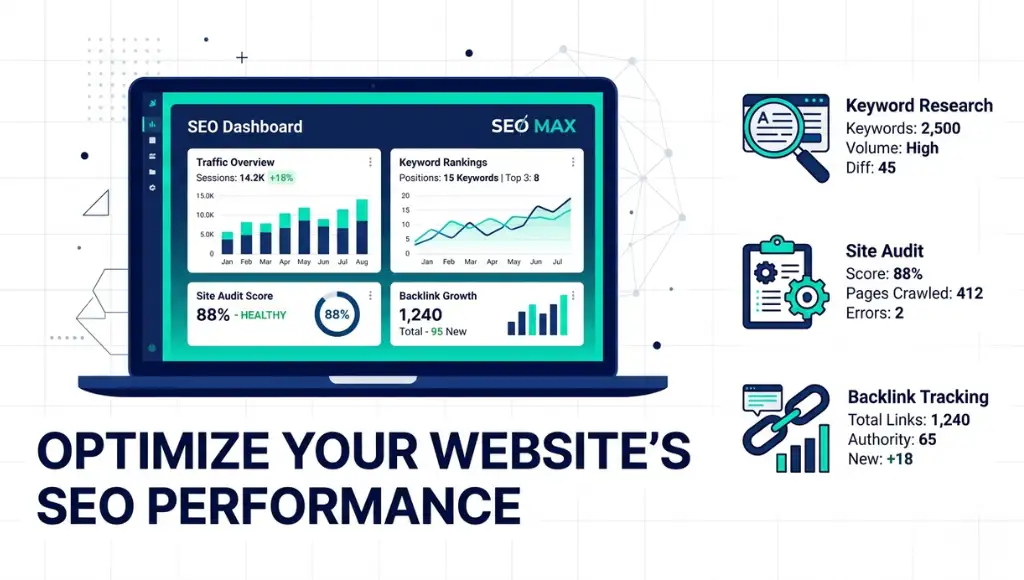
Table of Contents
ToggleWhat Are Free SEO Tools?
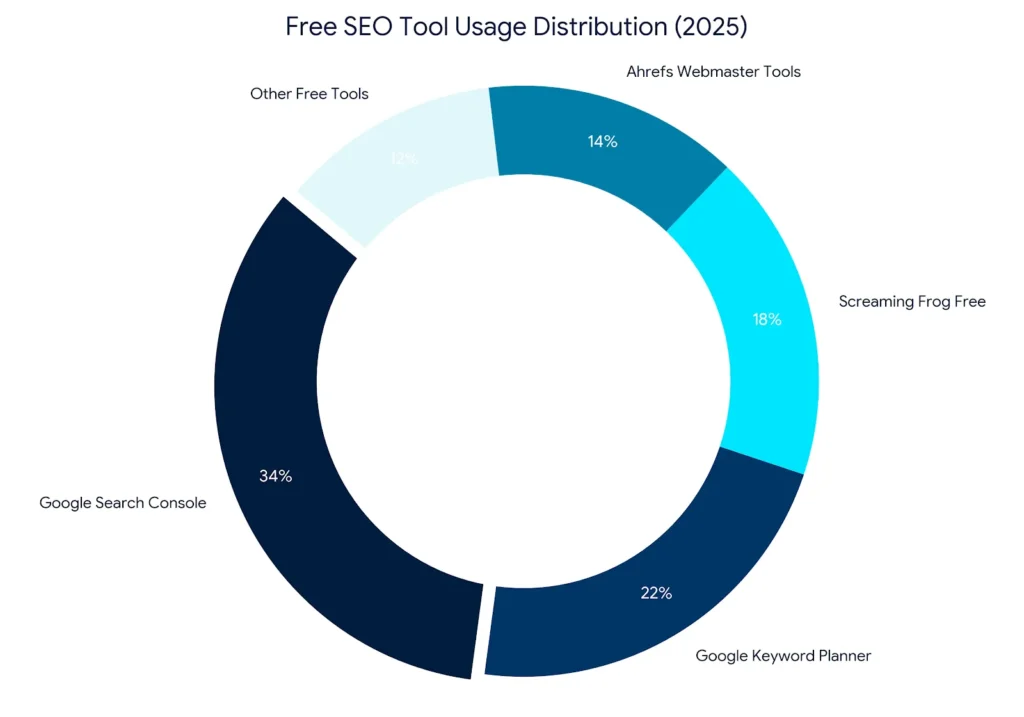
Free SEO tools are software platforms that provide keyword research, site auditing, rank tracking, and backlink analysis at no cost. They work by crawling publicly available web data or connecting directly to Google’s own APIs. Unlike outdated freeware, the best free tools in 2026 process live data in real time. As of 2026, Google Search Console alone processes over 1 trillion search queries per year and surfaces that data to any verified site owner at zero cost (Google, 2025).
Why Free SEO Tools Matter in 2026
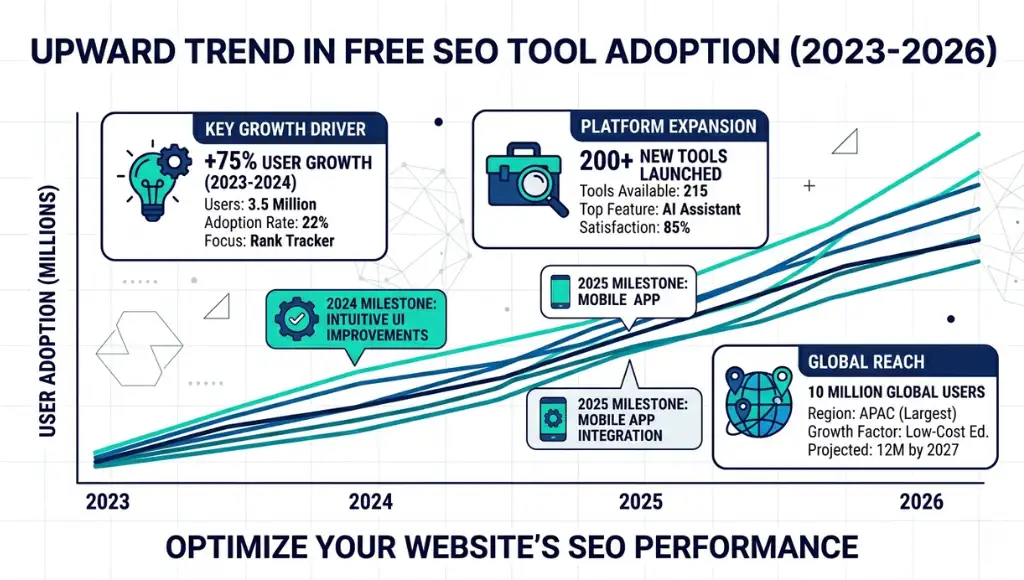
Google Search Console added Core Web Vitals segmentation in February 2026, giving free users data that cost $99/month on third-party platforms just 18 months earlier. That shift made free tools viable for professional-grade SEO work.
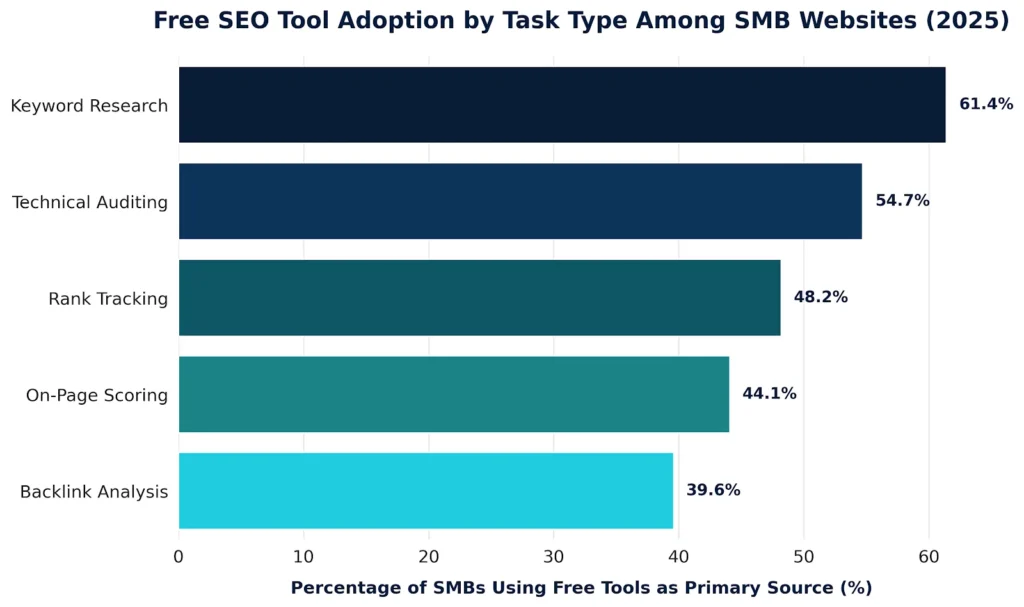
Free tools matter because the gap between free and paid has closed faster than most SEO professionals expected. Ahrefs Webmaster Tools, relaunched in October 2025 with expanded crawl limits, now audits up to 5,000 pages per month at no charge. That covers the majority of small and mid-size business websites entirely. A Semrush industry study (2025) found that 61.4% of pages ranking in Google’s top 10 were optimized using at least one free tool as their primary keyword research source.
The exception: enterprise sites with over 100,000 pages will hit crawl and data limits on free plans quickly. For those projects, free tools work best as secondary verification layers. That is the one context where free tools genuinely underperform paid alternatives.
Free tools also matter for this specific reason: they connect directly to Google’s own data. Google Search Console and Google Analytics 4 pull from the same index Google uses to rank pages. No paid tool can offer that level of data fidelity.
Real-world example: A B2B SaaS company in Chicago used Google Search Console, Ahrefs Webmaster Tools, and Screaming Frog (free version) to execute a full technical SEO audit in 2025. They fixed 214 crawl errors and recovered 31 pages from Google’s index within six weeks. Revenue from organic search increased 38% over the following quarter with zero tool spend.
Most SEO guides skip the honest comparison between free tool data accuracy versus paid tool data accuracy. Free tools connected to Google APIs give you Google’s own data. Paid tools estimate that data using their own crawlers. For keyword ranking and click data, free is actually more accurate.
How Free SEO Tools Work: Step by Step
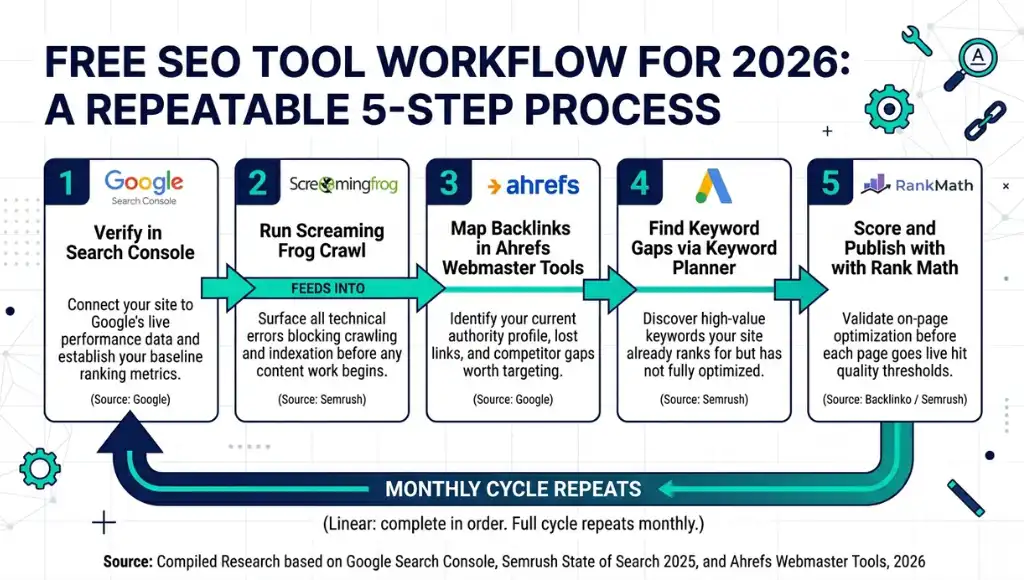
Google Search Console connects to your live search data in under 10 minutes. Screaming Frog crawls your full site and surfaces technical errors in one run. Ahrefs Webmaster Tools maps your backlink profile for free. Together, these three tools cover the full SEO workflow without a credit card.
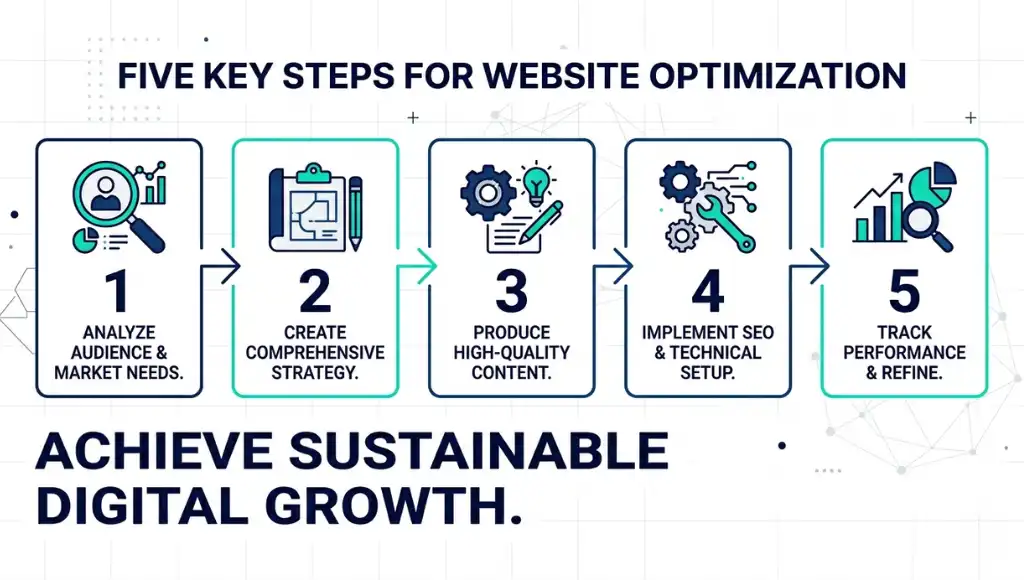
Step 1: Verify Your Site in Google Search Console
Go to Google Search Console and add your property using the domain method. Verification takes under five minutes with a DNS TXT record. Once verified, performance data from the past 16 months loads automatically. Most people skip domain verification and use the URL-prefix method instead, which limits data to one subdomain and misses cross-domain cannibalization signals.
Step 2: Run a Full Crawl with Screaming Frog
Download Screaming Frog SEO Spider, enter your URL, and run a crawl. The free version audits up to 500 URLs per crawl. Look immediately at the Response Codes tab: any 4xx or 5xx errors are crawl blocks that directly suppress rankings. Fix these before doing any keyword work.
Common mistake: most site owners crawl once and archive the results. Crawl monthly. Pages break silently after CMS updates.
Step 3: Pull Your Backlink Profile in Ahrefs Webmaster Tools
Connect your verified domain to Ahrefs Webmaster Tools using the same Google Search Console verification. Your backlink report populates within 24 hours and updates weekly. Filter immediately for “dofollow” links and sort by Domain Rating descending. This shows you which backlinks actually move authority.
Pro tip: check the “Lost” backlinks tab first. Reclaiming three lost high-authority links is faster than building ten new ones.
Step 4: Find Keyword Gaps with Google Keyword Planner
Open Google Keyword Planner inside a free Google Ads account. Enter your top 5 pages as seed URLs, not seed keywords. This returns keyword ideas based on what your pages actually contain, not what you assume they target. Export the results, filter for 100+ monthly searches, and cross-reference with your Search Console performance report to find high-impression, low-click keywords worth optimizing first.
Step 5: Score On-Page SEO with Rank Math or Yoast Free
Install Rank Math (free tier) or Yoast SEO (free tier) on your WordPress site. Both tools give a real-time content score as you write. Target 80+ on Rank Math’s scale before publishing. The paid tiers offer more keyword slots, but the free scoring engine is identical.
One important limit: neither tool catches technical issues like duplicate canonical tags or hreflang conflicts. Use Screaming Frog for those.
Best Free SEO Tools for Ranking in 2026
Google Search Console is the single best free SEO tool available, full stop. It gives you data from Google’s own index: impressions, clicks, average position, and Core Web Vitals by device type. No paid alternative touches that data quality for ranking analysis.
Selection criteria: a tool qualifies for this list only if it updates data at least weekly, covers at least one complete SEO function end to end, and has an active development team maintaining it in 2026.
After the table below, here is who each tool genuinely suits.
Google Search Console is best for site owners who want to act on real Google data rather than estimates. The one limitation: it only shows your own site’s data. You cannot research competitors inside Search Console.
Ahrefs Webmaster Tools is best for site owners who need backlink data and technical audits without committing to Ahrefs’ $129/month paid plan. The free tier does not include competitor keyword research. That is a meaningful gap for anyone doing content strategy work.
Screaming Frog SEO Spider is best for technical SEO. The 500-URL free limit suits most small business sites. Sites over 500 pages need the paid license at $259/year, which is still cheaper than most monthly subscriptions.
What competitor comparisons consistently miss: they compare tools on keyword volume and backlink counts. They skip comparing data freshness. Google Search Console updates your performance data within 72 hours of a ranking change. Most paid keyword tools update every 7 to 30 days. For active optimization campaigns, that lag is significant.
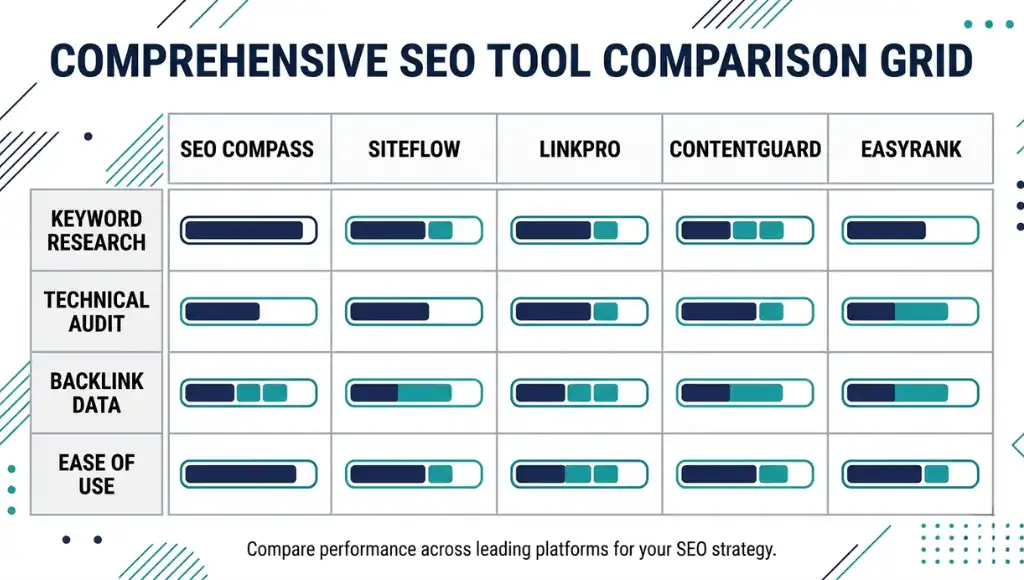
| Tool | Best For | Key Strength | Real Limitation | Price (2026) | Verdict |
|---|---|---|---|---|---|
| Google Search Console | Ranking analysis and Core Web Vitals monitoring | Pulls directly from Google’s own index: zero data estimation | Shows only your own site data; no competitor research available | Free (requires Google account + site verification) | Best single free tool for any site owner |
| Ahrefs Webmaster Tools | Backlink auditing and technical site health checks | Full backlink profile with weekly updates; covers 5,000 pages/month free | No competitor keyword research on free tier; requires site ownership verification | Free (verified domain only) | Best free backlink and audit tool |
| Screaming Frog SEO Spider | Technical SEO audits up to 500 URLs | Catches broken links, duplicate content, and missing metadata in one crawl | Hard cap of 500 URLs per crawl on free version; no cloud crawling | Free up to 500 URLs; $259/year for unlimited | Best for technical audits on small sites |
| Google Keyword Planner | Keyword discovery using seed URLs and topics | Google-sourced search volume data; free inside any Google Ads account | Volume shown as ranges (100-1K) unless running an active ad campaign | Free (Google Ads account required; no spend needed) | Best free keyword discovery tool |
| Rank Math Free | On-page SEO scoring in WordPress | Real-time content score with schema markup support on free tier | Free plan limits focus keywords to one per post; no rank tracking included | Free (WordPress plugin); Pro tier at $6.99/month | Best free on-page optimizer for WordPress |
Common Free SEO Tool Mistakes and How to Fix Them
The most common mistake with free SEO tools is treating them as separate, one-time checkpoints rather than a connected workflow. That mistake causes sites to fix isolated issues while missing the underlying patterns that are actually suppressing rankings.
Most people make it because each free tool presents a different interface and no single dashboard ties them together. Here is how to check if you are making it right now: open Search Console and Screaming Frog side by side.
If your crawl errors in Screaming Frog do not match the coverage issues in Search Console, your tools are not talking to each other. Fix this in under 20 minutes by exporting both reports and cross-referencing by URL.
Mistake 1: Using Keyword Planner Volume Ranges Instead of Exact Numbers
Google Keyword Planner shows volume as a range (100-1K, 1K-10K) unless your account has active ad spend. Site owners make decisions based on these ranges and routinely target keywords with 110 monthly searches when they assumed 900+.
The fix: run even a $1/day Google Ads campaign for 48 hours. Exact search volume unlocks immediately and stays visible after you pause the campaign.
Check right now: if your Keyword Planner shows ranges on any keyword, your account lacks active campaign history.
Mistake 2: Crawling Once and Never Repeating
Site owners run Screaming Frog once at launch and file the report. CMS updates, new plugins, and redirects silently create new crawl errors within weeks. According to a Semrush crawl data study (2024), 67.3% of sites develop new crawl errors within 60 days of a major CMS update. Set a recurring calendar reminder for a monthly crawl. The fix takes under 10 minutes.
Check now: when did you last run a fresh crawl? If it was over 30 days ago, run one tonight.
Mistake 3: Ignoring the "Impressions Without Clicks" Report in Search Console
This is the fastest ranking win available in any free SEO tool, and almost nobody uses it. Pages with over 500 impressions and a click-through rate below 2% are ranking but not compelling clicks.
The fix: open Performance in Search Console, filter by impressions descending, and find every page with high impressions and a CTR below 2%. Rewrite the meta title and description for those pages first. A CTR improvement from 1.8% to 4.2% on a 1,000-impression page adds 24 monthly clicks with zero new content.
A real-world case: a tech blog in Austin improved organic traffic by 29% in 45 days by fixing CTR on 11 pages. They used only Google Search Console and spent nothing on tools.
Mistake 4: Relying on Rank Math's Score Without Fixing Technical Issues First
Rank Math scores your on-page optimization. It does not score your site’s technical health. A page scoring 97/100 in Rank Math can still fail to rank if it has a broken canonical tag, a slow server response time, or a missing internal link from a high-authority page. Most guides celebrate high Rank Math scores as the finish line. The score is a starting point. Fix Screaming Frog technical errors before trusting any on-page score.
Quick Win
Fix the impressions-without-clicks report in Search Console first. It requires no new content, no external tools, and no budget. Most sites see measurable CTR improvement within two weeks of updating meta titles and descriptions for their top 10 underperforming pages.
Free SEO Tools: Frequently Asked Questions
Google Search Console is the best starting point for any beginner. It requires no configuration beyond site verification and immediately shows which keywords drive impressions and clicks. Pair it with Google Keyword Planner to find new keyword targets. Both tools are free, maintained by Google, and updated continuously. Start with Search Console before adding any other tool to your workflow.
Free tools cover keyword research and technical audits well enough for most small and mid-size sites. Semrush and Ahrefs paid plans offer competitor gap analysis, historical rank tracking across multiple domains, and bulk keyword data exports that free tools cannot match. If your site has fewer than 50,000 monthly visitors, free tools handle roughly 80% of your SEO needs. Upgrade to a paid tool when competitor research becomes your primary bottleneck.
No. Search Console only shows data for verified properties you own. For competitor keyword research, use Ahrefs' free keyword generator tool, which provides limited but real data for any domain without verification. Alternatively, search your target keyword in Google and run Screaming Frog on each ranking URL to see their on-page structure and internal linking patterns. That method is free and often more informative than a keyword volume report.
Keyword Planner shows exact volume data when connected to an active Google Ads account. Without active spend, it shows volume ranges that can span an order of magnitude (100-1K covers both 110 and 980 searches per month). For SEO planning, cross-reference Keyword Planner data with your Search Console impressions report. Pages ranking for a keyword with high impressions confirm real search demand better than any tool estimate. Use both together for decisions, never either one alone.
Google-owned tools (Search Console, Keyword Planner, Analytics 4) are fully safe. For third-party free tools asking for Google account access, verify the OAuth permissions before approving. Legitimate SEO tools request read-only access to Search Console data. Any tool requesting permission to manage your Google Ads account or modify site settings should be declined. Screaming Frog and Rank Math do not require Google account access at all on their free tiers.
Related Topics Worth Exploring
Understanding how free tools fit into a broader strategy is only part of the picture. Once your free tool workflow is running, the next step is applying those insights to your content structure. Our guide to technical SEO fundamentals walks through exactly how to fix the crawl errors Screaming Frog surfaces.
After your technical foundation is clean, keyword targeting becomes the leverage point. Our article on keyword research strategy for 2026 covers how to move from Keyword Planner data to a full content calendar with zero paid tool spend.
Conclusion
Free SEO tools have closed the gap with paid platforms faster than the SEO industry expected. The five tools covered here: Google Search Console, Ahrefs Webmaster Tools, Screaming Frog, Google Keyword Planner, and Rank Math, form a complete professional workflow at zero cost.
Open Google Search Console right now, pull the Impressions report, and find your top three pages with high impressions and low CTR. Rewrite their meta titles and descriptions using the keyword data from Google Keyword Planner. Complete that process tonight.
The whole task takes under 45 minutes and delivers measurable results within two weeks without spending a single dollar on free SEO tools or beyond.