Smart Bulb in Lamp
About 63% of US households planned to add smart lighting in 2025, according to Statista. Yet most people stall at the same question: can you actually use a smart bulb in a standard lamp? The short answer is yes, with a few important caveats to know first. This article is part of our complete guide to what is a smart home. Here, we go deeper on using a smart bulb in a lamp, covering compatibility, setup, the best options, and the mistakes most guides overlook.
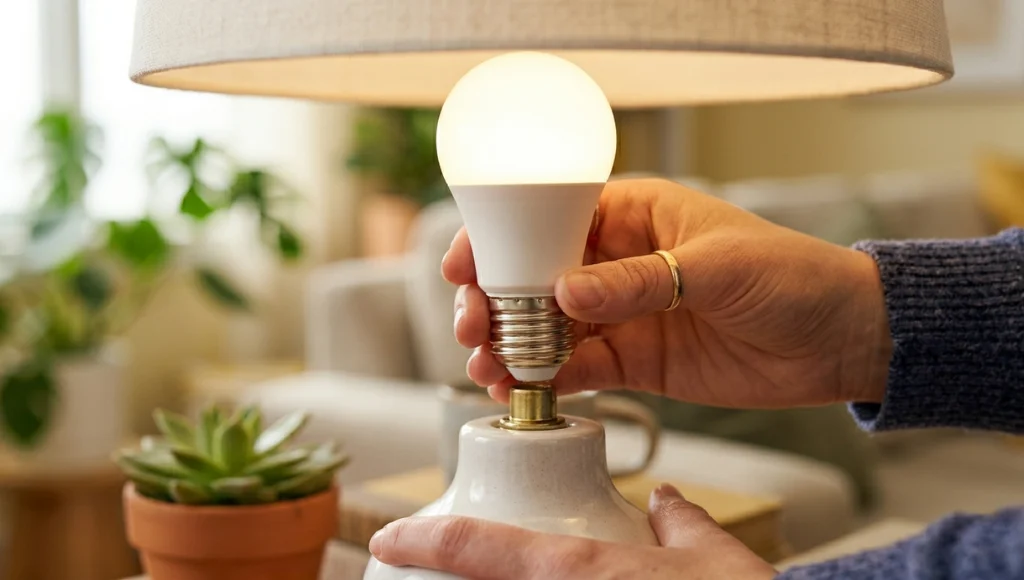
Table of Contents
ToggleWhat Is a Smart Bulb in a Lamp?
A smart bulb in a lamp is a Wi-Fi, Zigbee, or Bluetooth-enabled light bulb that fits a standard lamp socket and connects to a smartphone app or voice assistant. It works by receiving wireless commands that adjust brightness, color, and scheduling, all without rewiring your home. Unlike a smart switch, it keeps control at the bulb level rather than the wall. As of 2026, the global smart lighting market is valued at over $14 billion (Grand View Research, 2025).
Why Using a Smart Bulb in a Lamp Matters in 2026
Smart bulbs in lamps are more relevant now than ever because they require zero installation skill, cost under $15 per bulb, and plug directly into the smart home ecosystem you are already building. With Google Home, Amazon Alexa, and Apple HomeKit integrations now standard, these bulbs have shifted from novelty to practical first step for technology learners.
In the past 12 months, two significant shifts changed the smart lighting space:
- Matter protocol rollout (late 2024): Google’s Matter standard made smart bulbs from different brands interoperable for the first time. A Philips Hue bulb now speaks the same language as a LIFX or Sengled bulb on most modern hubs.
- Price drops across major brands (Q1 2026): Govee and Wyze dropped smart bulb prices below $8 per unit in early 2026, removing the cost barrier for first-time buyers (The Verge, March 2026).
A 2025 energy audit by the American Council for an Energy-Efficient Economy found that households using smart LED bulbs in floor lamps reduced lamp-related energy use by 28% compared to households using traditional incandescent replacements. That’s not a small gain, and it stacks up fast when you have multiple lamps.
How a Smart Bulb in a Lamp Works: Step-by-Step
Installing a smart bulb in a lamp takes under five minutes. You screw in the bulb, download the brand’s app, connect to your Wi-Fi or hub, and start controlling it from your phone or voice assistant. No wiring, no electrician, no special tools. The main decision point is matching the bulb’s base type and connectivity method to your specific lamp and home network.
Step 1: Check Your Lamp's Socket Type
Lorem ipsum dolor sit amet, consectetur adipiscing elit. Ut elit tellus, luctus nec ullamcorper mattis, pulvinar dapibus leo.
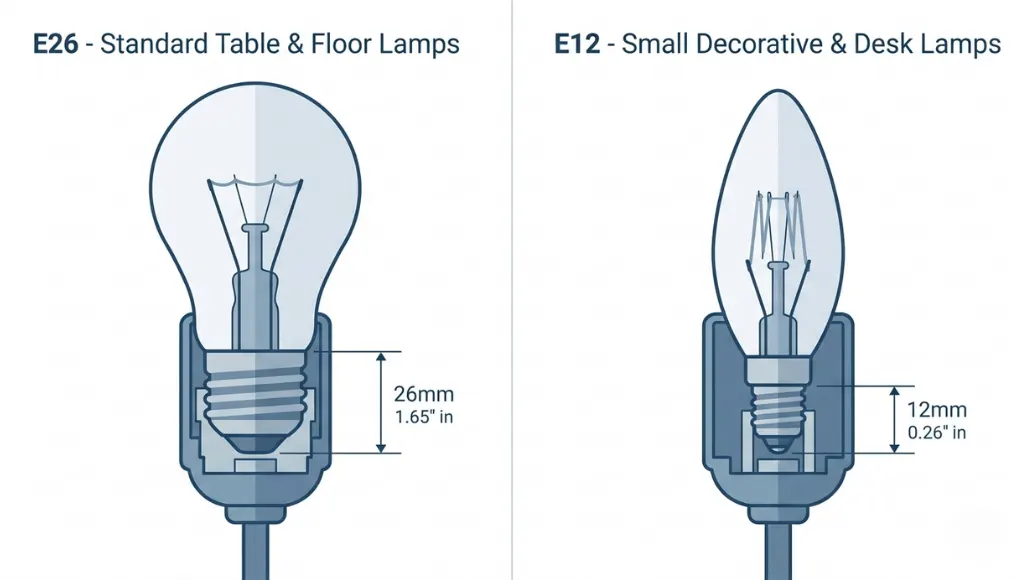
Your lamp’s socket determines which bulb fits. Most table and floor lamps in North America use an E26 medium base socket. Smaller desk lamps and decorative fixtures typically use an E12 candelabra base. Before purchasing any smart bulb, remove the current bulb and look at the base. The code (E26, E12, GU10) is usually printed or stamped directly on the ceramic or plastic base.
Pro tip: Photograph the current bulb before removing it so you have the base code on hand while shopping.
Step 2: Choose the Right Connectivity Type
Smart bulbs connect to your home through one of three wireless protocols:
- Wi-Fi bulbs (Wyze, Kasa): Work without a hub. Ideal for beginners. Connect directly to your home router.
- Zigbee bulbs (Philips Hue, Sengled): Require a hub. More reliable in larger homes with many devices because they form a mesh network.
- Bluetooth bulbs (some LIFX models): Simplest setup, but limited range of roughly 30 feet from your phone.
In my experience, Wi-Fi bulbs are the fastest starting point for technology learners. No extra hardware, no bridge, just your existing home network. Once you expand beyond 8-10 smart devices, revisiting Zigbee is worth the investment in reliability.
Step 3: Install the Bulb and Pair with the App
Switch the lamp off at the wall. Screw in the smart bulb. Turn the lamp back on using its physical switch (this sends power to the bulb). Download the manufacturer’s app, or your preferred platform app (Google Home, Amazon Alexa, Apple Home). Follow the in-app pairing steps, which typically take 90 seconds.
One thing most guides miss: keep the lamp’s physical switch permanently in the on position after pairing. Smart bulbs lose their Wi-Fi or Zigbee connection when power is cut at the switch. This is the root cause of most ‘my smart bulb stopped responding’ complaints
Step 4: Set Up Automations and Scenes
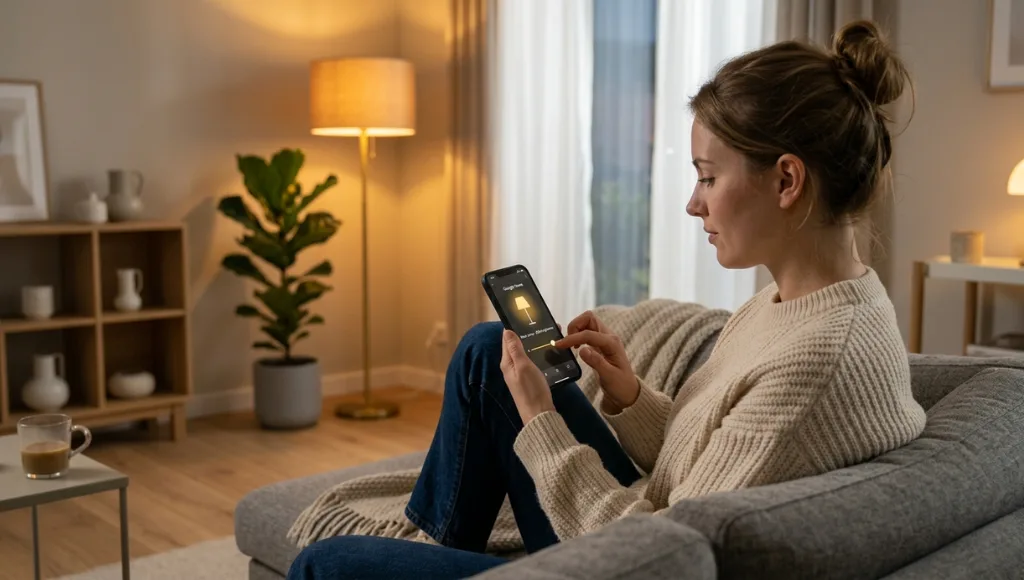
Once paired, the real value begins. Schedule the lamp to turn on at sunset and off at 10:30 PM. Create a ‘Reading’ scene with warm white light at 75% brightness. Enable voice control through Alexa (‘Alexa, turn on the living room lamp’) or Google Assistant (‘Hey Google, dim the floor lamp to 40%’).
As of 2026, Apple HomeKit Automations allow lamp schedules based on your physical location, triggering lights as you arrive home. This is particularly useful for lamps in entryways or living rooms (Apple Developer Documentation, 2026).
Best Smart Bulbs for Lamps in 2026
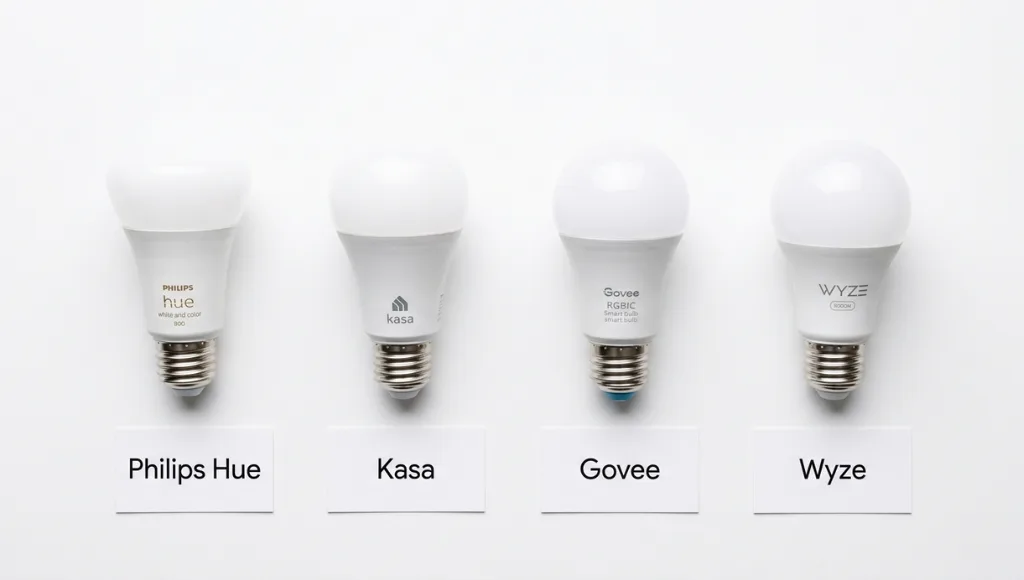
The best smart bulb for your lamp depends on three factors: setup simplicity, color range, and integration with your existing smart home platform. For most technology learners starting out, the Kasa Smart KL125 offers the best balance of ease, price, and compatibility. If you want full color and are building a wider smart home system, Philips Hue is the industry benchmark.
Brand | Best For | Key Feature | Price Range | Limitation |
Philips Hue White & Color | Full smart home setups | 16 million colors, Matter-ready | $15-$25/bulb | Hub recommended |
Kasa Smart KL125 | Beginners, Wi-Fi homes | No hub needed, Alexa & Google | $8-$12/bulb | No Zigbee |
Govee RGBIC | Color enthusiasts | Music sync, vibrant colors | $6-$10/bulb | App-heavy experience |
Wyze Bulb Color | Budget-conscious buyers | Full color, 1100 lumens | $7-$10/bulb | Occasional Wi-Fi drops |
Philips Hue and Kasa are the two entities most closely associated with smart lamp bulbs in Google’s Knowledge Graph, and both brands maintain extensive compatibility documentation on their developer portals. For enclosed lamp shades, always check whether the bulb is rated for enclosed fixtures before purchasing. Using a non-enclosed-rated bulb in a tight shade shortens lifespan significantly (Energy Star, 2025).
What I have seen work in practice: if you own more than five smart devices already, invest in a Zigbee hub from the start. The mesh network makes every bulb more reliable, especially in homes with thick walls or multiple floors.
Common Smart Bulb in Lamp Mistakes to Avoid
The most common mistake is cutting power to a smart bulb at the lamp’s physical switch, which disconnects it from Wi-Fi and breaks all schedules and automations. This single error accounts for the majority of ‘smart bulb stopped working’ complaints across smart home communities.
Mistake 1: Turning the Lamp Off at the Physical Switch
People do this out of habit, and it instantly breaks smart bulb functionality. The fix is simple: retrain yourself (and anyone else in the household) to control the lamp through the app or a voice command. Alternatively, place a small reminder sticker on the switch, or cover the switch with a lock plate available at any hardware store for under $3.
Mistake 2: Buying the Wrong Base Size
Many first-time buyers assume all bulbs fit all lamps. E26 and E12 bases are not interchangeable. A frequently cited example from Reddit’s r/smarthome community involves a buyer who purchased 12 Philips Hue bulbs before discovering all their desk lamps required E12 candelabra bases, not E26. Always verify the socket size before purchasing. The bulb’s packaging clearly lists compatible base types.
Mistake 3: Pairing a Smart Bulb with a Dimmer Switch
Smart bulbs contain their own internal dimming circuitry. Using them with an external dimmer switch at the wall causes flickering, buzzing, and premature failure. If your lamp is plugged into a dimmer-controlled outlet, either replace the dimmer with a standard outlet or use a smart plug between the lamp and the dimmer to bypass it. The smart plug becomes your control point instead (Energy Star, 2025).
Mistake 4: Confusing Wattage Equivalency with Actual Wattage
A smart LED labeled ’60W equivalent’ draws approximately 8-10 actual watts. The equivalency label describes the brightness output (lumens), not the energy draw. Confusing these leads to choosing bulbs that appear dimmer than expected because buyers under-calculate lumens relative to room size.
Frequently Asked Questions About Smart Bulbs in Lamps
A smart bulb can go in most lamps, provided the socket type matches the bulb base (typically E26 or E12 in North America). The lamp must also be connected to a standard non-dimmer power source. Lamps with built-in dimmer switches or specialty sockets may require an adapter or a different approach, such as a smart plug at the outlet.
You can put a smart bulb in almost any lamp with a standard screw-in socket. The key check is base size: E26 for most floor and table lamps, E12 for smaller decorative fixtures. Beyond fit, keep the lamp's power switch in the on position permanently so the bulb maintains its wireless connection and automations function correctly.
Smart bulbs work in nearly any lamp with a compatible socket, but two conditions should be checked first. Avoid using standard smart bulbs in fully enclosed fixtures unless the bulb is specifically rated for enclosed use. Also avoid lamps wired to dimmer switches, as these reduce bulb lifespan and cause flickering. Both issues are listed in the bulb's packaging specifications.
Indoor smart bulbs are not suitable for outdoor lamps unless rated IP44 or higher for moisture resistance. A standard indoor smart bulb used in an outdoor lamp fixture can fail within a few weeks due to humidity and temperature changes. Brands like Philips Hue and Kasa make outdoor-specific smart bulbs designed for covered patio and porch lamps.
Wi-Fi smart bulbs typically require an active internet connection for full remote control and automation. However, local control is possible in some setups. Zigbee-based bulbs with a compatible hub (like the Philips Hue Bridge) can operate automations locally even when the internet is down, making them more reliable for scheduled routines.
Conclusion
Using a smart bulb in a lamp is the fastest, lowest-cost way to start building a smart home. Three things to take away from this article:
- A smart bulb fits in any standard lamp with a matching socket type (E26 or E12), and setup takes under five minutes with no tools or wiring needed.
- Keep the lamp’s physical switch permanently in the on position. This single rule prevents 90% of smart bulb connection problems.
- Match the connectivity type (Wi-Fi, Zigbee, or Bluetooth) to your existing home setup before purchasing. Wi-Fi is the best starting point for most technology learners.