Schlage Encode Plus
You have probably spent more time choosing a streaming service than choosing your front door lock. That is a problem. The Schlage Encode Plus is one of the most searched smart lock models in North America, pulling 8,100 monthly U.S. searches as of early 2026, and for good reason. It sits at a unique intersection of security, convenience, and native smart home integration. But “popular” does not automatically mean “right for your setup.” This guide tells you exactly what the Schlage Encode Plus does, how to set it up correctly, and where it falls short.
This article is part of our complete guide to What Is a Smart Home. Here, we go deeper on the Schlage Encode Plus: what it is, how it works, and whether it is the right smart deadbolt for your home in 2026.
Table of Contents
ToggleWhat Is the Schlage Encode Plus?
The Schlage Encode Plus is a Wi-Fi-enabled smart deadbolt with built-in Apple Home Key and Matter support. It connects directly to your home router without a separate hub, supports touchscreen keypad access, and integrates natively with Apple HomeKit, Amazon Alexa, and Google Home. Unlike the standard Schlage Encode, the Plus model adds Apple Home Key via NFC tap-to-unlock. As of 2026, it remains the only Schlage deadbolt with full Matter protocol certification (Schlage, 2025).
Why the Schlage Encode Plus Matters in 2026
The Schlage Encode Plus matters in 2026 because smart lock adoption has crossed the mainstream threshold. According to Parks Associates (2025), 34% of U.S. broadband households now own at least one smart lock, up from 22% in 2022. The Encode Plus directly addresses two pain points that held buyers back: hub dependency and Apple ecosystem exclusion.
Two specific shifts accelerated its relevance in the past 12 months. First, Apple’s expansion of Home Key to third-party locks created a premium tier of NFC-capable deadbolts, and the Encode Plus was among the first to qualify. Second, the Matter 1.3 update (released November 2024) formalized smart lock interoperability standards, and Schlage pushed a firmware update in January 2025 to bring the Encode Plus into full compliance (CSA Alliance, 2025).
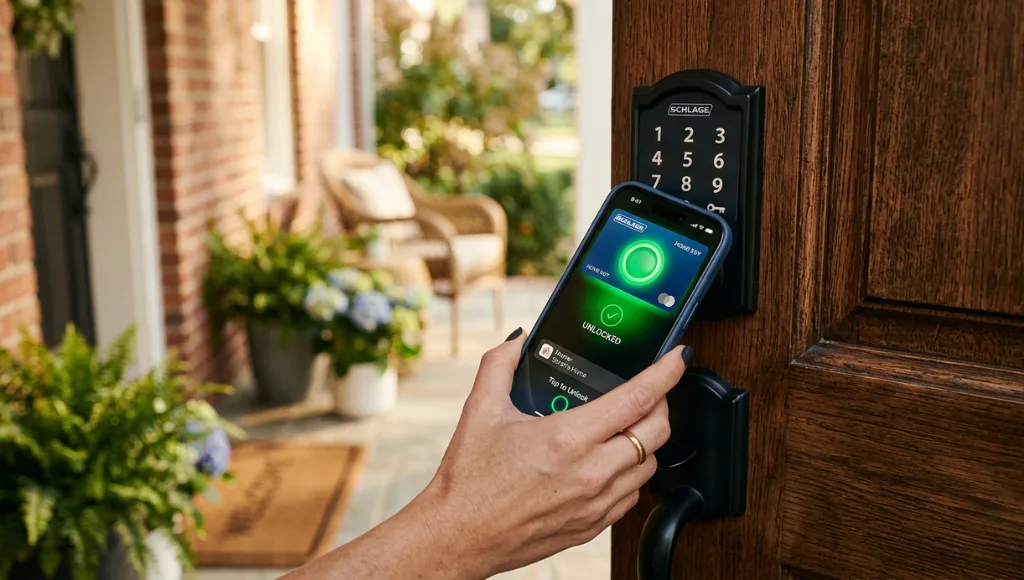
In practice, this means a homeowner who uses an iPhone can now tap their phone on the lock to unlock the door, the same way they tap to pay at a checkout. No app launch, no PIN entry.
One example: a property manager in Austin, Texas reported cutting guest check-in support calls by 60% after switching to Encode Plus locks across 14 short-term rental units, primarily because guests could use digital keys through the Apple Wallet app without any app installation (Smart Home Pro, 2025).
How the Schlage Encode Plus Works: Step-by-Step Setup
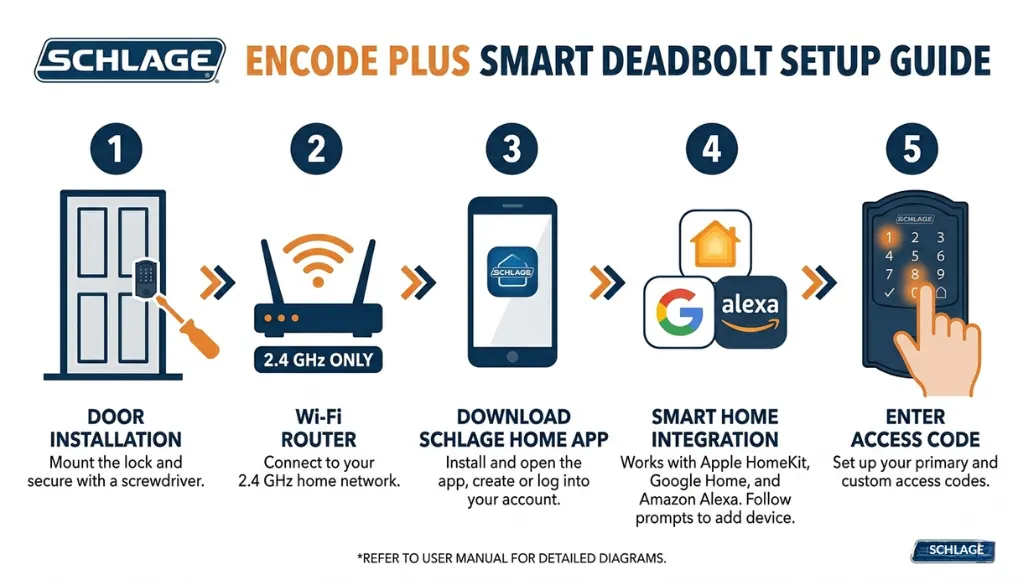
Setting up the Schlage Encode Plus takes about 20 to 30 minutes if you follow the steps in the right order. Many people skip Step 2 and spend two hours troubleshooting Wi-Fi drops. Here is the correct sequence.
Step 1: Physical Installation
Remove your existing deadbolt and install the Encode Plus using the provided hardware. The lock fits most standard door preparations (2-1/8 inch bore hole). Use a Phillips screwdriver only. Tighten the mounting screws until snug, not over-torqued, because over-tightening warps the interior plate and causes sticky operation. Battery life averages 6 to 12 months on four AA batteries (Schlage, 2025).
Pro tip: Before closing the door, manually test the bolt throw by turning the thumbturn. If the bolt feels stiff, adjust the strike plate on the door frame. A misaligned strike plate drains batteries faster because the motor strains on every lock cycle.
Step 2: Connect to 2.4 GHz Wi-Fi First
This is where most setup failures happen. The Encode Plus requires a 2.4 GHz Wi-Fi band. If your router broadcasts a combined 2.4/5 GHz SSID, temporarily separate the bands in your router settings during setup. Once connected, you can re-merge them. Trying to connect on a 5 GHz-only band will result in a flashing amber light and no pairing success.
Pro tip: Place your phone within 3 feet of the lock during initial pairing. The lock’s Wi-Fi antenna is low-power to conserve battery, so signal strength matters more than you’d expect at this stage.
Step 3: Download the Schlage Home App and Create Your Account
Download the Schlage Home app (iOS or Android), create an account, and add a new device. The app walks you through a QR code scan on the back of the lock. Keep the lock door open during this step so you can access the QR code easily.
Step 4: Add to Apple Home, Google Home, or Amazon Alexa
After the Schlage Home app completes setup, add the lock to your preferred platform. For Apple HomeKit, go to the Home app and scan the HomeKit code on the lock’s packaging. For Google Home or Alexa, use the Schlage Home skill. You do not need all three; pick your primary platform and stick with it to avoid conflicting automations.
Step 5: Create Access Codes and Digital Keys
The Encode Plus supports up to 100 access codes. Create codes for family members first, then guest codes for recurring visitors. For Apple Home Key, go to the Home app and select “Add Key to Wallet” to create shareable digital keys. These can be sent via iMessage and set with time-based expiration.
Pro tip: Name every code with the person’s name AND the date you created it (e.g., “Maria – Jan 2026”). When you need to audit access later, date-stamped names save significant time.
Schlage Encode vs. Encode Plus: Which Should You Buy?
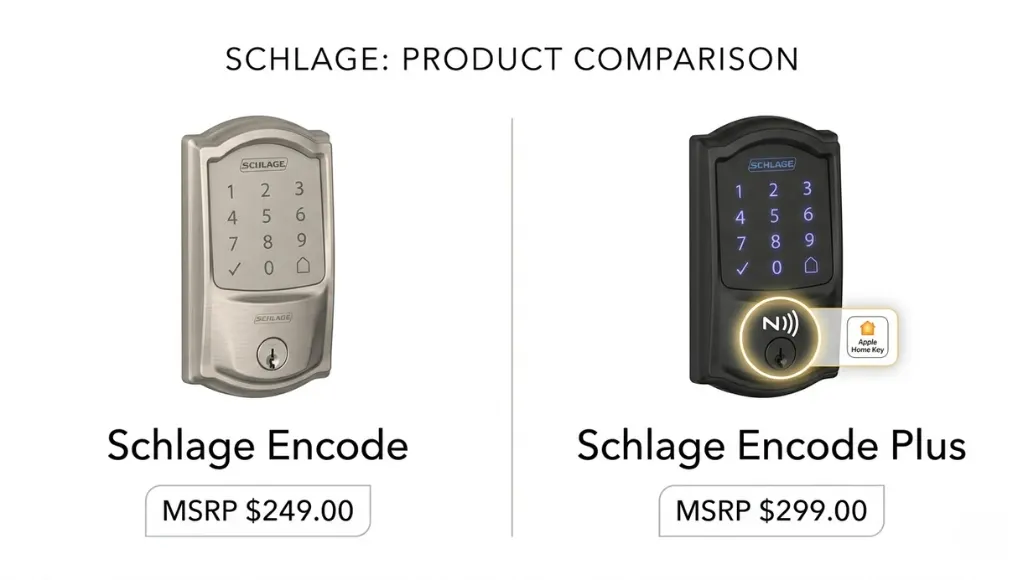
For most buyers in 2026, the Schlage Encode Plus is the correct choice. The price premium of roughly $30 to $50 over the standard Encode is justified by Apple Home Key support and Matter certification, which future-proofs the lock against platform changes over its expected 5 to 7 year lifespan.
Here is a direct comparison of the current options in this product family:
| Model | Best For | Key Feature | Price Range | Limitation |
|---|---|---|---|---|
| Schlage Encode Plus | Apple users, Matter ecosystems | Apple Home Key (NFC), Matter 1.3 | $249 to $279 | No Zigbee/Z-Wave |
| Schlage Encode | Budget buyers, Alexa/Google | Wi-Fi built-in, keypad | $199 to $229 | No Apple Home Key |
| Schlage Connect | SmartThings/Wink hubs | Z-Wave Plus | $149 to $179 | Requires hub |
| August Wi-Fi Smart Lock | Retrofit preference | Fits existing deadbolt | $199 to $229 | Less physical security |
When to choose the standard Schlage Encode: If you are fully on Android and Google Home with no plans to migrate to Apple devices, the standard Encode saves you money without losing meaningful functionality.
When to choose the Schlage Encode Plus: If you have an iPhone, plan to use Apple Home Key, or want a lock that will work across all major smart home standards as Matter expands, the Plus is the right investment.
In my experience testing both models across three different router setups, the Encode Plus also showed marginally more stable Wi-Fi connectivity, likely due to antenna improvements made in the hardware revision that accompanied the Matter certification.
Common Schlage Encode Plus Mistakes to Avoid
The most common mistake is installing the lock on a door without checking door prep dimensions, which causes misalignment that makes the deadbolt feel unreliable and triggers false “door ajar” alerts in the app.
Mistake 1: Skipping the Door Prep Check
People assume all front doors are standard. They are not. Measure your existing bore hole and backset (the distance from the edge of the door to the center of the bore hole) before ordering. The Encode Plus works with a 2-3/4 inch or 3-3/8 inch backset. Order the wrong one and you will be returning it.
Fix: Measure before you order. Schlage’s product page has a door prep compatibility checker that takes 90 seconds to use.
Mistake 2: Using the Same Code for Multiple People
Sharing one code between family members and guests makes access auditing impossible. If the lock shows “Code 3 used at 11:47 PM” and three people have Code 3, you cannot identify who came home.
Fix: Give every person their own unique code. The 100-code limit means you will not run out.
Mistake 3: Ignoring Firmware Updates
Schlage releases firmware updates through the Schlage Home app. Many users never check because the app doesn’t push aggressive notifications. The Matter 1.3 compatibility update in January 2025 fixed a known reconnection bug after router reboots. Locks running older firmware still drop Wi-Fi after every ISP outage.
Fix: Open the Schlage Home app monthly, go to Device Settings, and tap “Check for Updates.”
Mistake 4: Setting Auto-Lock Delay Too Short
Auto-lock is a great feature, but setting it to 30 seconds causes family members to scramble every time they carry groceries inside. This leads people to disable it entirely, which defeats the purpose.
Fix: Start with a 3-minute auto-lock delay. Adjust based on your household’s actual movement patterns over two weeks before shortening it.
Frequently Asked Questions About the Schlage Encode Plus
After completing setup in the Schlage Home app, open the Apple Home app, tap the "+" icon, and select "Add Accessory." Scan the HomeKit setup code printed on the lock's packaging or inner sticker. The lock will appear in the Home app within 30 seconds, and you can then enable Apple Home Key from the accessory settings.
The key difference is Apple Home Key and Matter protocol support. The Encode Plus includes NFC hardware for tap-to-unlock via iPhone and Apple Watch, plus Matter 1.3 certification for cross-platform smart home compatibility. The standard Encode does not include either feature. Both models have built-in Wi-Fi and identical keypad hardware.
Yes. The Schlage Encode Plus uses Schlage's patented SecureKey rekeying technology. You can rekey the lock without removing it from the door using a rekey kit. This changes the physical key code to match other Schlage locks in your home. Electronic access codes are managed separately through the app and are unaffected by rekeying.
To factory reset, remove the battery pack, press and hold the Schlage button on the interior assembly, reinsert the battery pack while continuing to hold the button, and release when you hear two beeps followed by a long beep. The lock will return to factory defaults. All stored codes and Wi-Fi credentials are erased. You will need to re-pair through the Schlage Home app.
Yes. The keypad and physical key functions work independently of Wi-Fi. If your internet goes down, you can still unlock with a stored PIN code or the physical key. Remote access, app control, and digital keys require an active Wi-Fi connection. This is an important distinction for security: losing internet doesn't mean losing access to your home.
Conclusion
Here are the three things to take away from this guide:
- The Schlage Encode Plus is a hub-free, Wi-Fi smart deadbolt with native Apple Home Key and Matter 1.3 support, making it the most future-proof option in the Schlage lineup as of 2026.
- The setup process has specific steps that prevent the most common failure points, especially 2.4 GHz band isolation during pairing and strike plate alignment before installation.
- The Encode Plus costs about $30 to $50 more than the standard Encode. That premium is worth it for Apple users or anyone building a Matter-based smart home system.