Product Code Scanner App
Have you ever wondered how your phone can instantly pull up a product’s price, reviews, or origin just by pointing at its barcode? That’s what a product code scanner app does. This article is part of our complete guide to software and apps, where we go deeper on how these mobile tools work and why they matter now. By the end, you’ll understand what a product code scanner app is, how it works step‑by‑step, which tools top the field, and the common mistakes people make when choosing or using one. For broader context on applications and software categories, see our Software and Apps Guide 2026.
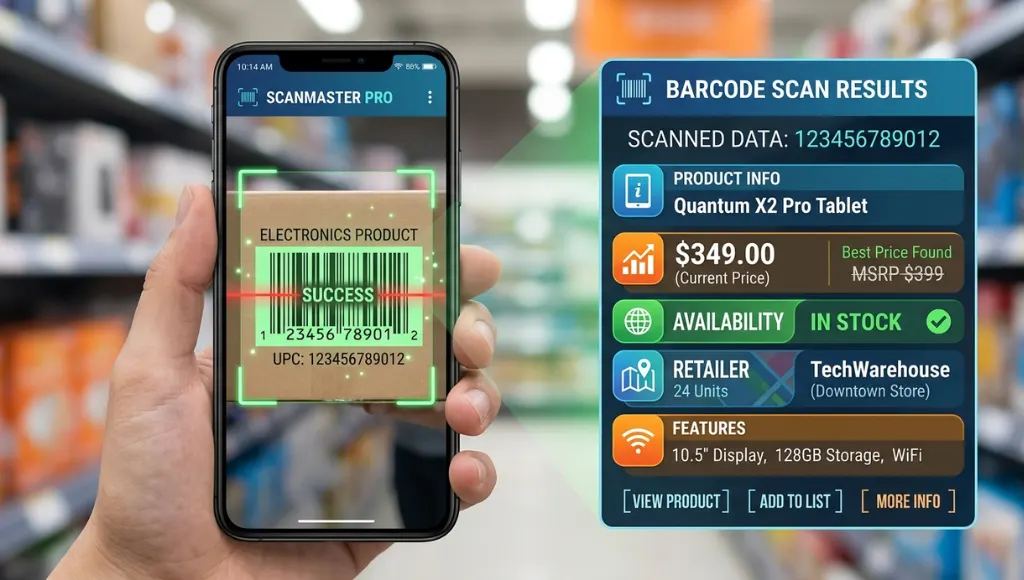
Table of Contents
ToggleProduct code scanner app is a mobile application that uses your phone’s camera to read product barcodes and QR codes (what it is). It works by decoding the pattern of bars or squares into a digital identifier and then linking that identifier to product data (how it functions). Unlike generic camera apps, it delivers product info, pricing, reviews, and inventory updates instantly (key benefit). As of 2026, mobile scanning tool usage has grown over 40% year‑over‑year due to retail and manufacturing demand (Statista, 2025).
Why Product Code Scanner Apps Matter in 2026
Product code scanner apps are essential in 2026 because they transform ordinary smartphones into real‑time inventory, retail, and product research tools, saving time and improving accuracy. They serve consumers and businesses alike, speeding checkout, enhancing product discovery, and reducing errors in logistics (Gartner, 2025).
Key Drivers This Year
- Retail acceleration: Mobile‑first shopping and price comparison are mainstream; 78% of consumers use scanning tools before buying in‑store (NPD Group, 2025).
- Supply chain precision: Businesses demand real‑time tracking to reduce stockouts; scanning tools cut variance by up to 30% (Deloitte, 2025).
Real Example
Walmart’s workforce widely uses internal product code scanning apps to manage stock and pricing on the floor, reducing scanning errors by 22% after deploying mobile scanners company‑wide (Walmart Tech Report, 2025).
How Product Code Scanner Apps Work (Step by Step)
A product code scanner app reads a barcode or QR code with your phone camera, decodes the data pattern, matches it to a product database, and displays relevant information. The core steps involve capturing, decoding, validating, and presenting product data in an actionable format.
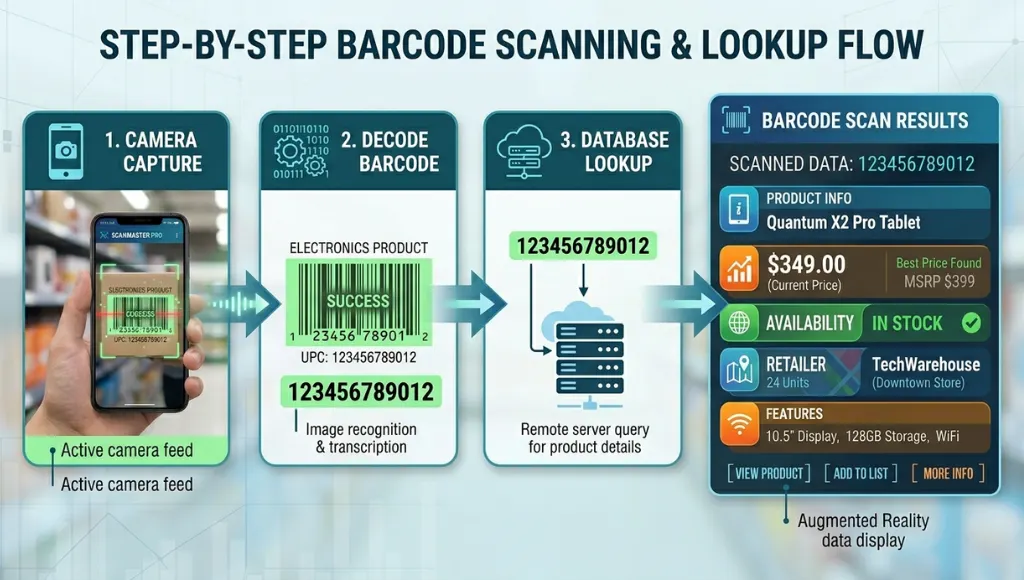
Step 1: Capture the Code
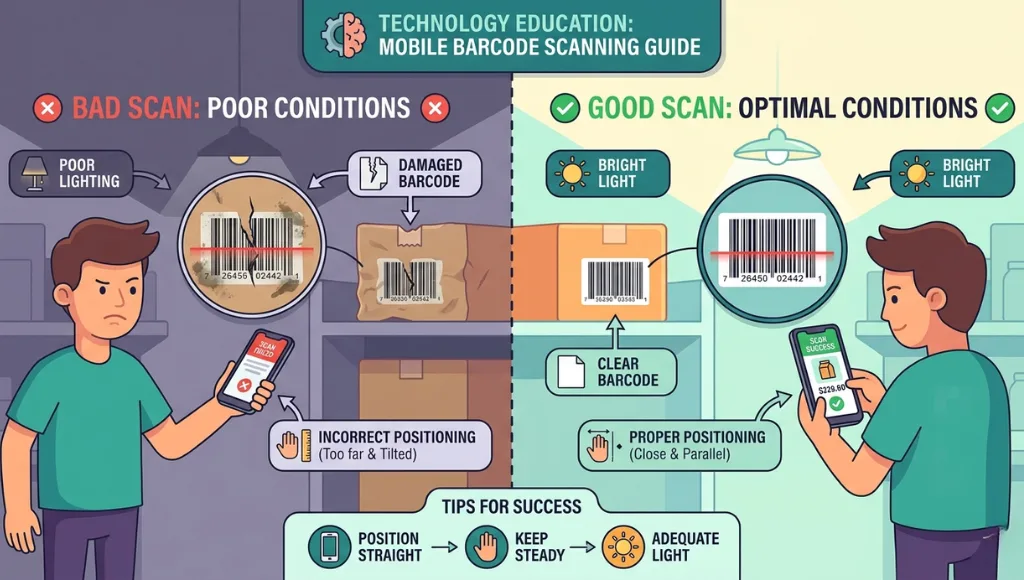
The app uses your phone’s camera to frame the target barcode or QR code. Lighting and steady focus matter here.
Example: On Android, Google Lens integrates barcode capture that automatically detects and focuses on codes.
Pro Tip: Hold your device 6‑12 inches from the code to improve accuracy, especially in low light.
Step 2: Decode the Pattern
Once captured, the app processes the pattern (bars or squares) using libraries like ZXing (open‑source) or proprietary algorithms to read the encoded string.
Example: ZXing library decodes standard UPC/EAN barcodes; many scanner apps on Google Play and Apple App Store rely on it.
Pro Tip: Apps that list supported symbologies (UPC, EAN, Code 128) usually decode more types of product codes.
This decoding process is a key part of mobile app development, where developers integrate libraries and optimize performance for fast and accurate scans.
Step 3: Validate & Lookup Product
The decoded identifier is sent to a database to retrieve product details. For consumer apps, this might be a public database; for enterprise apps, it’s a private inventory system.
Example: GS1’s global product registry is commonly used by enterprise scanners to ensure accurate product info.
Pro Tip: If your app integrates GS1 data, you’ll see richer product attributes (dimensions, origin, brand).
Step 4: Present Data to User
The app displays product details (price, reviews, stock levels). Depending on design, this can include links to purchase or inventory alerts for businesses.
Example: Some apps show historical price charts alongside user ratings for deeper insight.
Pro Tip: Look for apps with customizable dashboards if you scan products regularly.
Best Methods & Tools for Product Code Scanner Apps
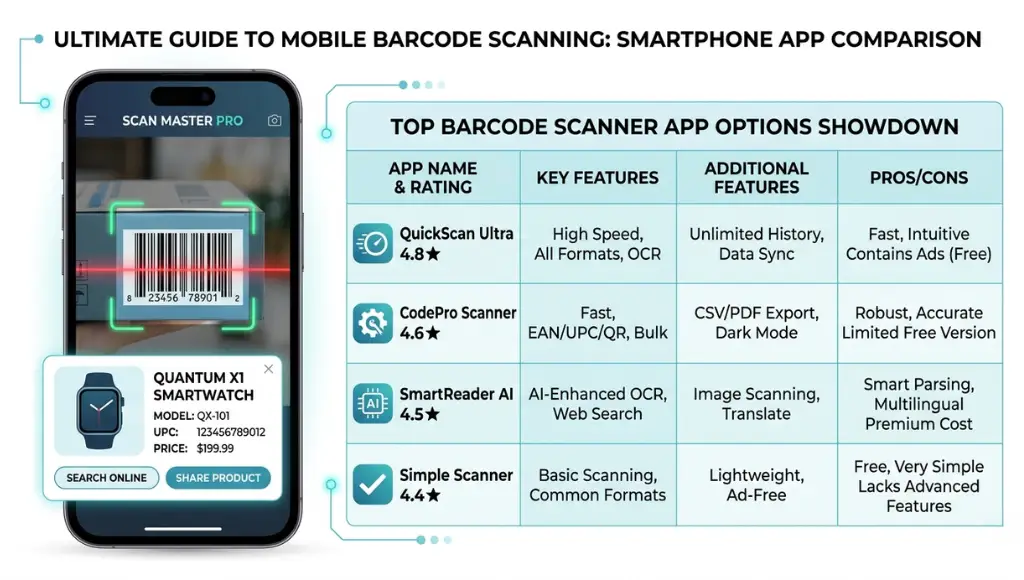
The best product code scanner tools combine high scan accuracy, broad code support (UPC, EAN, QR), fast database lookup, and smooth mobile UI. In 2026, top options range from lightweight free consumer apps to robust enterprise platforms with API access and inventory integration.
| Name | Best For | Key Feature | Price Range | Limitation |
|---|---|---|---|---|
| ScanLife Barcode Reader | Consumer price lookup | Fast consumer product info | Free‑to‑use / Premium | Limited enterprise features |
| Scandit Barcode Scanner SDK | Enterprise integration | High-speed scanning & API | $$ – $$$ | Requires development expertise |
| Microsoft Lens | Built‑in productivity scans | Multi-purpose scanning + OCR | Free | Not product‑specific data |
| QR & Barcode Reader | Casual shoppers | Simple UI + wide code support | Free, ads | Ads can detract experience |
When to Choose Which
- ScanLife: Best for consumers who want quick product data while shopping.
- Scandit SDK: Ideal for businesses integrating scanning into custom apps.
- Microsoft Lens: Good if you want a multipurpose scanner with OCR features.
- QR & Barcode Reader: Simple choice for occasional scans with minimal setup
Common Product Code Scanner App Mistakes to Avoid
The most common mistake is choosing a scanner with poor code support, which leads to failed scans and inaccurate data. Picking the wrong tool wastes time and undermines trust in your workflow.
1. Ignoring Supported Code Types
Apps differ in symbology support (UPC, EAN, QR, DataMatrix). People pick free apps without checking what codes they scan, leading to unrecognized products.
Fix: Always verify the list of supported code types before committing.
2. Not Considering Database Quality
Some apps read the code but pull from weak or outdated databases, showing irrelevant or incorrect product info.
Fix: Choose apps that integrate authoritative sources like GS1 or major retailer databases.
3. Overlooking Privacy Policies
Scanning sends data to servers; some apps track and sell this info. Users often skip the privacy check and end up with unwanted data sharing.
Fix: Read the privacy policy and choose tools that minimize data retention.
Frequently Asked Questions
A barcode scanner reads the visual pattern (UPC/EAN) and decodes it, while a product code scanner app also retrieves associated product data like price and reviews. The latter adds lookup and display layers on top of decoding.
Yes. Modern phones (iOS & Android) have built‑in scanning features in native camera apps or tools like Google Lens (Android) and Control Center QR scanning (iOS). However, standalone scanner apps usually offer richer product data.
In most cases, yes - if you choose trusted apps from official stores. Check permissions and privacy policies; avoid apps that request unnecessary access like contacts or location.
Decoding the code itself is offline, but retrieving product details usually requires an internet connection. Some enterprise apps cache data for offline use.
Conclusion
- The core value: A product code scanner app turns your mobile device into a powerful lookup and tracking tool, useful for both shoppers and businesses.
- How it helps: It reads barcodes/QR codes and matches them with authoritative data cutting time and error in product research.
- Where to go next: Choose the right tool for your needs by checking code support, database quality, and privacy.