Software Testing Basics
Software testing basics matter because modern teams ship faster, rely on automation more heavily, and still pay a steep price for poor quality. Capgemini reports that 89% of surveyed organizations are piloting or deploying GenAI-augmented quality workflows, yet only 15% have scaled them enterprise-wide. At the same time, CISQ estimates poor software quality in the U.S. costs at least $2.41 trillion.
If you are learning development, QA, or product work, this topic sits at the center of the broader software and apps guide. This page goes deeper on software testing basics so you can understand what testing is, why it matters, and how to start using it without getting lost in jargon.
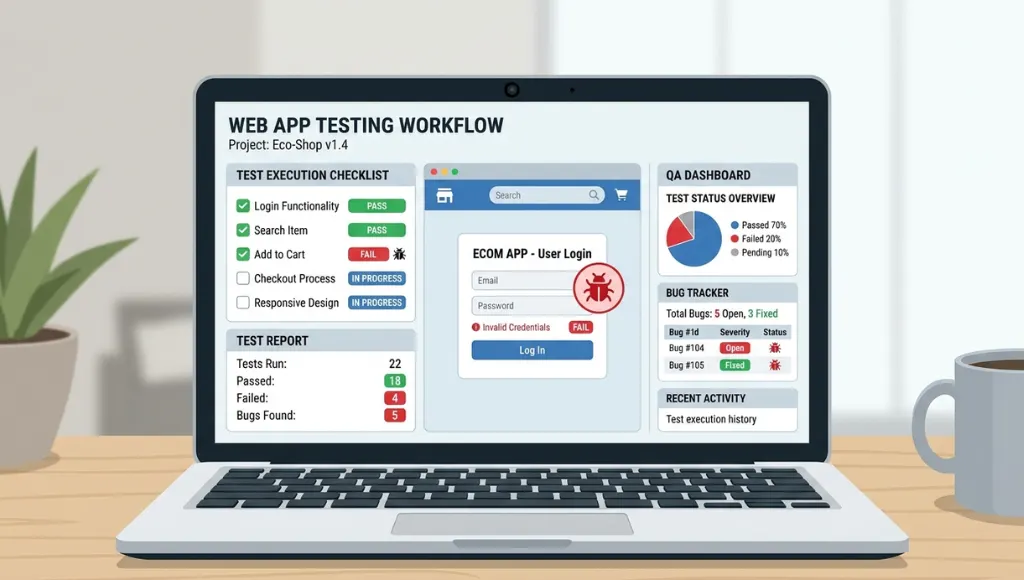
Table of Contents
ToggleSoftware testing basics is the foundation for checking whether software meets requirements and user needs through static and dynamic activities. It works by reviewing work products, running the software, comparing actual results to expected results, and reporting defects. Unlike debugging, it is broader than fixing code. ISTQB’s current foundation syllabus still defines testing as both verification and validation, not just execution.
Why software testing basics matter in 2026
Software testing basics matter in 2026 because quality failures are more expensive, release cycles are faster, and teams now mix human review with automation and AI-assisted workflows. Beginners who understand testing early write safer code, catch defects sooner, and avoid the common mistake of treating QA as a last-minute task.
Two current shifts explain why this topic has become more urgent. First, quality engineering is becoming more AI-assisted. Capgemini’s 2025 World Quality Report says 37% of surveyed organizations already have GenAI-augmented workflows in production, while 52% remain in pilot phases. That means testing knowledge now matters not only for manual testers, but for developers, analysts, and teams using AI tooling inside delivery pipelines.
Second, the industry keeps moving toward balanced test suites instead of overloading end-to-end checks. Google’s Testing Blog still treats the test pyramid as the core heuristic, then expands it with SMURF tradeoffs such as speed and maintainability. That is a useful beginner lesson: more tests is not the goal; better-shaped coverage is.
This shift also reflects the growing importance of non-functional quality. A practical example of performance testing is CPU stress testing, where software pushes the processor to its limits to identify stability problems before they affect real users.
How software testing basics work step by step
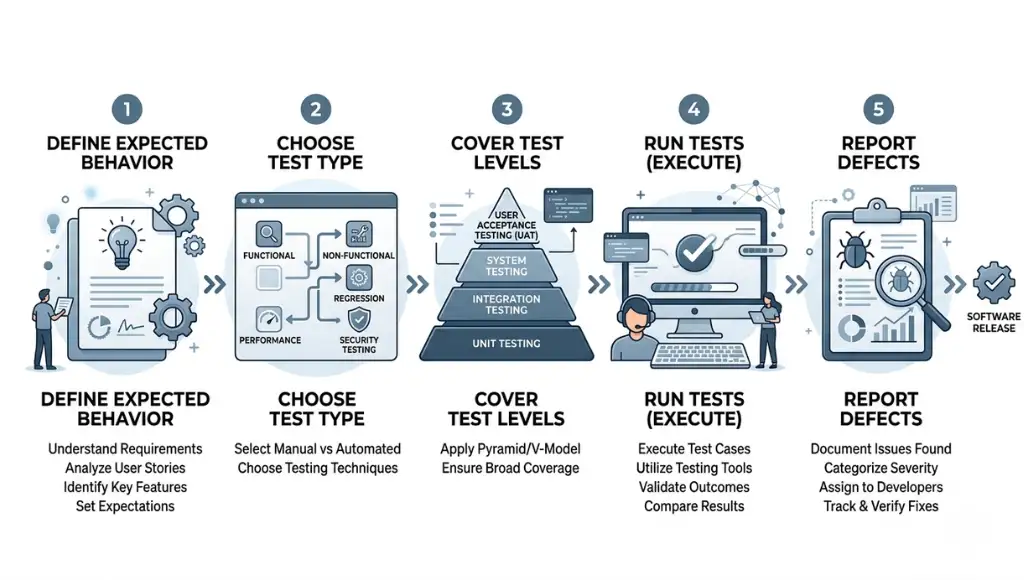
Software testing basics work through a simple loop: define what should happen, choose the right type of test, run checks, compare expected and actual results, and feed what you learn back into the product. Good testing starts before execution and continues after defects are found.
Step 1: Define the test object and expected behavior
Every useful test starts with clarity about what you are testing. ISTQB calls these items “test objects,” and they can include requirements, user stories, designs, code, APIs, or the running application itself. If expected behavior is vague, test results will also be vague.
A beginner example is a login page. You are not only checking whether the button works. You are also checking error messages, password rules, redirects, and edge cases like empty fields. Testing without expected outcomes is like grading an exam without an answer key.
Step 2: Choose static testing or dynamic testing
Static testing reviews work products without running the software. Dynamic testing executes the software and observes failures or behavior. ISTQB says both approaches complement each other, and static testing often catches defects earlier and more cheaply, especially in requirements and design documents.
For a beginner team, static testing may be a peer review of acceptance criteria before coding starts. Dynamic testing may be running a test case in the app after deployment to staging. The strongest teams do both.
Step 3: Cover the main test levels
The usual beginner path is to learn unit, integration, and end-to-end testing in that order. Google still recommends a pyramid-shaped mix where smaller tests dominate because they are faster and easier to maintain, while large end-to-end checks stay limited and purposeful.
If you write Python, a unit test in pytest can verify a single function quickly. If you test a browser-based checkout flow, Playwright or Selenium can validate how multiple layers behave together. The goal is not to pick one forever. It is to match the test to the risk.
Step 4: Run tests and compare actual vs expected results
Execution is where many people think testing begins, but it is really the middle of the process. Playwright describes tests as actions followed by assertions, and it emphasizes automatic waiting to reduce flaky timing issues. Selenium focuses on browser automation across major browsers through the W3C WebDriver ecosystem.
That matters because beginners often confuse clicking through a page with testing. A real test needs an assertion. “I opened the page” is an action. “The cart total updates to $49.99 after adding the item” is a test.
In performance scenarios, benchmark software testing is often used to compare actual results with expected performance baselines, helping teams understand whether the system meets required speed and efficiency targets.
Step 5: Report defects and improve coverage
A test only creates value when its outcome changes something. That may mean fixing a bug, tightening acceptance criteria, adding a missing unit test, or reducing brittle end-to-end scripts. In practice, the feedback loop is the real engine of quality.
For beginners, this is where habits form. Keep reports simple: what failed, where, how to reproduce it, expected result, actual result, and severity. Clean reporting saves more time than fancy tooling.
Best tools and approaches for software testing basics
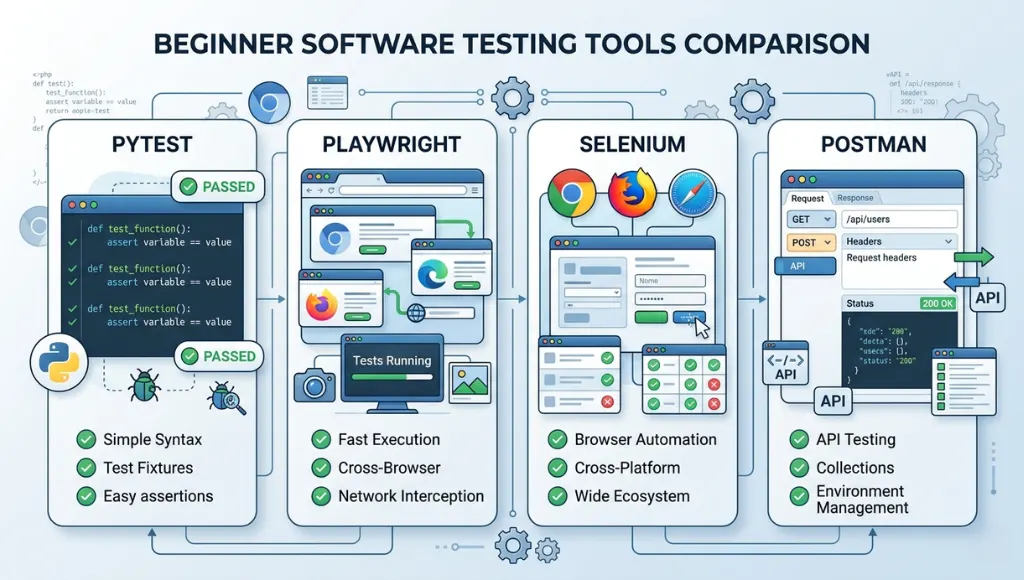
The best starting point for software testing basics is a mixed approach: lightweight manual checks for understanding, fast unit tests for logic, browser automation for critical user flows, and API tests where services matter more than screens. Beginners should not start with the heaviest tool first.
If your app depends heavily on services and endpoints, the Postman API testing guide is a useful next step.
| Option | Best for | Key feature | Price range | Limitation |
|---|---|---|---|---|
| Manual smoke testing | Absolute beginners | Fast learning and quick sanity checks | Free | Low repeatability |
| pytest | Python projects | Small, readable tests that scale to functional testing | Open-source / self-hosted | Python-focused |
| Playwright | Modern web apps | Built-in test runner, assertions, isolation, parallelization, auto-waiting | Framework / infra costs vary | Mainly web-focused |
| Selenium | Cross-browser web automation | Broad browser support via W3C WebDriver | Open-source / self-hosted | More setup and maintenance |
| Postman | API testing | Collections, runners, monitoring, team collaboration | Free; Solo $9; Team $19; Enterprise $49 per user/month annually | API-centered, not UI-centered |
Choose manual testing when you are still learning the product. Choose pytest when you need fast feedback on code logic. Choose Playwright when you want modern browser testing with a smoother beginner path. Choose Selenium when cross-browser depth and ecosystem flexibility matter most. Choose Postman when APIs are central to the product and you need structured request testing.
Common software testing basics mistakes to avoid
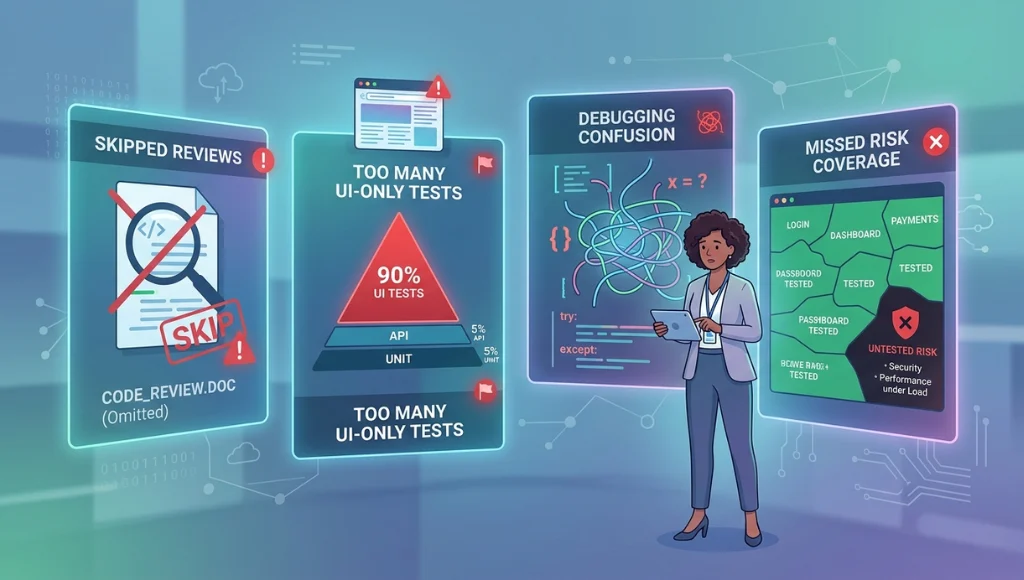
The most common mistake is treating testing as a final checkpoint, which causes late defect discovery, weaker requirements, and heavier debugging costs. Beginners improve faster when they treat testing as a continuous quality activity that starts before code execution.
Mistake 1: Testing only through the user interface
People do this because UI testing feels concrete. You can see the page and click the button. The problem is that UI tests are slower and usually more brittle than unit or integration checks. Google’s guidance still favors a pyramid with many smaller tests and fewer end-to-end tests.
Fix: keep UI tests for critical user journeys, not every tiny rule. Put logic checks lower in the stack where they run faster.
Mistake 2: Skipping static testing
Beginners often think “real testing” means running code. ISTQB disagrees. Reviews and static analysis can catch requirement gaps, ambiguities, contradictions, and maintainability issues before the app even runs.
Fix: review stories, flows, and acceptance criteria before implementation. It is one of the cheapest quality wins you can get.
Mistake 3: Confusing testing with debugging
Testing exposes failures and evaluates quality. Debugging finds the underlying cause and fixes it. Those are related, but not identical, jobs.
Fix: write clear bug reports first. Then debug with logs, traces, and code inspection.
Mistake 4: Chasing test count instead of risk coverage
A large test suite can still miss the most expensive defect. One thing many beginner teams miss is that coverage should follow product risk, not vanity metrics.
Fix: ask three questions: what breaks revenue, what breaks trust, and what breaks often? Test those first.
Frequently asked questions about software testing basics
These basic software testing questions usually come from beginners choosing where to start, which test types matter, and whether manual testing is enough. The direct answer is that you need a mix: core concepts first, smaller automated checks early, and broader coverage only as the product and team grow.
The basic types of software testing usually include static testing and dynamic testing, plus functional and non-functional testing. ISTQB also emphasizes different test levels and approaches depending on the product, risk, and lifecycle. A beginner should first understand unit, integration, and end-to-end testing within that broader structure.
Start with expected outcomes, simple test cases, and one fast automation tool. pytest is a good entry point for Python logic tests, while Playwright is a strong choice for modern web flows because it bundles assertions and useful tooling. Learn concepts first, then tools.
Manual testing is enough to learn product behavior and catch obvious issues, but it is rarely enough for repeatable quality as the project grows. Manual checks do not scale well, and they are weaker at enforcing regression safety over time. That is why most teams add automation gradually.
Software testing evaluates software and exposes failures or defects. Debugging investigates the root cause of those failures and fixes the code. Testing asks, “What is wrong and where does it show up?” Debugging asks, “Why did this happen, and how do we correct it?”
Conclusion
Software testing basics give beginners a practical way to build better products, not just cleaner bug lists. The short version is simple: start early, mix test types, and focus on risk before volume.
- Testing is broader than running scripts; it includes review, execution, evaluation, and feedback.
- Smaller, faster tests usually provide better long-term maintainability than a UI-heavy test suite.
- Manual testing teaches product behavior, but automation protects you from regression drift.