
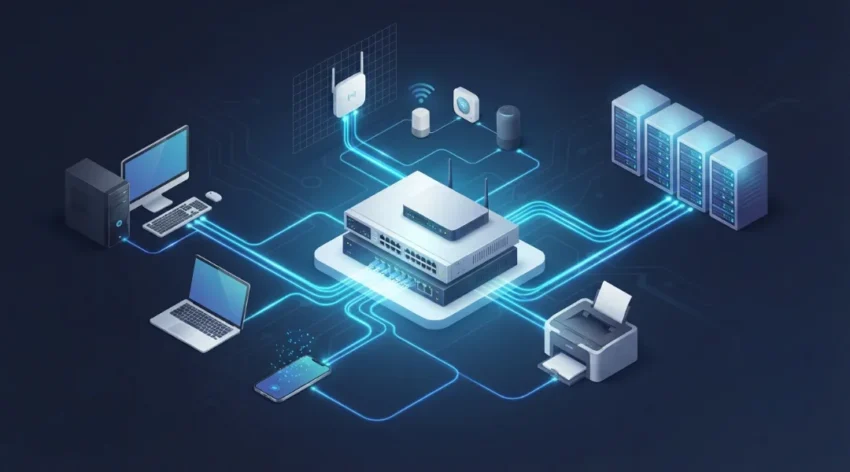
What Is Computer Networking? A Simple Beginner's Guide
Have you ever wondered how your smartphone connects to your laptop, how multiple computers share one printer, or how you can access a website from anywhere in the world?
All these activities are possible because of computer networking.
Computer networking is an essential part of modern technology. It allows computers, smartphones, servers, printers, and other electronic devices to communicate and share information. From home Wi-Fi connections to large business networks, networking helps people access information, exchange files, and use online services.
You do not need to be a technical expert to understand how it works. In this guide, we will explain what computer networking is, how it works, its different types, important components, benefits, and everyday examples.
For a deeper understanding of connected devices and networking infrastructure, read Cisco’s explanation of computer networking
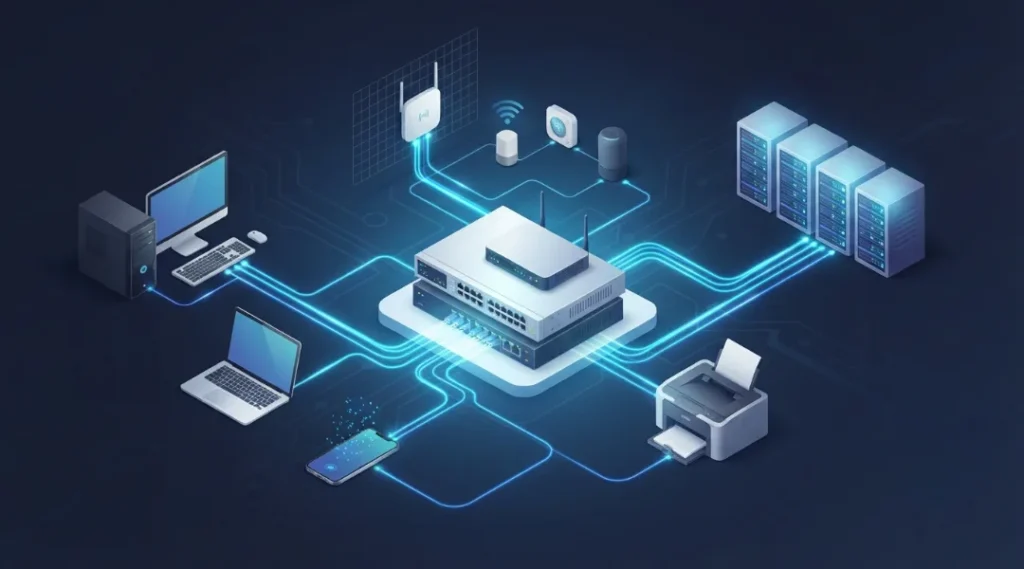
Table of Contents
ToggleWhat Is Computer Networking?
Computer networking is the process of connecting two or more computing devices so they can communicate, exchange data, and share resources through wired or wireless connections.
These connected devices form a computer network. Each connected device is commonly called a network node.
A network can include:
Desktop computers and laptops.
Smartphones and tablets.
Servers and storage devices.
Network printers.
Routers and switches.
Smart TVs and security cameras.
Internet of Things (IoT) devices.
For example, imagine a home where three family members use smartphones, one person works on a laptop, and everyone watches movies on a smart TV.
Instead of providing a separate internet connection for every device, a wireless router allows all these devices to connect through the same home network.
This is a simple example of computer networking.
Networking is not limited to internet access. Devices can also communicate with each other within a local network, even when they are not accessing the public internet.
How Does Computer Networking Work?
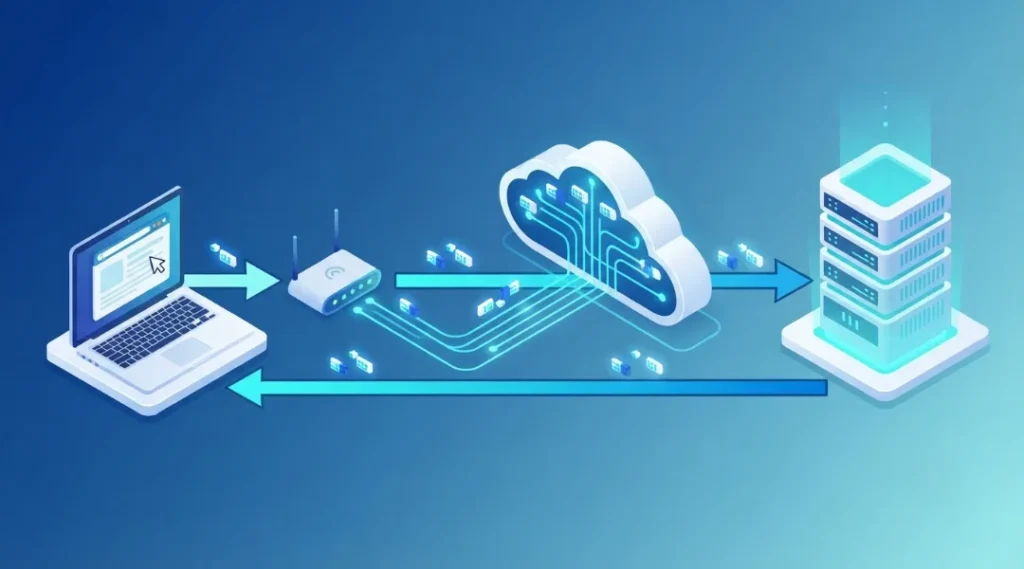
Computer networking works by allowing connected devices to exchange information through communication channels and agreed rules called network protocols.
When you send a message, download a file, or open a website, information travels between devices through a network.
Let’s understand the process with a simple example.
Imagine that you want to open a website using your laptop.
You enter a website address: You type a website name into your browser.
DNS identifies the destination: The Domain Name System (DNS) helps translate the website name into an IP address.
Your device prepares the request: The device creates network data that can be transmitted to the destination.
Data travels through the network: Your request moves through your local network and other network devices, including routers.
The server receives the request: The website’s server processes the request and prepares the required information.
Information returns to your device: The server sends the response through the network.
Your browser displays the website: Your browser processes the received information and displays the webpage.
Information is commonly transmitted in smaller units called data packets. These packets contain information needed to deliver and process the data.
Depending on the communication method, transport protocols such as TCP can help provide reliable, ordered delivery. Other protocols, such as UDP, are useful when applications prioritize timely delivery and lower overhead.
The entire process generally happens within seconds.
Why Is Computer Networking Important?
Computer networking is important because it makes communication, information sharing, and access to digital resources easier.
Without networking, people would have to depend much more on individual devices and physical methods of transferring information.
Here are some important reasons why computer networking is useful.
1. Easy Communication
Networking allows people to communicate through email, messaging applications, voice calls, and video conferences.
For example, employees working in different cities can attend the same online meeting without travelling to one location.
2. File and Data Sharing
Connected devices can exchange documents, images, videos, and other files.
In an office, employees can access shared folders instead of sending every document separately.
3. Resource Sharing
A network allows multiple users to share resources such as printers, storage devices, and applications.
For example, an office can connect several computers to one network printer.
4. Internet Access
Networking allows multiple devices to use a shared internet connection.
A home router can provide internet access to smartphones, laptops, tablets, and smart TVs.
5. Centralized Data Management
Businesses can store important information on centralized servers or network storage systems.
Authorized employees can access the required information according to their permissions.
6. Remote Working
Networking technologies allow employees to access business applications and company resources from different locations.
Secure remote connections, including appropriately configured VPNs, help organizations support remote work.
7. Business Growth
Organizations can expand their networks by adding computers, servers, access points, and other devices as their requirements increase.
This makes networking useful for both small businesses and large enterprises.
What Are the Different Types of Computer Networks?
Computer networks are classified according to their geographical coverage, communication methods, and intended purposes.
The most common types include PAN, LAN, WLAN, MAN, and WAN.
1. Personal Area Network (PAN)
A Personal Area Network connects devices within a short distance around an individual.
It is commonly used to connect personal electronic devices.
Examples include:
Connecting wireless headphones to a smartphone.
Connecting a smartwatch to a mobile phone.
Sharing files between nearby personal devices.
Connecting a Bluetooth keyboard to a laptop.
PANs are useful for everyday personal device communication.
2. Local Area Network (LAN)
A Local Area Network connects computers and other devices within a limited geographical area, such as a home, office, school, or computer laboratory.
For example, a school can connect its computers, printers, and servers through one LAN.
Common benefits include fast local communication, resource sharing, and centralized network management.
3. Wireless Local Area Network (WLAN)
A Wireless Local Area Network connects devices using wireless signals instead of requiring an individual physical cable for every connection.
Wi-Fi is the most familiar example.
People use WLANs at home, offices, restaurants, schools, and public locations.
4. Metropolitan Area Network (MAN)
A Metropolitan Area Network connects multiple networks across a city or metropolitan region.
For example, an organization may use a MAN to connect its offices in different parts of the same city.
It covers a larger geographical area than a typical LAN but generally a smaller area than a WAN.
5. Wide Area Network (WAN)
A Wide Area Network connects computers and smaller networks across large geographical areas.
Businesses use WANs to connect their offices in different cities and countries.
The internet is the best-known example of a global system of interconnected networks.
Computer Network Types Comparison
| Network type | Coverage area | Example |
|---|---|---|
| PAN | Personal space | Bluetooth devices |
| LAN | Home or building | Office network |
| WLAN | Local wireless area | Home Wi-Fi |
| MAN | City or metropolitan region | City-wide network |
| WAN | Large geographical area | Corporate network across countries |
What Are the Main Components of a Computer Network?
A computer network needs different hardware and software components to connect devices and transfer information.
Each component performs a specific function.
1. Router
A router connects different networks and forwards data packets towards their destinations.
For example, a home router connects your local home network to your internet service provider.
2. Network Switch
A network switch connects multiple devices within a local network.
It receives network frames and forwards them towards the appropriate destination using MAC address information.
Switches are commonly used in offices, schools, and business networks.
3. Modem
A modem provides a connection between a network and an internet service provider through a supported communication technology.
Some internet service provider devices combine modem and router functions.
4. Network Interface Card (NIC)
A Network Interface Card allows a computer or other device to connect to a network.
It can support wired Ethernet, wireless connectivity, or both.
5. Wireless Access Point
A wireless access point allows Wi-Fi-enabled devices to connect to a network without using individual Ethernet cables.
It is commonly installed in offices, schools, hotels, and large buildings to improve wireless coverage.
6. Server
A server provides services, applications, files, and other resources to connected devices.
For example, a company may use a file server to store documents that employees can access through the network.
7. Network Cables
Network cables provide physical connections between devices.
Ethernet cables are commonly used to connect computers, routers, switches, and servers.
Fiber-optic cables are also widely used for high-capacity and long-distance communication.
What Is the Difference Between Wired and Wireless Networking?
Computer networks can connect devices through physical cables or wireless signals.
Both methods have advantages and limitations.
Wired Networking
Wired networking uses physical cables such as Ethernet and fiber-optic connections to transfer information.
Advantages:
Stable network connectivity.
Predictable performance.
Less interference from nearby wireless networks.
Suitable for desktop computers and servers.
Limitations:
Requires physical cables.
Installation may take additional time.
Limits device mobility.
Wireless Networking
Wireless networking uses radio signals to connect devices without requiring physical cables for every connection.
Wi-Fi is the most common example.
Advantages:
Convenient device connectivity.
Greater mobility.
Fewer cables.
Easier network expansion in many environments.
Limitations:
Signal interference.
Coverage limitations.
Performance can change depending on distance and network congestion.
Requires appropriate wireless security settings.
For example, an office may use Ethernet connections for desktop computers and Wi-Fi for employee smartphones and laptops.
What Are Network Protocols?
Network protocols are communication rules that allow connected devices to exchange information correctly.
Without common protocols, computers and other devices would struggle to understand and process information sent by different systems.
Some important network protocols include:
TCP (Transmission Control Protocol)
TCP provides reliable, connection-oriented communication.
It helps ensure that data reaches its destination correctly and in the appropriate order.
IP (Internet Protocol)
IP handles addressing and packet delivery between networks.
IPv4 and IPv6 are the two main versions used in modern IP networking.
HTTP and HTTPS
HTTP is used for communication between web browsers and web servers.
HTTPS protects this communication using encryption through Transport Layer Security (TLS).
DNS (Domain Name System)
DNS translates human-readable domain names into IP addresses.
For example, it helps your browser locate the server associated with a website name.
DHCP (Dynamic Host Configuration Protocol)
DHCP automatically provides network configuration information to connected devices.
This commonly includes an IP address, subnet mask, default gateway, and DNS server details.
FTP (File Transfer Protocol)
FTP is used to transfer files between computers over a network.
For secure file transfers, SFTP is a different protocol that operates over SSH.
You can also explore IBM’s guide to computer networking to understand how modern networks use protocols and cloud infrastructure
What Are Some Real-World Examples of Computer Networking?
Computer networking is used in almost every area of modern life.
Here are some simple examples.
Home Networking
A home network connects smartphones, laptops, printers, smart TVs, and other devices through a router.
Family members can share an internet connection and access compatible network resources.
Office Networking
Businesses use computer networks to connect employee computers, printers, servers, and communication systems.
This helps employees share information and work together efficiently.
Educational Institutions
Schools and colleges use networks to connect computer laboratories, administrative systems, digital libraries, and classroom devices.
Students can access learning resources and educational applications.
Banking
Banks use computer networks to connect branches, ATMs, servers, and digital banking systems.
Networking supports secure communication and the processing of financial transactions.
Healthcare
Hospitals use networks to connect computers, medical equipment, administrative systems, and authorized digital health applications.
These connections help healthcare professionals access relevant information and coordinate services.
Online Shopping
E-commerce websites depend on networking to connect customers, web servers, payment systems, databases, and delivery services.
This allows users to browse products and complete online purchases.
Is the Internet the Same as Computer Networking?
No. The internet and computer networking are related, but they are not exactly the same.
Computer networking is the broader concept of connecting devices so they can communicate and share resources.
The internet is a massive global network that connects millions of smaller networks around the world.
For example, your home Wi-Fi network can allow your laptop and printer to communicate even when your internet connection is unavailable.
However, accessing an online shopping website requires communication beyond your local network through the internet.
In simple terms, the internet is one important application of computer networking, but not every computer network needs to connect to the public internet.
What Is the Future of Computer Networking?
Computer networking continues to develop as businesses and individuals use more connected devices and digital services.
Some important developments include:
1. Cloud Networking
Cloud networking allows organizations to use cloud-based networking resources to connect applications, servers, users, and data.
It can reduce dependence on equipment located entirely inside an office.
2. Software-Defined Networking (SDN)
Software-Defined Networking uses software-based controllers to manage network behaviour and traffic policies.
It helps administrators manage complex networks more centrally.
3. Internet of Things (IoT)
IoT connects everyday devices such as smart cameras, sensors, appliances, and industrial equipment.
These devices communicate through networks to exchange information and perform automated tasks.
4. Wi-Fi 7
Wi-Fi 7 is a newer wireless networking generation that introduces capabilities such as Multi-Link Operation and wider channel options where supported.
Its actual performance depends on compatible routers, client devices, available spectrum, and network conditions.
5. Artificial Intelligence in Network Management
AI-assisted network management can help administrators identify unusual traffic patterns, analyze network performance, and detect potential problems.
These capabilities can support more efficient network monitoring and troubleshooting.
Frequently Asked Questions About Computer Networking
Computer networking means connecting two or more devices so they can communicate, exchange information, and share resources. For example, connecting a laptop, smartphone, and printer through a home router is computer networking.
The main purpose is to allow connected devices to communicate and share resources. It supports file sharing, internet access, online communication, centralized data management, and business operations.
The five commonly discussed types are PAN, LAN, MAN, WAN, and WLAN. Each type serves a different geographical coverage or connectivity requirement.
The basic components include computers, servers, routers, switches, network interface cards, access points, communication cables, and network protocols.
Wi-Fi is a wireless networking technology. It allows compatible devices to connect to a wireless local area network and communicate with other network devices.
A LAN connects devices within a limited geographical area, such as a home or office. A WAN connects multiple networks across larger geographical areas, such as different cities or countries.
Yes. A local network can allow devices to communicate and share resources without having an active internet connection. For example, computers can communicate with a local server or network printer.
Network security protects connected devices, information, and communication from unauthorized access, cyberattacks, and misuse. Firewalls, strong passwords, encryption, software updates, and access controls help improve network security.
Final Thoughts
Computer networking is the foundation of modern digital communication. It connects computers, smartphones, servers, printers, and many other devices so they can exchange information and share resources.
From a small home Wi-Fi connection to a large business network, the basic purpose remains the same: helping devices communicate efficiently.
Understanding computer networking is a useful starting point for anyone interested in computers, information technology, cybersecurity, or networking careers.
If you want to explore the subject further, read our complete Computer Networking: Complete Beginner’s Guide to learn more about network types, devices, protocols, architecture, and security.