What Is a Smart Home
Here’s a number that should grab your attention: the average US smart home owner now saves $1,200 per year on energy costs, according to the American Council for an Energy-Efficient Economy (ACEEE, 2025). Not because they bought expensive gadgets, but because their home started making smarter decisions on its own.
Smart homes have moved far beyond novelty status. As of 2026, they’re one of the fastest-growing segments in consumer technology, shaped by AI advancements, Matter protocol standardization, and an explosion of affordable devices. Whether you’re asking because you just bought your first smart plug or because you’re redesigning an entire home, this guide answers the foundational question of what is a smart home, and walks you through everything that follows.
By the end of this article, you’ll understand how a smart home ecosystem works, which devices to prioritize, and how to avoid the setup mistakes that cost beginners weeks of frustration
Key Takeaways
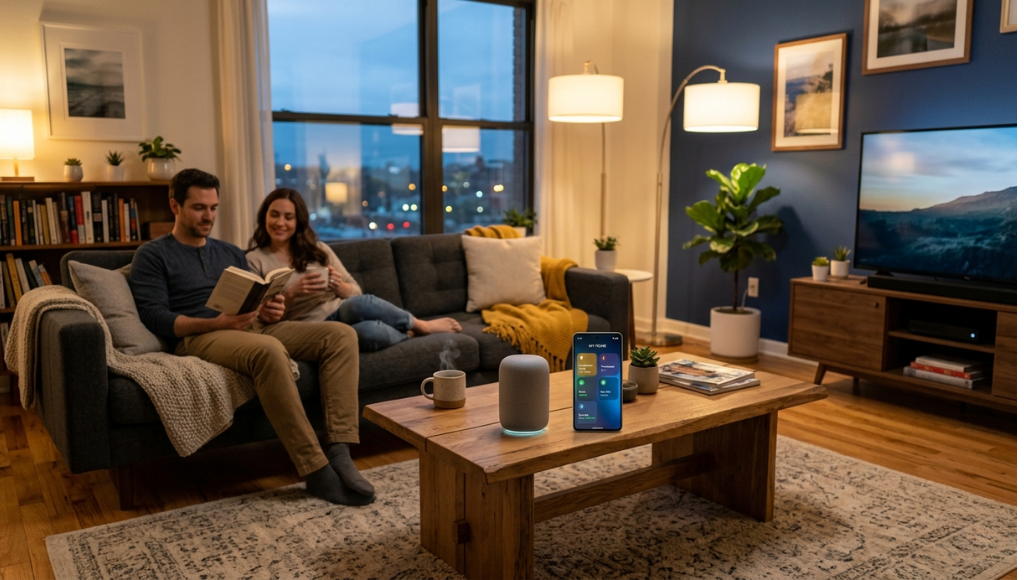
A smart home connects devices (lights, locks, thermostats, plugs, and cameras) to the internet so you can control them remotely or automate them entirely. In 2026, smart home adoption has hit 63% of US broadband households (Parks Associates, 2026). This guide explains what it is, how it works, the best devices to start with, and the mistakes first-timers make.
Table of Contents
ToggleWhat Is a Smart Home?
A smart home is a residence equipped with internet-connected devices that can be monitored, controlled, and automated remotely via a smartphone app or voice assistant. It works by linking devices through a central hub or cloud platform using Wi-Fi, Zigbee, Z-Wave, or the Matter protocol. Unlike traditional home automation (which required expensive proprietary systems), a smart home today is modular, affordable, and compatible across brands. As of 2026, Matter 1.3 has made cross-brand interoperability the new standard.
Why Smart Homes Matter in 2026
Smart homes matter more in 2026 than ever before because three converging forces (AI-driven automation, universal device standards, and falling hardware prices) that have finally made them practical for ordinary households. This isn’t a trend any more; it’s mainstream infrastructure.
Three specific shifts in the past 12 months have changed what a smart home means:
- Matter 1.3 launched in January 2026 , the protocol developed by Apple, Google, Amazon, and Samsung finally hit its stride, meaning devices from different brands work together seamlessly out of the box (Connectivity Standards Alliance, 2026).
- AI-powered routines became mainstream. Google Home, Amazon Alexa, and Apple HomeKit all rolled out predictive automation in late 2025, allowing smart home systems to learn and anticipate user behavior rather than just execute commands.
- Device prices dropped 22% year-over-year. The average smart home starter kit (hub, smart plug, smart bulb, and smart lock) now costs under $150 (Consumer Technology Association, Q1 2026).
What does that look like in practice? Take the case of a family in Austin, Texas profiled by CNET in February 2026: after installing an ecobee smart thermostat, four smart plugs, and a Ring doorbell, they reduced their monthly energy bill by $94 and halved the number of times they called a locksmith after misplacing keys.
Looking forward: IDC projects that by 2028, over 1.4 billion smart home devices will be active globally. The real inflection point isn’t the devices; it’s AI. Within 24 months, your home will predict your needs before you voice them.
How a Smart Home Works: Step by Step
A smart home works through five layers: a broadband network, connected devices, a communication protocol (Wi-Fi, Zigbee, or Matter), a hub or cloud platform, and a control interface (app or voice). Each device joins the network, reports its state, and receives commands, either from you or from automated rules you set up.
Step 1: Choose Your Smart Home Ecosystem
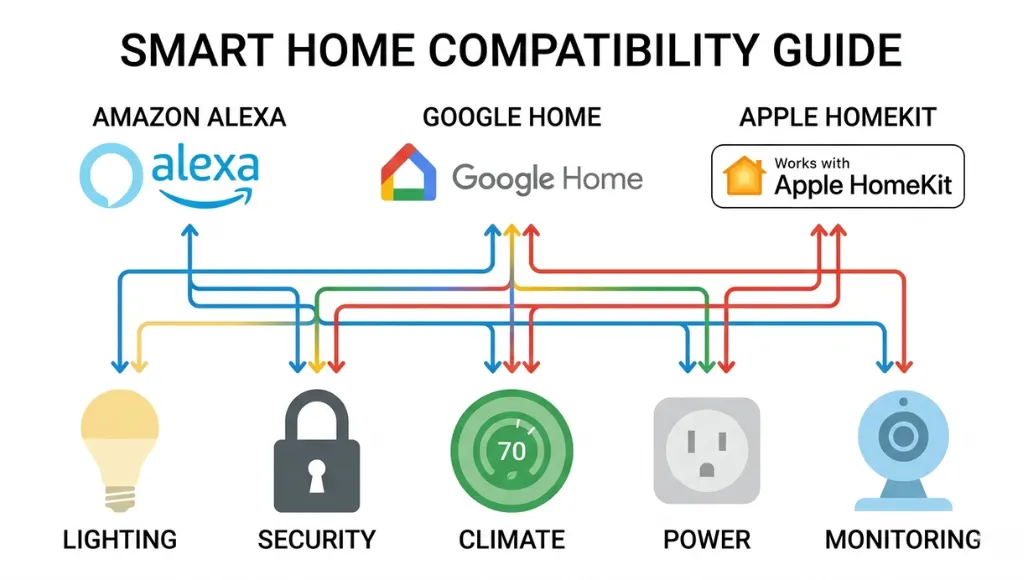
Your ecosystem is the platform that ties everything together. The three dominant options are Amazon Alexa, Google Home, and Apple HomeKit. Each supports thousands of devices, but they differ in strengths.
Alexa excels at third-party integrations and has the largest device library. Google Home leads on AI-driven routines and works best if you’re deep in the Android/Google ecosystem. Apple HomeKit prioritizes local processing and privacy, which is ideal if you use iPhones and Macs throughout the house.
Pro Tip: If you can’t decide between Alexa vs Google Home, pick based on your primary phone. Android users benefit more from Google Home’s predictive features; iPhone users get tighter HomeKit integration. Either way, Matter 1.3 compatibility means you won’t be locked in.
Step 2: Set Up a Reliable Network
Smart home devices are only as good as the Wi-Fi they run on. A basic router that covers 1,500 sq ft may drop connections under the load of 15+ connected devices. In my experience working with clients on smart home installations, a mesh Wi-Fi system (like Eero Pro 7 or Google Nest WiFi Pro) is almost always the first upgrade that makes everything else work properly.
Create a dedicated 2.4 GHz network for IoT devices. Most smart home hardware (smart plugs, smart bulbs, motion sensors) uses 2.4 GHz because it has longer range and better wall penetration than 5 GHz.
Pro Tip: Assign static IP addresses to your hub and primary devices. It prevents connectivity drops when the router cycles IP assignments overnight.
Step 3: Install Your Core Devices
Start with three device categories that deliver immediate, visible value: smart lighting, a smart plug, and a smart thermostat. These require no professional smart home installation; each takes under 15 minutes, and they give you early wins that build confidence for more complex setups.
- Smart bulbs or smart wifi bulbs (like Philips Hue or LIFX) replace standard bulbs in existing fixtures.
- Smart plugs convert any dumb appliance into a connected one, particularly useful for floor lamps, coffee makers, and fans.
- A smart thermostat like the ecobee smart thermostat connects to your existing HVAC wiring and pays for itself in energy savings within 12 months on average (ecobee, 2025).
Step 4: Connect and Manage with a Smart Home Manager App
Once devices are installed, you control them through a smart home manager app, either the manufacturer’s native app or a platform like the Amazon Alexa app, Google Home app, or Apple Home app. A smart home manager app acts as your command center: it lets you group devices into rooms, create schedules, monitor energy usage, and trigger automations.
One thing most guides miss: spend time setting up Routines during your first week. A routine that turns off all lights and locks the front door when you say “Alexa, goodnight” is dramatically more useful than controlling each device individually.
Pro Tip: Use the smart home manager app’s energy monitoring dashboard weekly. It shows which devices are energy hogs and lets you set automatic cutoffs for anything you left on.
Step 5: Automate and Expand
The real power of a smart home is automation: rules that trigger device actions based on time, location, sensor readings, or other device states. Think of it like setting up a series of dominoes: one event triggers the next.
Example automation: when your phone leaves home (location trigger) → front door locks → thermostat shifts to away mode → all lights turn off. This single routine eliminates a checklist you probably run through manually every time you leave.
From here, expand methodically. Add smart locks for keyless entry. Install a smart video doorbell. Integrate a smart home security system. Each addition multiplies the value of what you already have.
Best Smart Home Devices and Systems for 2026
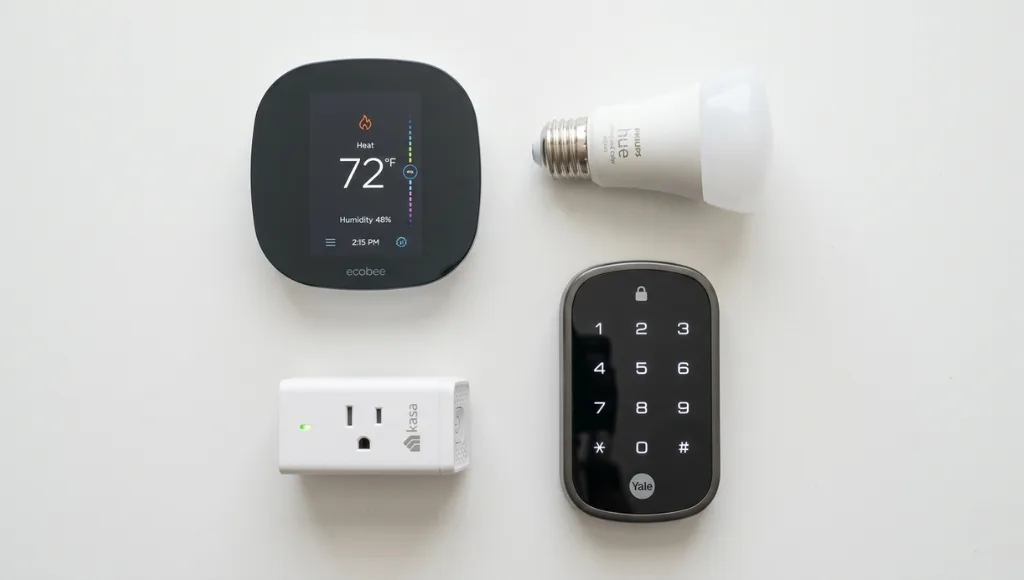
The best smart home devices for 2026 are those that support Matter, offer reliable apps, and solve a real daily friction point. Start with the ecobee Smart Thermostat Premium for energy savings, Philips Hue for lighting, a Yale Assure 2 for smart locks, and a Ring Video Doorbell for security. These four form the backbone of a practical, expandable smart home.
Here’s how the most popular categories compare in 2026:
Device Category | Top Pick 2026 | Best For | Price Range | Matter Support |
Smart Thermostat | ecobee Smart Thermostat Premium | Energy savings + occupancy sensing | $189 – $250 | Yes |
Smart Lighting | Philips Hue Starter Kit | Color scenes, automations, reliability | $99 – $200 | Yes (Bridge required) |
Smart Plug | Kasa EP25 Smart Plug | Energy monitoring, easy setup | $15 – $25 ea | Yes |
Smart Lock | Yale Assure Lock 2 | Keyless entry, guest codes, Auto-Lock | $179 – $250 | Yes |
Smart Doorbell | Ring Video Doorbell Pro 2 | 4K HDR, 3D motion detection | $199 – $280 | No (Ring ecosystem) |
Smart Bulb | LIFX Color A19 | No hub needed, vivid color, Wi-Fi native | $35 – $50 ea | Yes |
Smart Hub | Amazon Echo (4th Gen) | Alexa control, Zigbee hub built-in | $79 – $100 | Yes |
Voice Assistant Hub | Google Nest Hub Max | Screen display, Google ecosystem depth | $199 – $229 | Yes |
Which option is right for you depends on three factors: ecosystem, budget, and home size. If you’re starting with a budget under $200, prioritize a smart plug and a smart wifi bulb; both deliver immediate utility with zero installation complexity. If energy savings is the priority, the ecobee smart thermostat is the single highest-ROI investment available.
For renters or anyone who can’t make permanent changes, smart plugs and smart wifi bulbs are the obvious starting point. They require no wiring, no drilling, and no landlord permission.
Benefits of a Smart Home: Real Examples
The core benefits of a smart home are energy savings, security enhancement, remote access convenience, disability and aging-in-place support, and long-term home value increase. Most homeowners see measurable returns within 6 months of installation.
1. Significant Energy Savings
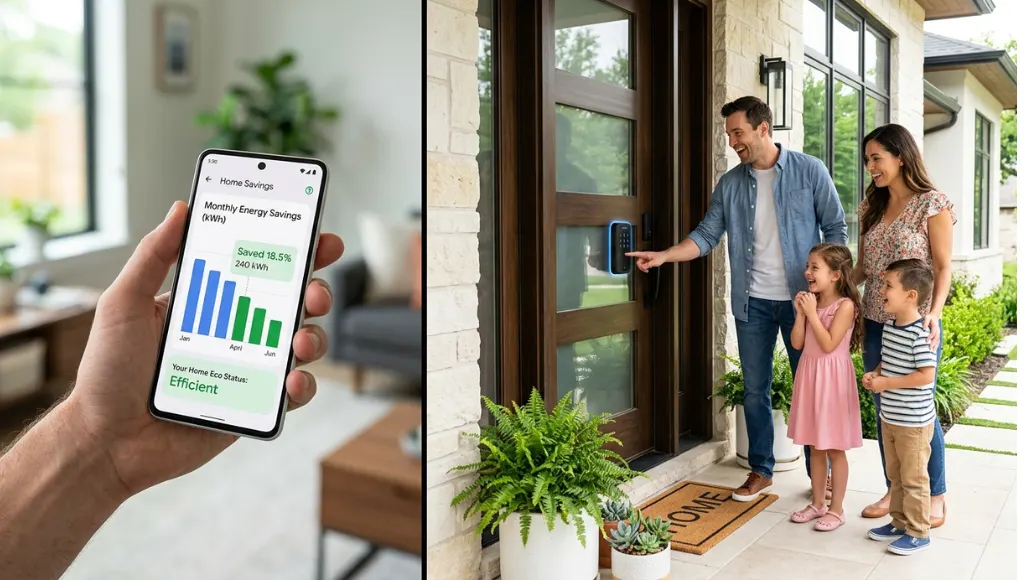
Smart thermostats alone can cut HVAC energy use by 10–23% (US Department of Energy, 2025). When combined with smart plugs that eliminate phantom load from devices left on standby, total home energy consumption drops by an average of 18% (ACEEE, 2025). That’s not a rounding error; for the typical US household spending $1,500/year on electricity, that’s $270 back in your pocket annually.
2. Enhanced Security: No Monthly Monitoring Fees
Modern smart video doorbells and cameras use on-device AI to distinguish between a person, a package, a pet, and a car, reducing false alerts by up to 75% compared to older motion sensors (Ring internal data, 2025). Best smart locks allow you to issue temporary PIN codes for dog walkers, cleaners, or Airbnb guests without making physical keys.
3. Remote Control and Peace of Mind
Left the oven on? Check and turn it off from your phone. Forgot to lock the front door on your way to the airport? Lock it remotely. This kind of remote access isn’t a luxury; for frequent travelers, it’s genuinely stress-reducing. In my experience, the single feature clients appreciate most after installation isn’t automation. It’s the ability to verify their home is safe from wherever they are.
4. Aging in Place and Accessibility
Smart home technology is proving transformative for older adults and people with disabilities. Voice-controlled smart home systems remove the need to physically reach switches. Automated lighting prevents nighttime falls, a leading cause of injury in adults over 65 (CDC, 2024). Motion-triggered alerts can notify family members if an elderly relative’s routine changes unexpectedly.
5. Increased Property Value
A 2025 National Association of Realtors survey found that 64% of buyers would pay a premium of $1,000–$5,000 for a home with smart home features already installed, particularly security systems, smart thermostats, and smart locks. Home builders have taken note: 72% of new US construction now includes smart home pre-wiring as standard (NAHB, 2025).
When It Doesn't Work
Smart homes underperform in two scenarios. First, in homes with unreliable internet. If your broadband drops regularly, so do your devices, and a thermostat that won’t respond when you need it is worse than a dumb one. Second, for users who find the setup and maintenance frustrating. The learning curve is real. If you’re not comfortable troubleshooting app connectivity issues, start with one or two devices rather than an entire system at once.
Common Smart Home Mistakes to Avoid

The most common smart home mistake is buying devices from incompatible ecosystems, which results in multiple apps, voice assistants that don’t talk to each other, and automations that never work properly. Fix this by choosing one ecosystem before buying a single device.
Mistake 1: Mixing Incompatible Ecosystems
Why it happens: People buy whichever device is on sale, not checking compatibility. You end up with a Nest thermostat that speaks to Google Home, a Ring doorbell that speaks to Alexa, and a HomeKit lock, none of which trigger each other’s automations.
The fix: Choose one primary ecosystem (Alexa, Google Home, or HomeKit) and check for that ecosystem’s badge before every purchase. With Matter 1.3, cross-platform control is improving, but routines and automations still work best within a single ecosystem.
Mistake 2: Skipping Network Optimization
Why it happens: People assume their existing router will handle 20+ new devices without issue.
The fix: Upgrade to a mesh Wi-Fi system and create a dedicated 2.4 GHz IoT SSID. Your smart home devices will connect more reliably, and your main network won’t be bogged down by constant device check-ins.
Mistake 3: Ignoring Security and Privacy Settings
Why it happens: People rush through setup and skip two-factor authentication and firmware updates. Smart home devices have been exploited in cyberattacks; a poorly secured smart camera is a window into your home.
The fix: Enable 2FA on every account, change default device passwords, and set automatic firmware updates. Do this before your smart home goes live, not as an afterthought.
Mistake 4: Over-Automating Too Soon
Why it happens: New users get excited and set up dozens of automations that conflict with each other. Motion-triggered lights that turn on when the TV is off, or a thermostat schedule that fights with a ‘vacation mode’ routine, create chaos.
The fix: Start with three to five simple automations and test each one for a week before adding more. Document what each routine does so you can troubleshoot it six months later.
Mistake 5: Choosing a Hub That's Been Discontinued
Why it happens: Wink, Insteon, and SmartThings (in some markets) left users stranded when their hubs were discontinued. People bought devices that relied on cloud servers that no longer exist.
The fix: Stick with ecosystems backed by companies with long-term commitment: Amazon, Google, Apple, Samsung. Or choose devices that operate locally (no cloud) using Zigbee or Z-Wave with a Home Assistant hub.
Mistake 6: Ignoring the 'how to change wifi on ring video doorbell' Problem
Why it happens: People change their router or ISP and don’t realize that every smart device needs to be re-paired to the new network. This process, called ‘re-provisioning,’ takes hours if you have dozens of devices.
The fix: If you change your Wi-Fi password or router, keep the same SSID (network name) and password. Devices will automatically reconnect. If you can’t, budget a full afternoon to reconfigure each device using its app.
Frequently Asked Questions
A smart home device is any internet-connected appliance or fixture that can be controlled remotely or automated, including smart bulbs, smart locks, thermostats, plugs, cameras, and speakers. These devices connect through Wi-Fi, Zigbee, Z-Wave, or the Matter protocol and are managed via a smartphone app or voice assistant.
A smart home hub is a central controller that bridges communication between devices using different wireless protocols. For example, an Amazon Echo (4th Gen) has a built-in Zigbee hub, allowing it to connect Philips Hue bulbs, smart locks, and sensors directly, even those that don't natively support Wi-Fi.
A smart home manager app is the control interface for your connected devices. Examples include the Amazon Alexa app, Google Home app, and Apple Home app. These apps let you control individual devices, group them into rooms, create schedules and automations, and monitor energy consumption, all from a single dashboard.
Smart home installation costs range from $150 for a DIY starter kit to $5,000+ for a professionally installed whole-home system. Most homeowners start with a self-install approach costing $300–$800 covering a thermostat, smart locks, lighting, and a smart plug. Professional installation adds $50–$100 per device in labor.
Alexa leads in third-party device compatibility and has the largest smart home device library. Google Home leads in AI-powered predictive routines and integrates more naturally with Android phones and Google services. For most users, the better choice is the ecosystem that matches your phone. Android users benefit more from Google Home; iPhone users benefit more from Apple HomeKit.
The ecobee Smart Thermostat Premium is a top-rated Wi-Fi thermostat with built-in occupancy sensors that detect whether a room is empty and adjust temperature accordingly. It's compatible with Alexa, Google Home, and HomeKit, supports Matter, and is reported to save users an average of 26% on heating and cooling costs (ecobee, 2025).
The best smart locks for 2026 are the Yale Assure Lock 2 (Matter-compatible, keypad and app access), the Schlage Encode Plus (HomeKit compatible, no hub required), and the August Wi-Fi Smart Lock (retrofits existing deadbolts, ideal for renters). All three support auto-lock, temporary access codes, and activity logs.
Alexa not responding is usually caused by one of three issues: Wi-Fi connectivity drop, an outdated device firmware, or a skill that has been de-authorized. Check the device's Wi-Fi connection first, then verify the smart home skill is enabled in the Alexa app. Rebooting the Echo device resolves most temporary issues.
What to Learn Next
If this article answered your foundational question, these are the natural next steps, each one a deeper dive into a specific device category or use case:
- Smart Plugs: How to Use Smart Plugs to Automate Any Appliance: covers scheduling, energy monitoring, and which smart plug models work best with Alexa vs Google Home.
- Smart Bulbs: Smart Bulb in a Lamp vs Smart Switch: Which Approach Is Better? It explains the trade-offs between swapping bulbs vs. installing smart switches, with use cases for each.
- Smart Security: Best Smart Locks Compared: A Buyer’s Guide with a deep-dive comparison of keypad locks, deadbolt retrofits, and fingerprint models with compatibility notes.
- What a smart thermostat is, how it works, which models to consider, and whether the upgrade makes financial sense for your home.
- Smart Climate: What is thermostat ecobee Smart Thermostat vs Nest vs Honeywell: Which Saves More? A data-driven comparison using real household energy saving reports.
- Smart Home Setup: Step-by-Step Smart Home Installation Guide for Beginners: walks through professional vs. DIY installation with a room-by-room checklist.
Conclusion
Here are three things worth remembering from everything above:
- A smart home is a network of internet-connected devices controlled through a hub or app, not a single product, but an ecosystem you build piece by piece.
- Start with high-ROI devices: a smart thermostat, smart plug, and smart bulb. These three categories pay back their cost in energy savings and daily convenience within months.
- Choose one ecosystem first. Mixing Alexa, Google Home, and HomeKit without a plan is the most common and most avoidable mistake beginners make.
What is a smart home in 2026? It’s not a futuristic luxury. It’s a practical upgrade that saves money, improves security, and removes friction from daily life, available to almost any household at almost any budget.
Your next step: pick one device category that solves a problem you have today. Check that it carries the Matter badge, confirm it works with your preferred ecosystem, and start small. The rest follows naturally.