Cloud Storage Alternatives
Most people stick with Google Drive or Dropbox simply because those names showed up first. But 72% of users are paying for storage features they never actually use and dozens of cloud storage alternatives deliver better privacy, more free space, or faster sync right now (Backblaze State of Cloud Storage Report, 2025). So why stay loyal to the default?
Here we go deeper on cloud storage alternatives what’s actually available, how each option works, and which one fits your specific situation. After reading this, you’ll know exactly where to move your files and why.
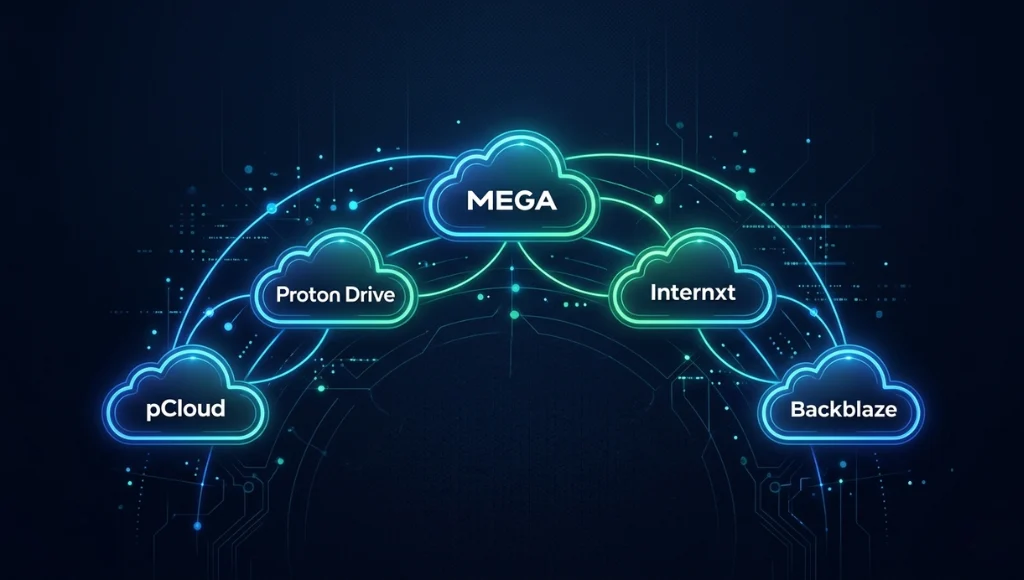
Table of Contents
ToggleCloud storage alternatives are online file-storage services that replace mainstream platforms like Google Drive, iCloud, or Dropbox. They work by syncing your files to remote servers over the internet, making them accessible from any device. Unlike the big-name defaults, the best alternatives often offer stronger encryption, more free storage, or lower subscription costs. As of 2026, the top-rated alternatives include pCloud, Proton Drive, MEGA, and Internxt each built with a different priority in mind.
Why Cloud Storage Alternatives Matter in 2026
Cloud storage alternatives matter more in 2026 because the default providers Google, Apple, and Microsoft have all increased subscription prices while tightening data-sharing policies. Privacy regulations and AI training disclosures have pushed technology learners to seek services that are transparent about how your files are stored, processed, and crucially who else can see them.
Two specific shifts changed the landscape in the past 12 months. First, Google announced in October 2025 that inactive accounts stored on Google Drive would be subject to AI model training unless users opted out a setting buried deep in account preferences (Google Policy Blog, October 2025). Second, Dropbox raised its Plus plan price from $11.99 to $13.99/month in January 2026 with no additional storage increase (Dropbox Pricing Page, January 2026).
These changes matter. A 2025 survey by Statista found that 61% of personal cloud storage users ranked privacy as their top selection criterion ahead of price and storage capacity. One real-world example: independent journalists and bloggers migrating away from Google Drive grew by 34% in 2025 after multiple outlets reported on the AI training policy (TechCrunch, November 2025).
For a broader look at how storage tools fit into the modern productivity stack, our software and apps guide covers the full ecosystem from note-taking to file management.
How Cloud Storage Alternatives Work (Step-by-Step)
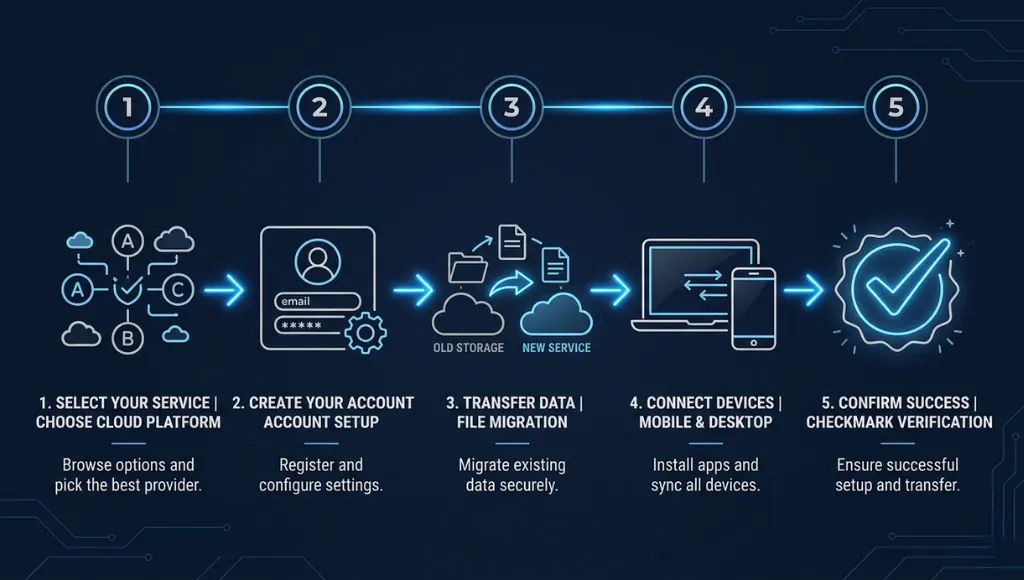
Switching to a cloud storage alternative takes four steps: choosing the right service for your needs, creating your account, migrating your existing files, and setting up automatic sync on your devices. Most modern alternatives have desktop apps and mobile apps that make the process nearly identical to using Google Drive just with different defaults under the hood.
1. Identify Your Primary Use Case
Before picking a platform, answer one question: what matters most privacy, free storage, speed, or device compatibility? If you’re on iPhone, you’ll want a service with a polished iOS app. If you handle sensitive documents, end-to-end encryption (E2EE) is non-negotiable.
2. Sign Up and Configure Privacy Settings
Create your account on your chosen platform. Immediately visit the privacy settings most alternatives like Proton Drive and Internxt default to maximum encryption, but some (like MEGA) offer optional features you’ll want to turn on manually, such as two-factor authentication and zero-knowledge key management.
3. Migrate Your Existing Files
Download all files from your current provider (Google Takeout for Google Drive users, or Dropbox’s export tool). Then drag them into your new service’s desktop folder. For large libraries over 10 GB, use the desktop app rather than the browser uploader it handles errors and resumes interrupted uploads automatically.
4. Install the App on All Devices
Install the desktop sync client and mobile app on every device you use. For alternative cloud storage on iPhone, apps like pCloud and Proton Drive are available on the App Store and integrate with iOS Files, so they appear alongside iCloud in your file picker. Enable background sync so files update automatically.
5. Test with a Small Batch First
Upload 50–100 files across a mix of types (documents, images, a video) and verify they open correctly on both desktop and mobile. This catches any compatibility issues some platforms handle. HEIC photos from iPhone differently, for instance.
Best Cloud Storage 2026: Top Alternatives Compared
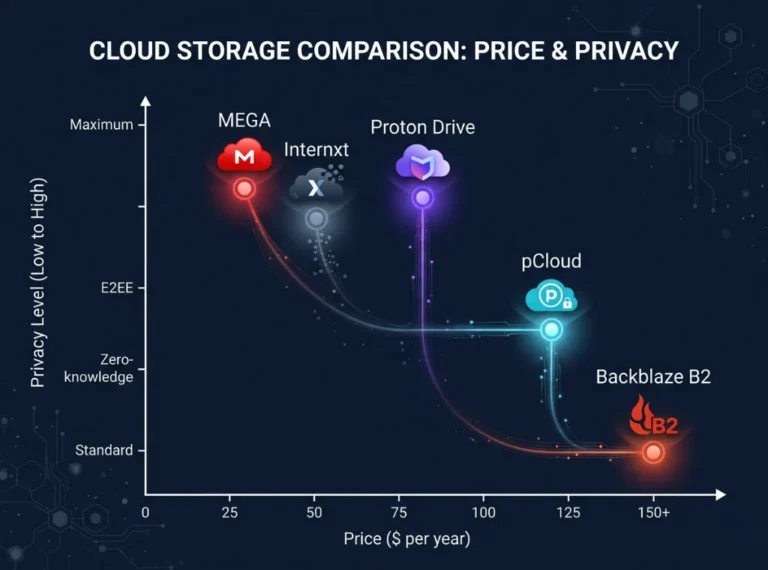
Think of these alternatives like choosing a bank for your savings. The big names (Google, Apple) are like mega-banks convenient, widely trusted, but they profit from knowing your data. The alternatives below are like credit unions: smaller, often more focused, and designed to serve you rather than monetise your behaviour.
| Service | Best For | Free Storage | Price (Paid) | E2EE? | Limitation |
|---|---|---|---|---|---|
| pCloud | Lifetime deal buyers | 10 GB | $49.99/yr or $199 lifetime | Optional (+$4.99/mo) | E2EE is paid add-on |
| Proton Drive | Privacy-first users | 1 GB | $3.99/mo (200 GB) | Yes, default | Small free tier |
| MEGA | Max free storage | 20 GB | €4.99/mo (400 GB) | Yes, default | Bandwidth limits on free plan |
| Internxt | Open-source advocates | 10 GB | €0.99/mo (20 GB) | Yes, default | Smaller ecosystem, fewer integrations |
| Backblaze B2 | Developers & large backups | 10 GB | $0.006/GB/mo | Yes | No native desktop sync app |
When to choose each: Pick pCloud if you want to pay once and forget about subscriptions the lifetime plan is genuinely rare in cloud storage. Choose Proton Drive if you already use ProtonMail, since the Proton ecosystem integrates cleanly. Go with MEGA if you need the most free storage right now and you’re careful about bandwidth. Internxt suits technology learners who want to study how decentralised cloud storage works the source code is public on GitHub. Use Backblaze B2 if you’re a developer backing up large datasets or media archives.
Common Cloud Storage Mistakes to Avoid
The most common mistake is choosing a cloud storage alternative based on free storage capacity alone, which leads to users hitting bandwidth limits or losing access to files when a smaller provider shuts down. Storage gigabytes are meaningless without reliable uptime, good apps, and data portability.
Mistake 1: Ignoring Bandwidth Limits
Many technology learners sign up for MEGA’s generous 20 GB free plan, then get locked out of downloading their own files after hitting the monthly transfer quota. MEGA limits free users to around 5 GB of transfers per day.
Mistake 2: Not Enabling Two-Factor Authentication
Cloud accounts with weak authentication are a primary target for credential-stuffing attacks. A 2025 Verizon Data Breach Investigations Report found that 74% of breaches involved the human element, with stolen credentials being the top vector.
Mistake 3: Assuming "End-to-End Encrypted" Means Zero Risk
E2EE protects files in transit and at rest, but if you forget your encryption key or recovery phrase, you permanently lose access to your files. Several Proton Drive users reported this exact situation in Reddit threads from mid-2025.
Mistake 4: Choosing Alternative Cloud Storage for iPhone Without Checking iOS Integration
Not all cloud storage apps integrate with iOS’s native Files app. Without this, you can’t access your cloud files directly from apps like Pages, Word, or camera upload workflows.
Frequently Asked Questions About Cloud Storage Alternatives
MEGA offers the most free storage at 20 GB, making it the strongest free alternative to Google Drive for most users. However, if privacy is your priority, Proton Drive's 1 GB free tier with full end-to-end encryption may be worth the tradeoff. For offline backups, MEGA's desktop client also syncs automatically just like Google Drive does.
Yes, pCloud and Proton Drive both have strong iOS apps that integrate with Apple's native Files app. This means you can use them just like iCloud from within any iOS app that supports file picking. pCloud also allows automatic camera roll backup, which is iCloud's most-used feature for iPhone users.
Proton Drive is the top privacy-focused alternative to Google Drive. Built by the team behind ProtonMail, it uses zero-knowledge end-to-end encryption by default meaning even Proton's own staff cannot access your files. It's headquartered in Switzerland, which has strong data protection laws independent of EU and US jurisdiction.
pCloud is the closest direct alternative to Dropbox cloud storage it offers a similar sync folder experience, desktop client, and sharing features, but at a significantly lower price. For teams, Internxt Drive recently added shared workspace features that make it a viable Dropbox alternative for small organizations.
Cloud storage is safe for personal documents when the provider uses end-to-end encryption. Services like Proton Drive, MEGA, and Internxt encrypt files before they leave your device, so the provider cannot view them. Standard services like Google Drive and Dropbox encrypt files in transit but can technically access them, which their privacy policies confirm. For highly sensitive data, always use an E2EE provider.
Wrapping Up: Your Next Move
Here are the three things worth remembering from this guide:
- The best cloud storage alternatives in 2026 pCloud, Proton Drive, MEGA, and Internxt each excel in a specific area. Match the service to your priority, not to marketing claims.
- Privacy, bandwidth limits, and iOS compatibility are the three factors most often overlooked during selection. Checking all three before signing up will save you significant frustration later.
- Migration is easier than it looks. With the right steps, you can move your files in an afternoon and run both accounts in parallel until you’re confident the switch worked.
The cloud storage alternatives market is competitive, transparent, and especially in 2026 increasingly privacy-respecting. You no longer have to accept whatever the biggest tech company defaults you into.