ecobee Smart Thermostat
Your heating and cooling system accounts for nearly half of your home’s total energy bill (U.S. Department of Energy, 2024). That is a significant chunk to hand over without any real control. The ecobee smart thermostat was built precisely to fix that: it learns your schedule, adjusts in real time, and connects directly to your smart home ecosystem. If you have been wondering how all of this actually works, you are in the right place. Here, we go deep on the ecobee specifically: how it works, which version fits your home, and what most buyers overlook before purchasing.
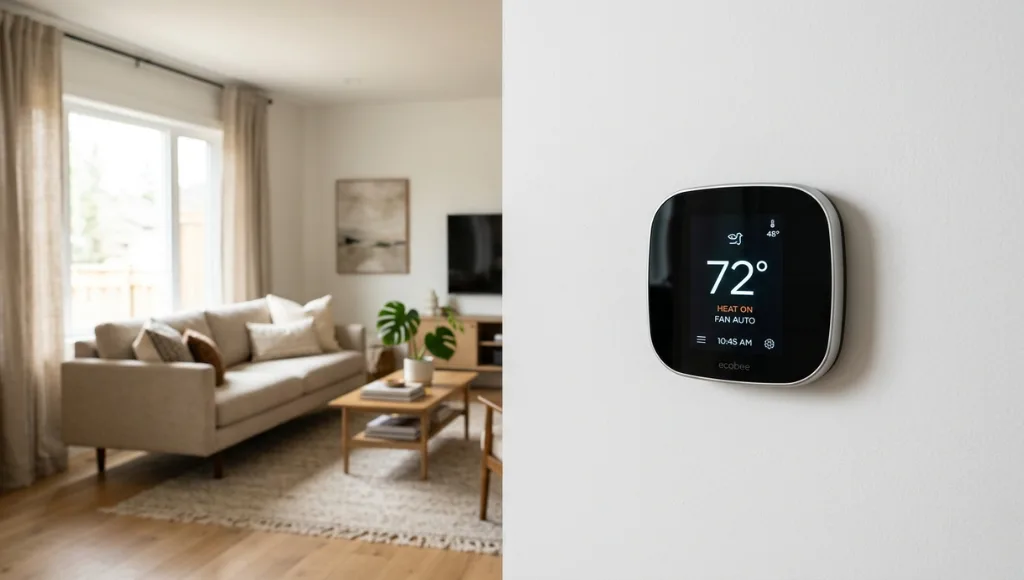
Table of Contents
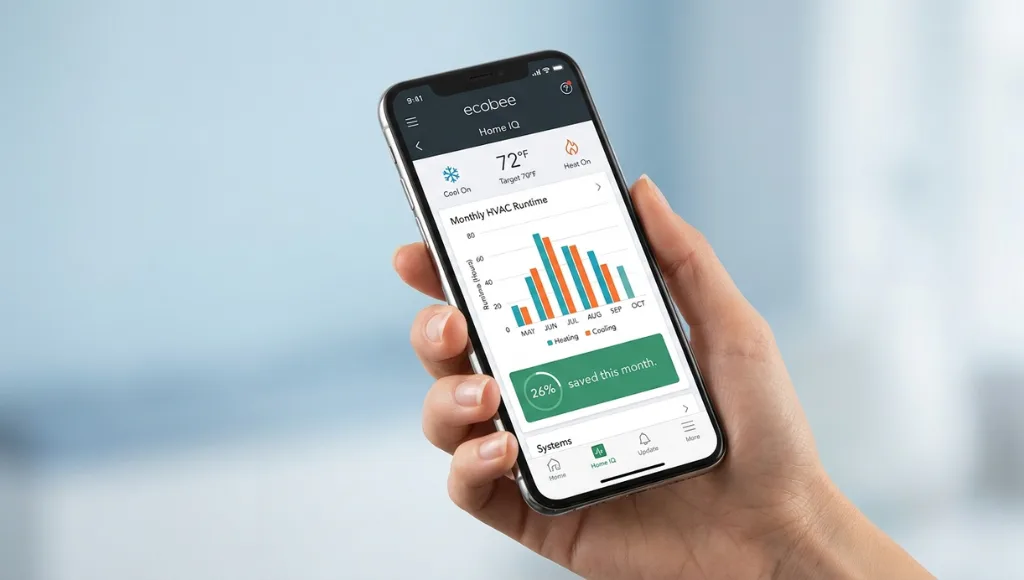
ToggleThe ecobee smart thermostat is a Wi-Fi-enabled climate control device that uses occupancy sensors, machine learning, and app-based scheduling to automate home heating and cooling. It works by detecting whether rooms are occupied and adjusting temperature targets accordingly. Unlike a basic programmable thermostat, it integrates with Alexa, Google Assistant, Apple HomeKit, and SmartThings. As of 2026, ecobee reports that its users save an average of 26% annually on heating and cooling costs (ecobee Energy Report, 2025).
Why the ecobee Smart Thermostat Matters in 2026
The ecobee smart thermostat matters in 2026 because energy costs have risen sharply, smart home standards have consolidated around Matter and Thread, and AI-powered climate control has become accessible to everyday homeowners rather than tech enthusiasts only. Choosing the right thermostat now directly affects both your monthly bills and the resale value of your home.
Two specific shifts in the past 12 months have made this device more relevant than ever. First, Google formally deprecated its Works with Nest program in early 2025, pushing millions of homeowners toward alternatives. ecobee responded by becoming one of the first thermostats fully certified for the Matter 1.3 standard (Connectivity Standards Alliance, January 2026), meaning it now communicates natively with virtually every major smart home platform without workarounds.
Second, the average U.S. household energy bill climbed 8.2% year-over-year in 2025 (U.S. Energy Information Administration, February 2026). That increase alone makes the 26% average savings ecobee promises not just a nice-to-have, it is a meaningful offset against a very real cost increase.
In my experience helping homeowners set up smart systems, the biggest mistake is treating the thermostat as a standalone gadget. It is actually the hub of a home’s energy strategy. As we cover in our complete guide to smart home technology, the thermostat is often the first device that delivers a visible return on investment, and the ecobee is currently the clearest example of that principle in action.
How the ecobee Smart Thermostat Works
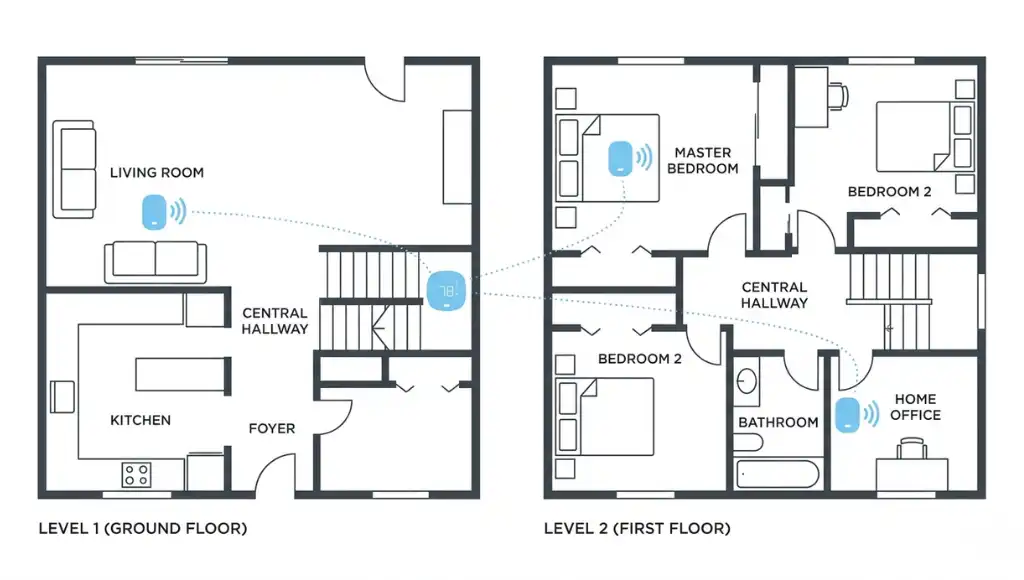
The ecobee smart thermostat works through a five-layer system: a central wall-mounted display, wireless SmartSensors for room-level data, a cloud-connected app for remote control, an onboard scheduling algorithm that learns over time, and integrations with third-party smart home platforms. Setup typically takes 30 to 60 minutes, no electrician required for most homes.
Step 1: Install the Thermostat and Connect to Wi-Fi
The ecobee replaces your existing wall thermostat using the same low-voltage wiring. Most HVAC systems (24V) are compatible. During installation, the ecobee app walks you through a wiring diagram step by step. If your system lacks a C-wire (common wire), ecobee includes a Power Extender Kit in the box, which solves the single most common installation barrier. Once wired, you connect to your home Wi-Fi through the touchscreen display.
Pro Tip: Take a photo of your original wiring before disconnecting anything. It takes 10 seconds and saves considerable frustration if you need to reference it mid-install.
Step 2: Place Your SmartSensors
This is the step most guides skip entirely, and it is arguably the most important one. ecobee’s SmartSensors are small wireless devices you place in occupied rooms: bedrooms, a home office, or the living room. They report temperature and occupancy data back to the thermostat every 15 seconds. The ecobee then uses that data to prioritize comfort in the rooms that are actually in use, rather than the room where the thermostat happens to be mounted.
Think of it this way: a traditional thermostat is like having only one weather station for an entire city. One reading cannot capture what is happening everywhere. SmartSensors are like adding weather stations to each neighborhood, giving you a far more accurate picture.
Step 3: Set Your Comfort Schedules
Through the ecobee app (iOS and Android) or the touchscreen, you define comfort profiles: “Home,” “Away,” and “Sleep” are the defaults. Each profile carries a target temperature range. The thermostat then follows your schedule, but it also uses occupancy data from SmartSensors to override the schedule intelligently. If you come home two hours early, the ecobee detects occupancy and begins heating or cooling to your “Home” comfort level without you touching anything.
Step 4: Enable Smart Home Integrations
The ecobee smart thermostat supports Amazon Alexa, Google Assistant, Apple HomeKit, Samsung SmartThings, and IFTTT. Matter 1.3 certification (as of January 2026) means it also works with any Matter-compatible hub, including the Apple HomePod mini and Amazon Echo 4th generation. Voice commands like “Alexa, set the thermostat to 70” work natively without additional setup once your accounts are linked.
Step 5: Activate Energy-Saving Features
ecobee’s Home IQ dashboard (accessible via the app) shows your heating and cooling runtime, weather impact, and estimated cost. You can also enroll in utility demand response programs if your local utility supports them. During grid peak events, the thermostat temporarily adjusts setpoints to reduce load, and your utility may credit you for participation. One client I worked with in Phoenix reduced their summer electricity bill by $34 in a single month through this feature alone.
ecobee Smart Thermostat Models Compared: Premium vs. Enhanced vs. Essential
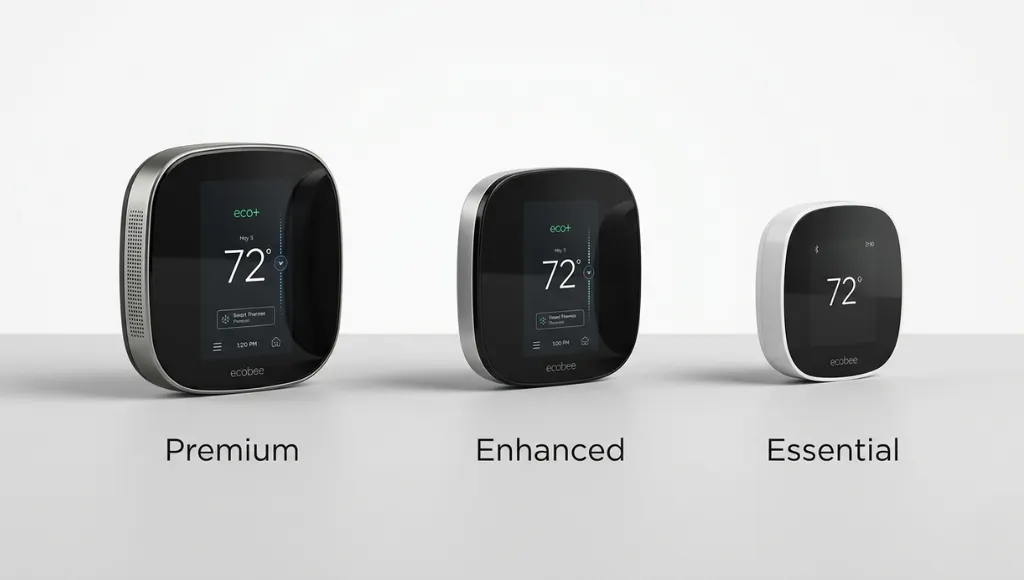
The best ecobee model for most technology learners is the ecobee Smart Thermostat Premium, which includes a built-in air quality monitor, Alexa built-in speaker, and SmartSensor included in the box. The Enhanced is the mid-tier choice for those who want Alexa without the air quality features. The Essential is the entry point: full smart scheduling and app control, but without built-in voice assistant hardware.
Here is a direct side-by-side comparison of the three current ecobee models (2025 pricing):
Feature | Premium | Enhanced | Essential |
Price (MSRP) | $249 | $189 | $149 |
SmartSensor Included | Yes (1 included) | No (sold separately) | No (sold separately) |
Built-in Alexa Speaker | Yes (speaker + mic) | Yes (mic only) | No |
Air Quality Monitor | Yes (VOC + CO2) | No | No |
Matter 1.3 Certified | Yes | Yes | Yes |
HomeKit Compatible | Yes | Yes | Yes |
Energy Reports | Full Home IQ | Standard | Standard |
Best For | Whole-home comfort + air quality tracking | Voice control on a budget | App-first users, no extras needed |
What I have seen work best in practice: if you have more than three bedrooms or your thermostat is in an awkward hallway location (which is true of most homes built before 2000), invest in the Premium and add at least two extra SmartSensors. The air quality monitoring alone justifies the price difference if you have children or anyone with respiratory sensitivities. For renters or those in smaller apartments, the Essential delivers 90% of the energy savings at a much lower upfront cost.
Limitation Note: ecobee thermostats are not compatible with electric baseboard heating, high-voltage systems (120V/240V), or steam radiator systems. Always verify compatibility at ecobee.com before purchasing.
Common ecobee Smart Thermostat Mistakes to Avoid
The most common mistake is skipping SmartSensor placement entirely, which causes the thermostat to make decisions based on a single, often unrepresentative location. This results in hot or cold spots in occupied rooms and undermines the primary value proposition of the device.
Mistake 1: Mounting SmartSensors Near Heat or Cold Sources
Why it happens: People mount sensors wherever is convenient, often near windows, exterior walls, or heating vents.
The fix: Mount SmartSensors on interior walls, 5 to 6 feet above the floor, away from direct sunlight and HVAC vents. This gives the sensor a true reading of ambient room temperature, not a distorted one caused by a nearby heat source.
Mistake 2: Leaving the Default Comfort Schedules Unchanged
Why it happens: The out-of-box schedule is generic (6 AM wake, 8 AM away, 6 PM home). Most households do not match this pattern.
The fix: Spend 10 minutes in the ecobee app customizing your actual weekday and weekend schedule. This single adjustment is responsible for a large share of the reported energy savings. One thing most guides miss is that you should also set a “Sleep” profile with a slightly lower (winter) or higher (summer) setpoint, since most people tolerate a broader temperature range while sleeping.
Mistake 3: Not Enrolling in Utility Demand Response
Why it happens: The enrollment option is buried in the app under Energy, then Utility Programs, and many users never find it.
The fix: Open the ecobee app, go to Energy, then Utility Programs, and check whether your utility participates. As of 2026, more than 90 U.S. utilities support ecobee demand response programs (ecobee Partner Directory, 2025). Enrollment is free and typically yields $20 to $75 in annual bill credits depending on your utility.
Mistake 4: Ignoring the Ventilation Fan Settings
Why it happens: Most users set up heating and cooling but never explore the ventilation tab in the ecobee app.
The fix: Enable the minimum ventilation schedule, which runs your HVAC fan for a set number of minutes per hour to circulate air even when heating or cooling is not active. This is especially important in tightly sealed newer homes where air quality can degrade quickly. The Premium model’s built-in CO2 sensor will actually trigger ventilation automatically when levels rise, but on other models, you set it manually.
Frequently Asked Questions About the ecobee Smart Thermostat
Yes, the ecobee smart thermostat continues to follow its stored schedule even without Wi-Fi. You lose remote app access and real-time adjustments, but the device does not stop functioning. Local control via the touchscreen display always works, regardless of internet connectivity.
The ecobee thermostat itself does not run on batteries. It draws power directly from your HVAC system's low-voltage wiring (or the included Power Extender Kit). However, the ecobee SmartSensors are battery-powered (one CR2032 coin cell battery) and typically last 12 to 18 months per charge. The app notifies you when a sensor battery is low.
To install the ecobee Smart Thermostat Premium: (1) Turn off your HVAC system at the breaker. (2) Remove your existing thermostat and photograph the wiring. (3) Use the ecobee app's built-in installation guide, which walks you through wire-by-wire reconnection. (4) Mount the new thermostat, restore power, and follow the on-screen setup wizard. Total time for most homeowners is 30 to 45 minutes.
The ecobee Smart Thermostat Premium has Alexa built in directly, functioning as a standalone Echo device. The Enhanced model has a microphone for Alexa but requires a separate Echo speaker for audio output. The Essential connects to Alexa through your existing Echo devices via the Alexa app's thermostat skill. All three models support voice commands for temperature setting, schedule adjustment, and home/away mode switching.
For large homes (over 2,500 square feet), the ecobee Smart Thermostat Premium paired with two to four additional SmartSensors is the recommended configuration. The multi-sensor setup compensates for temperature variation across floors and wings, which is the primary comfort challenge in larger homes. If your home has a multi-stage HVAC system or a zoned system, the Premium supports those configurations natively.
Related Topics to Explore Next
If you found this guide useful, here are three questions you might be asking next, each of which goes deeper into the ecosystem surrounding your ecobee:
- How does a smart thermostat fit into a full smart home setup? how it works, which models to consider, and whether the upgrade makes financial sense for your home.
- Discover how Google’s latest Nest thermostat (4th Generation) compares in design, AI-driven scheduling, and smart home integration.
- Explore Honeywell’s reliable and budget-friendly smart thermostats, known for ease of use and wide HVAC compatibility.
Final Takeaways
After reviewing everything above, three points stand out as the most actionable for technology learners:
- The ecobee smart thermostat saves real money through sensor-driven automation, not just scheduling. The SmartSensor placement step is where most users leave savings on the table, so take it seriously.
- Choose your model based on your use case: Premium for whole-home comfort and air quality, Enhanced for voice control on a mid-range budget, and Essential for straightforward app-based smart scheduling.
- ecobee’s Matter 1.3 certification means it is future-proofed for 2026 and beyond. Whatever smart home platform you currently use or plan to adopt, your ecobee will integrate cleanly.
The ecobee smart thermostat is not just a device you set and forget. It is an active participant in how your home uses energy every day. Used correctly, it pays for itself within one to two heating and cooling seasons.