White Dot on Mobile Screen
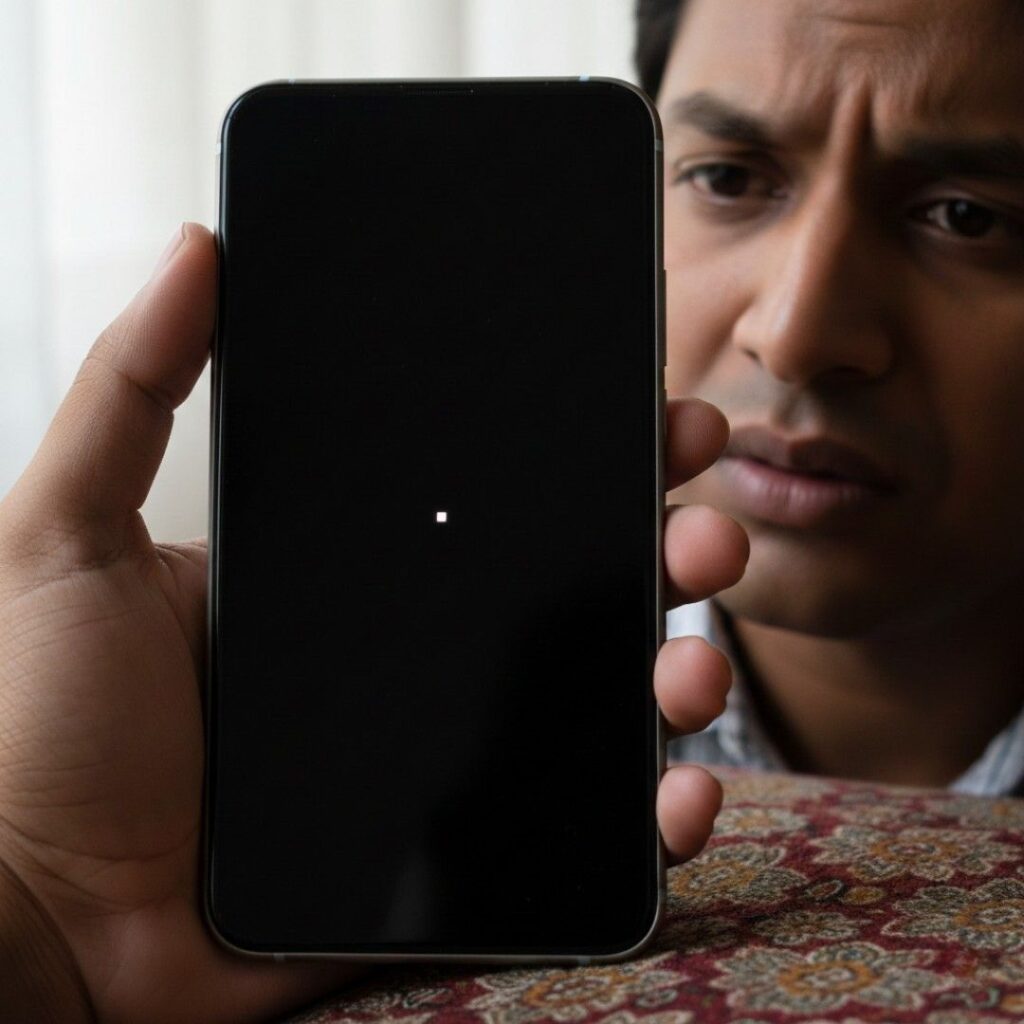
Table of Contents
ToggleWhite Dot on Mobile Screen? Here's What It Means and How to Fix It
You picked up your phone this morning and noticed something strange—a small white dot on the screen that wasn’t there before. You tried wiping it off, but it won’t go away. You restarted your phone, but it’s still sitting right there, staring back at you.
Don’t worry—you’re not the first person to face this problem, and you definitely won’t be the last. In fact, this is one of the most common mobile screen issues reported at service centers across India, from Mumbai to Bengaluru to Delhi.
I’ve been helping people fix their smartphones for over seven years, and I’ve seen hundreds of cases involving these mysterious white dots. Sometimes they’re easy to fix at home. Other times, they need professional help. The good news? I’m going to show you exactly how to figure out what’s wrong and what you can do about it.
In this guide, you’ll learn what causes white dots on your mobile screen, how to identify the real problem, and practical solutions you can try right now—whether you’re using a Samsung, Redmi, Realme, Vivo, or any other Android phone, or even an iPhone.
What Is This White Dot on Your Screen?
Let me break down the most common reasons why you’re seeing that white dot:
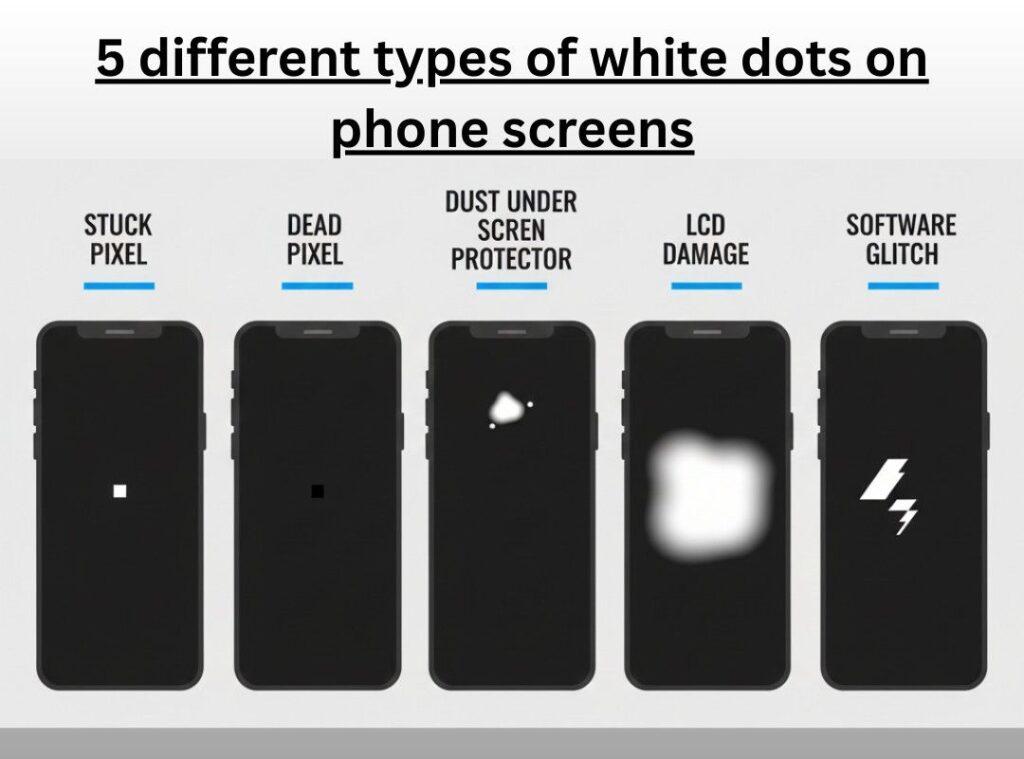
1. Stuck or Dead Pixel
Your phone screen is made up of millions of tiny dots called pixels. Each pixel lights up to show colors and images. Sometimes, one pixel gets “stuck” and stays white all the time, even when it should be showing other colors or turning off.
How to recognize it: The white dot is very small (like a pinpoint), stays in the exact same spot, and doesn’t move when you scroll or switch apps.
2. Screen Damage from Inside
If you recently dropped your phone—even if there’s no visible crack—the screen layers inside might have gotten damaged. This can create bright white spots that look bigger than a single pixel.
How to recognize it: The spot might be slightly larger, sometimes has a yellowish glow around it, and may get brighter when you press near it.
3. Dust Under Screen Guard or Tempered Glass
This is actually the most common cause in India, especially during dusty seasons. A tiny piece of dust or debris gets trapped between your screen protector and the actual screen.
How to recognize it: The dot looks slightly raised if you look from the side, and you can sometimes feel a tiny bump when you run your finger over it.
4. Software Bug or Glitch
Occasionally, a software problem can make white dots or marks appear on your screen. This happens more often after system updates or when using heavy apps or games.
How to recognize it: The dot might come and go, disappear when you restart your phone, or only show up when using certain apps.
5. Pressure Damage (LCD Bleed)
If something pressed too hard against your screen—like keeping your phone in a tight pocket with keys or coins—it can damage the LCD layer underneath.
How to recognize it: Usually appears as a white cloudy spot rather than a perfect dot, and spreads slightly when you apply light pressure.
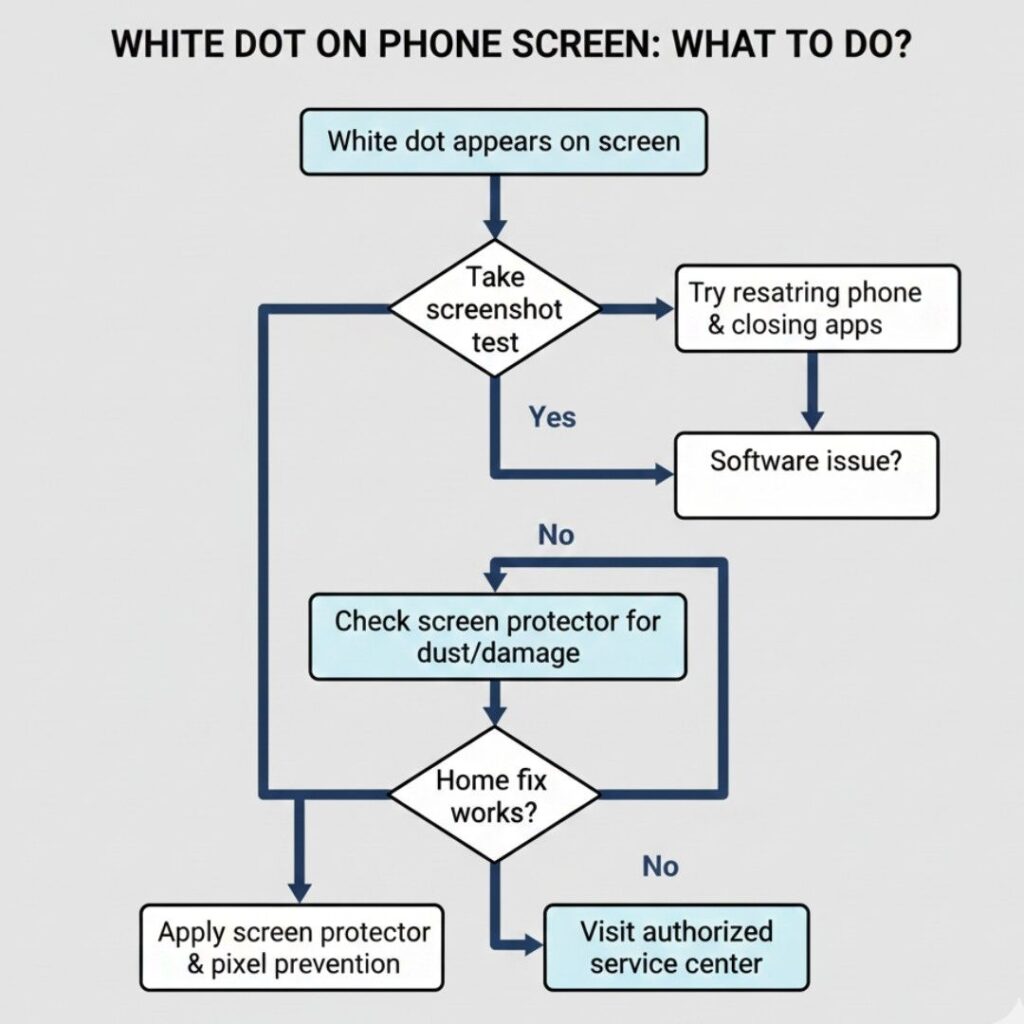
Quick Test: Is It Software or Hardware?
Before trying any fixes, let’s figure out what type of problem you have:
Step 1: Take a Screenshot
- Press the power button and volume down button together
- Open your gallery and look at the screenshot
- If the white dot appears in the photo: It’s a software problem (good news—easier to fix!)
- If the white dot doesn’t appear in the photo: It’s a hardware issue with your physical screen
Step 2: Change Your Wallpaper
- Set a completely black wallpaper as your home screen
- Does the white dot become more visible? That confirms it’s a stuck pixel or screen damage
- Try a completely white wallpaper—can you still see the dot? This helps you understand the severity
Step 3: The Gentle Press Test
- WARNING: Do this very gently
- Lightly press around the white dot with your finger
- Does the dot get bigger, change color, or spread? This indicates LCD damage
- Does nothing happen? It’s likely a stuck pixel or dust
Easy Fixes You Can Try at Home
Based on what type of white dot you have, here are solutions that actually work:
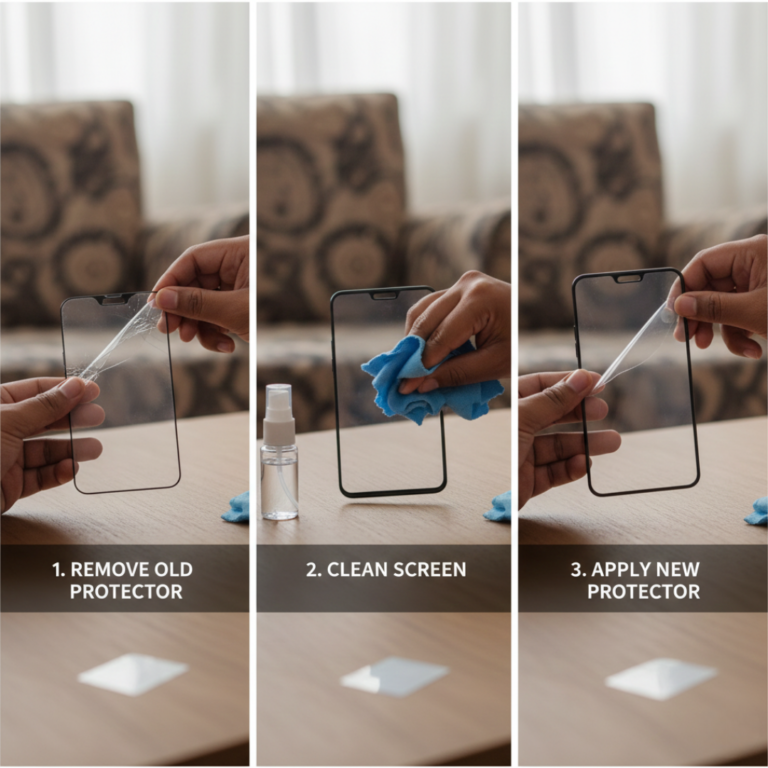
For Dust Under Screen Protector
What you need: Clean cloth, screen cleaning solution (or plain water)
- Remove your tempered glass or screen protector carefully
- Clean both the screen protector and your phone screen with a microfiber cloth
- Make sure there’s no dust on either surface
- Reapply the screen protector in a dust-free room (your bathroom after a hot shower works great—the steam settles dust)
- Use a credit card or the applicator tool to push out any air bubbles
Cost: ₹0 if you reuse your old protector, ₹100-300 for a new one
Success rate: 95% if dust was the actual problem
For Stuck Pixels (Software Method)
What you need: Your phone and 5-10 minutes
Method 1: Pixel Fix Apps
- Download apps like “Dead Pixel Detect and Fix” or “Pixel Fixer” from Play Store
- These apps flash different colors rapidly to “unstick” the pixel
- Let the app run for 15-30 minutes
- Many users in India have reported success with this method, especially on Xiaomi and Samsung phones
Method 2: Manual Pressure Method (Use with extreme caution)
- Turn off your phone
- Get a soft cloth (like a microfiber cloth)
- Very gently apply pressure on the stuck pixel for 5-10 seconds
- Turn your phone back on while maintaining light pressure
- Release the pressure
Cost: Free
Success rate: 30-40% for stuck pixels, doesn’t work for dead pixels
For Software Glitches
Simple Restart:
- Turn off your phone completely
- Wait 30 seconds
- Turn it back on
- Check if the dot is gone
Factory Reset (Last Resort for Software Issues):
- Important: Backup all your photos, contacts, and data first
- Go to Settings > System > Reset Options > Erase All Data
- This wipes your phone clean and often fixes persistent software issues
Cost: Free
Success rate: 70-80% if it’s truly a software issue
For Minor Screen Damage
Unfortunately, if your screen is damaged from inside, home fixes won’t work permanently. However, you can try:
Temporary Fix:
- Apply a good quality tempered glass
- This won’t fix the dot but prevents it from spreading
- Some users report the dot becomes less visible with a dark-tinted screen protector
When You Need Professional Help
Sometimes, DIY fixes aren’t enough. You should visit a service center if:
- The white dot is spreading or getting bigger
- Multiple white dots have appeared
- The screen shows discoloration around the dot
- You can see physical damage or cracks
- None of the home fixes worked after trying them properly
Service Center Options in India
Brand Service Centers:
- Samsung Service Centers: ₹3,000-8,000 for screen replacement
- Xiaomi Service Centers: ₹2,500-6,000 depending on model
- Realme Service Centers: ₹2,000-5,500 for most models
- Apple Authorized Service: ₹15,000-35,000 (iPhones are expensive to repair)
Third-Party Repair Shops:
- Cost: Usually 30-50% cheaper than brand service centers
- Quality: Varies greatly—always check Google reviews first
- Warranty: Most offer 1-3 months warranty on replaced screens
Pro Tip: If your phone is still under warranty, check if screen damage is covered. Some credit cards also offer mobile insurance that might cover repairs.
How to Prevent White Dots in the Future
Based on what I’ve learned from repairing hundreds of phones, here’s how you can protect your screen:
Use Good Quality Protection
- Invest in a reliable tempered glass (₹200-500 is reasonable)
- Get a protective case with raised edges
- Replace your screen protector every 3-4 months
Handle Your Phone Carefully
- Don’t keep your phone in the same pocket as keys or coins
- Avoid putting heavy pressure on your screen
- Don’t leave your phone face-down on rough surfaces
Be Careful During Charging
- Don’t use your phone extensively while charging (it heats up the screen)
- Excessive heat can damage screen pixels over time
Keep It Clean
- Wipe your screen regularly with a microfiber cloth
- Don’t use harsh chemicals or rough materials
- Clean before applying a new screen protector
Regular Maintenance
- Update your phone software regularly
- Clear cache and unnecessary apps that might cause graphics glitches
- Don’t install apps from unknown sources
For a broader overview of device care, read our Smartphone Tips & Troubleshooting guide.
Final Thoughts: What You Should Do Now
That white dot on your mobile screen might seem like a big problem, but now you know it’s often fixable—or at least manageable.
Here’s your action plan:
- Identify the problem using the tests I shared above
- Try the appropriate home fix first—you might save thousands of rupees
- Visit a service center if home fixes don’t work or the problem is spreading
- Protect your phone going forward to prevent this from happening again
Remember, a single white dot doesn’t mean your phone is ruined. I’ve seen phones work perfectly for years with minor pixel issues. Focus on whether it affects your daily use. If it’s just a small cosmetic issue and repair costs are high, you might choose to live with it until your next phone upgrade.
Need more help? At ZProStudio, we’re committed to helping you solve tech problems with clear, practical advice. Browse our other guides on mobile troubleshooting, app recommendations, and tech tips that actually work.
Have you dealt with white dots on your screen? What worked for you? Share your experience in the comments below—your solution might help someone else facing the same issue today.
Common Questions About White Dots on Mobile Screens
If it's a stuck pixel, no—it stays in one place. But if it's LCD damage, yes, it can spread over time, especially if you continue applying pressure to that area.
It depends. If the dot appeared without any physical damage and your phone is under warranty, some brands may replace the screen. However, most manufacturers don't cover pixel defects unless there are multiple dots (usually 3 or more). Always try claiming—worst case, they'll say no.
Yes, a single white dot won't harm your phone's functionality. It's mostly a cosmetic issue. However, if it's spreading or accompanied by other screen problems, get it checked soon.
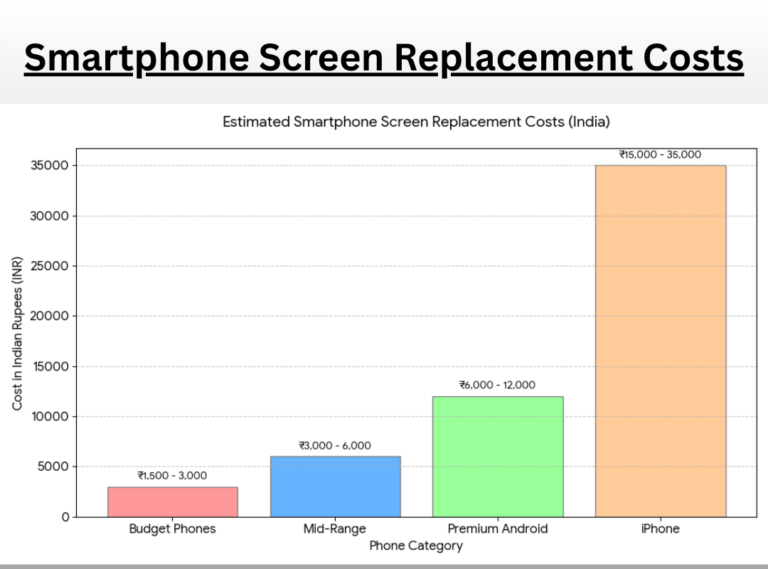
Budget phones (under ₹15,000): ₹1,500-3,000 Mid-range phones (₹15,000-30,000): ₹3,000-6,000 Premium Android phones: ₹6,000-12,000 iPhones: ₹15,000-35,000
Prices vary by city and service provider.