How to Read Deleted Messages on WhatsApp
Over 2 billion people use WhatsApp daily, and at least once, almost every one of them has faced the same gut-punch moment: a message appears, and before you can read it, it vanishes with a quiet “This message was deleted.” Whether it was an accidental send, a retracted confession, or critical information someone thought twice about sharing, knowing how to read deleted messages on WhatsApp has become one of the most searched tech questions of 2026.
The good news is that you have real, working options. This guide covers every method, what it actually accomplishes, and where each one falls short. For more everyday WhatsApp productivity hacks, see the full WhatsApp Tips and Tricks guide.
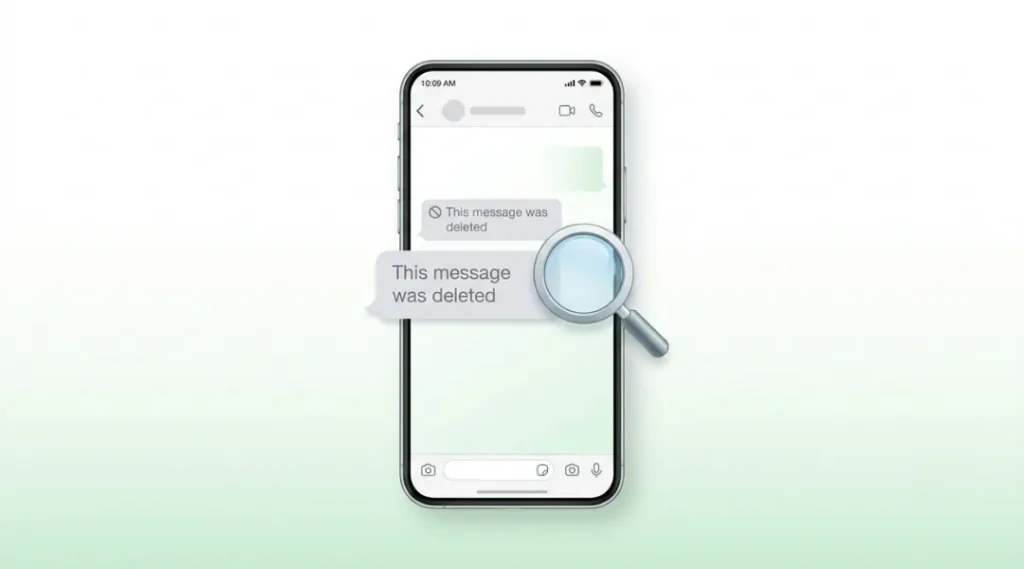
Table of Contents
ToggleWhat Is a Deleted WhatsApp Message?
A deleted WhatsApp message is text, media, or a voice note that the sender has removed using WhatsApp’s “Delete for Everyone” feature. Once deleted, WhatsApp replaces the message with a greyed-out placeholder that reads “This message was deleted.” The message is no longer accessible inside the app itself, though copies of it may still exist in local backups, system notifications, or third-party notification log apps, depending on your device and settings.
Why Reading Deleted WhatsApp Messages Still Matters in 2026
The short answer: because WhatsApp’s Delete for Everyone feature is one-sided. The sender decides the message is gone, but the recipient never consented to its removal.
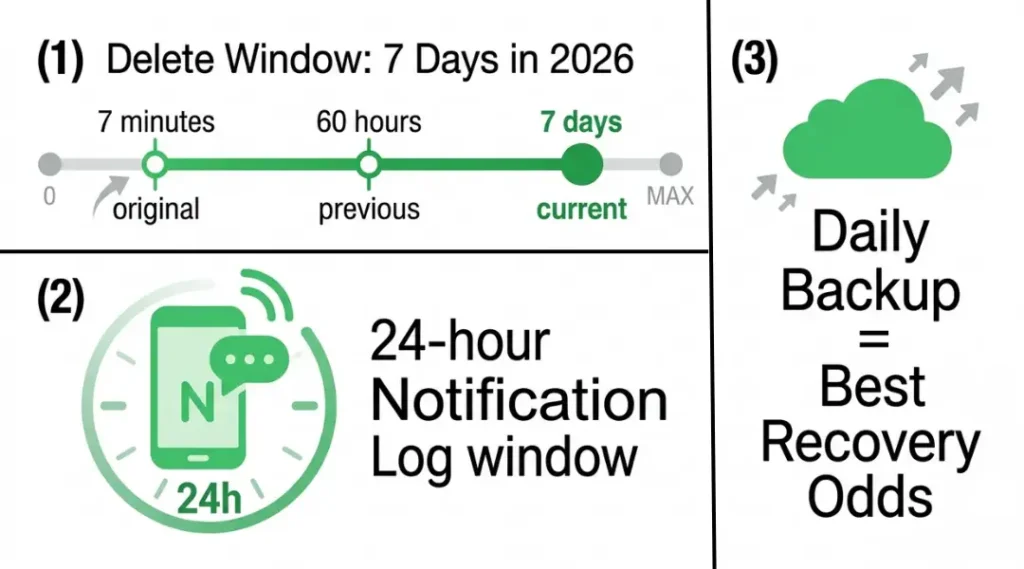
In January 2026, WhatsApp extended its delete window from 60 hours to 7 days, meaning senders now have an entire week to scrub any message. That is a significant shift from the original 7-minute window the feature launched with. According to WhatsApp’s official support documentation, once a message is deleted for everyone, there is no built-in way to retrieve it within the app itself.
There are two recent developments every user should know. First, as of March 2026, WhatsApp introduced stricter notification permission prompts on Android 14 and later, which affects whether notification-based workarounds keep working. Second, the iOS 17.4 update tightened notification privacy settings, making some iPhone-based methods less reliable.
That said, the methods below still work for most users in most scenarios, with one context where they matter less: if you deleted your own device’s chat history before any backup was made, recovery becomes nearly impossible.
It matters more for: parents monitoring family group chats, professionals who need records of work conversations, and anyone who caught a message mid-read just before it disappeared.
For a broader look at how WhatsApp handles privacy and data, the WhatsApp Privacy Policy page is the definitive source.
How Reading Deleted WhatsApp Messages Works: Step-by-Step
There is no single magic button. The method you use depends on your device, whether you act quickly, and what settings you had enabled before the message was deleted.
Step 1: Check Your WhatsApp Notification History (Android)
What it accomplishes: Retrieves the full text of a deleted message if you received a push notification before it was removed.
On Android 11 and later, you can access a device-level notification log without any third-party app. Go to Settings, then Notifications, then Notification History, and toggle the feature on if it is not already active. Scroll through the log to find the WhatsApp notification containing the deleted message.
The key tool here is your Android device’s native Notification History panel, not any app. The metric to watch: notifications are stored for 24 hours in this log. After that window, the entry disappears.
Pro tip: Enable Notification History before you ever need it. Once a message is deleted, you cannot retroactively turn on the log and expect to find old entries.
Common mistake: People search for this setting under WhatsApp rather than the system Settings menu. It is a device-level feature, not in-app.
Step 2: Use a Notification Saver App (Android)
What it accomplishes: Creates a persistent, searchable log of all incoming notifications, including WhatsApp messages, even after they are deleted.
Apps like Notisave, Notification History Log, and WAMR are designed specifically to capture and store notification content before it can be retracted. Install one of these apps, grant it Notification Access permission, and it silently logs every WhatsApp message as it arrives.
According to a 2025 Android Authority review of notification logging tools, WAMR is the most reliable for recovering deleted media, while Notisave edges ahead for plain text message logs. Both are free with optional premium tiers.
Limitation: These apps only capture messages that arrived while the app was installed and running. They cannot recover messages sent before installation.
Common mistake: Granting the app partial permissions. Notification Access must be fully enabled in Settings under Special App Access, or the app will miss messages entirely.
Step 3: Restore a WhatsApp Backup (Android and iPhone)
What it accomplishes: Restores an earlier version of your entire chat history that predates the deletion.
WhatsApp backs up chats to Google Drive (Android) or iCloud (iPhone) on a schedule you set, daily, weekly, or monthly. If the deleted message existed during the last backup window, you can recover it by uninstalling WhatsApp, reinstalling it, and restoring from backup during setup.
The real tool here is your backup frequency. A daily backup dramatically improves your recovery odds compared to a weekly one.
Pro tip (from experience): Before uninstalling WhatsApp to trigger a restore, manually back up your current chats first. Go to Settings, then Chats, then Chat Backup, and tap Back Up Now. This creates a fresh reference point so you do not accidentally overwrite a newer backup you want to keep.
Common mistake: Forgetting that a restore replaces your current chat database. Any messages sent or received after the last backup will be lost if you proceed without backing up first.
For a technical breakdown of how WhatsApp’s end-to-end encrypted backups work, Google’s WhatsApp Backup Help page explains the process in plain terms.
Step 4: Check Local Device Backups (Android)
What it accomplishes: Recovers deleted messages from a local backup stored on your device’s internal storage, without needing a cloud restore.
WhatsApp stores local backups in the folder path: Internal Storage / WhatsApp / Databases. These files are named msgstore.db.crypt15 (or a similar encryption suffix) along with up to seven daily backups labeled with dates. A file manager app like Files by Google can locate these.
To use a local backup, rename the current msgstore.db file, rename the dated backup you want to restore to msgstore.db, then reinstall WhatsApp and restore from local backup during setup.
Common mistake: Confusing the local backup folder with the WhatsApp media folder. The Databases folder is distinct from the WhatsApp/Media folder where photos and videos are stored.
Step 5: Ask the Sender or Check a Linked Device
What it accomplishes: Retrieves the message through a social or technical workaround without any technical recovery process.
WhatsApp’s linked devices feature allows up to four devices to share a single account. If the sender is logged into a secondary device (such as WhatsApp Web or WhatsApp Desktop) and has not cleared the chat history there, the message may still be visible on that session. Separately, if you are willing to ask the sender, they may share a screenshot or resend the content.
On the receiving end, if you personally have WhatsApp Web open in a browser when the message arrives, your browser’s notification may still display the text even after the sender deletes it.
Common mistake: Assuming WhatsApp Web sessions sync deletions instantly. There is a brief lag, but it closes within seconds to a minute for most users.
Best Tools and Methods for Reading Deleted WhatsApp Messages
| Tool / Method | Best For | Key Strength | Real Limitation | Price (2026) | Verdict |
|---|---|---|---|---|---|
| Android Notification History | Quick, one-time recovery | No app install needed; native | 24-hour log window only | Free | Best first step — always check this |
| WAMR (Android) | Ongoing, passive protection | Recovers deleted media too | Requires advance setup; no retroactive recovery | Free / $2.99 premium | Best for Android users who act proactively |
| Notisave (Android) | Text-heavy notification logs | Clean, searchable log interface | Does not capture media or voice notes | Free / $1.99 premium | Best for text message recovery |
| Google Drive / iCloud Restore | Recovering older deleted messages | Works on both Android and iPhone | Overwrites newer messages; disrupts current chats | Free (storage costs may apply) | Best when the message is days or weeks old |
| Local Backup (Android) | Offline recovery without cloud | No internet needed; fast restore | Technical process; easy to make mistakes | Free | Best for technically confident Android users |
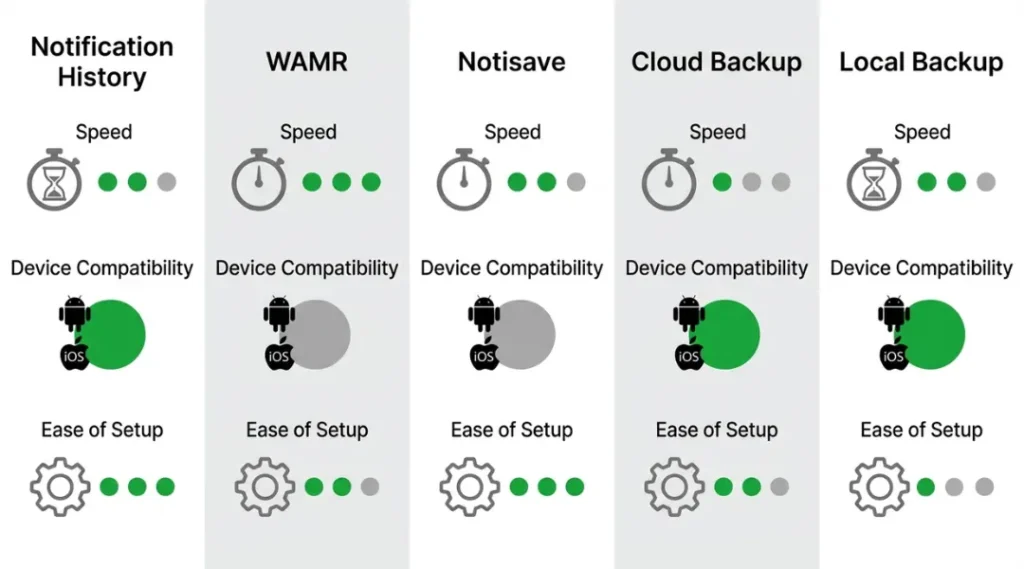
One comparison dimension most guides skip: setup time and offline use. Both WAMR and Notisave require a few minutes of initial configuration, but once set up, they work entirely offline and in the background. Cloud backup restoration requires an active internet connection and disrupts your current chat session for the duration of the restore.
The privacy dimension is also worth noting. Notification saver apps log every notification you receive across all apps, not just WhatsApp. If you share a device or are privacy-conscious about your own notification data, review the app’s permissions carefully and restrict access to WhatsApp only where possible.
For an independent analysis of privacy trade-offs in WhatsApp recovery tools, the Electronic Frontier Foundation’s Surveillance Self-Defense guide provides a well-reasoned framework for evaluating third-party apps that access notification data.
How to Read Deleted Messages on WhatsApp: Frequently Asked Questions
Not completely. WhatsApp can delete a message from its own database and from the visible chat interface, but it cannot retroactively remove a push notification that has already been delivered to your device's system notification log, or a backup that was created before the deletion.
The Android notification log methods are Android-only. iPhone users should rely on iCloud backup restoration or check if they have WhatsApp Web open on a computer where the message may still appear briefly before sync completes.
In most jurisdictions, recovering messages sent to you on your own device is legal. Recovering messages from another person's device without consent is a different matter. This guide covers only recovering messages you received on your own account.
The most reliable route is to restore from an iCloud backup. Open WhatsApp on iPhone, go to Settings, then Chats, then Chat Backup. Uninstall WhatsApp, reinstall it from the App Store, and during setup choose to restore from iCloud when prompted.
If WhatsApp completed a new backup after the deletion occurred, the deleted message will not appear in that backup. Always check the backup timestamp before restoring, and be aware of your backup schedule to understand whether recovery is still possible.
Key Takeaways
The ability to read deleted WhatsApp messages depends almost entirely on whether you have the right tools in place before a message disappears. The single most impactful step any Android user can take today is enabling Notification History in system settings and installing a lightweight notification saver app. For iPhone users, setting WhatsApp backups to daily is the equivalent protective measure.
WhatsApp has made deletion easier and the deletion window longer in 2026, which means the window for casual notification-based recovery is tighter than it used to be. The methods above are not loopholes; they are legitimate uses of your own device’s data, notifications, and backup systems.