WhatsApp Without Saving Number
Over 2 billion people use WhatsApp every month, yet millions of them save dozens of numbers they will never contact again, just to send a single message. Whether you are following up with a vendor after a market visit, reaching out to a seller from an online listing, or verifying a contact before committing, you should not have to pollute your phonebook to do it. This guide shows you exactly how to message on WhatsApp without saving a number, covering every reliable method that works on Android and iOS in 2026. You will walk away with a permanent workflow that keeps your contacts clean and your chats moving. For more productivity hacks like this, check out our full breakdown of
WhatsApp tips and tricks at zprostudio.com/whatsapp-tips-and-tricks/.
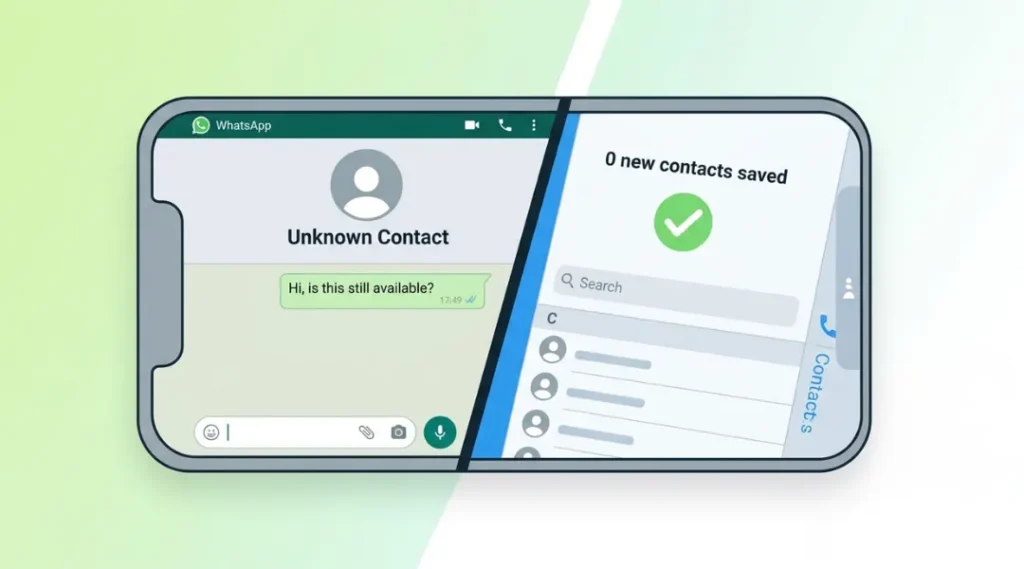
Table of Contents
ToggleWhat Is Messaging on WhatsApp Without Saving a Number?
Messaging on WhatsApp without saving a number means initiating a conversation directly, using a link, tool, or built-in feature, without first adding the recipient to your device’s contact list. WhatsApp requires an active account registered to the number, but it does not require you to store that number locally. This approach keeps your phonebook clutter-free while still giving you full chat functionality, including text, voice notes, images, and documents.
Why WhatsApp Without Saving Number Matters in 2026
The short answer: your phonebook is not a CRM, and treating it like one creates friction. As of March 2026, WhatsApp introduced stricter contact-sync privacy controls on Android that make it even easier for saved numbers to appear across Google services unintentionally. In January 2026, WhatsApp also updated its business policy to allow direct-link chat initiations for verified business accounts, signalling that contact-free messaging is now a supported workflow, not a workaround.
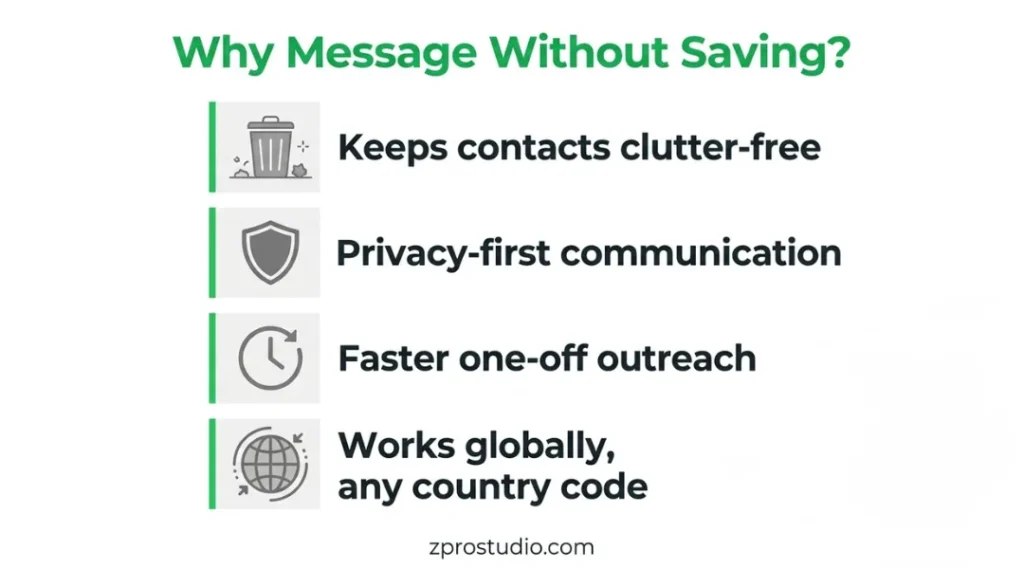
Two practical scenarios where this matters most: first, one-off conversations with vendors, delivery riders, or service providers where you never intend to speak again; second, professional outreach where you want to confirm the person is on WhatsApp before committing to saving their number. It matters less when you are messaging family or close friends you will contact repeatedly, in which case saving the number is the smarter long-term move.
Competitors in this space such as NoContact App and EasyMessage have built entire products around this gap, which tells you this is a real, widespread pain point and not just a niche request. For the built-in methods described below, you do not need any third-party app at all. Learn more about WhatsApp’s evolving privacy controls in their official Privacy Policy.
How Messaging on WhatsApp Without Saving a Number Works: Step-by-Step
The underlying mechanism is simple: WhatsApp identifies users by their registered phone number, not by whether that number exists in your contacts. So any method that passes a valid number directly to WhatsApp, whether through a URL scheme, the app’s own interface, or a helper tool, will open a chat window without a saved contact.
Step 1: Use the Official wa.me Link (Fastest Method)
WhatsApp provides an official click-to-chat feature through the wa.me domain. Type https://wa.me/[country-code][number] into any browser, replacing [country-code][number] with the full international number without plus signs, spaces, or dashes. For example, an Indian number +91 98765 43210 becomes https://wa.me/919876543210.
What it accomplishes: Opens WhatsApp directly to a new chat with that number, no contact saved. How to use it: Open any browser, type the URL, tap Open WhatsApp when prompted. Pro tip: Append ?text=Hello to the URL to pre-fill a message, for example https://wa.me/919876543210?text=Hello. This is documented in WhatsApp’s official FAQ.
Common mistake: Using a local number format instead of the international format. Always include the country code.
Step 2: Use WhatsApp’s Built-In ‘New Chat’ Search on Android
On Android, open WhatsApp, tap the new chat icon (pencil/compose icon in the top right), and in the search bar type the full phone number including the country code. If the number has a WhatsApp account, it will appear in the results. Tap it to open a chat.
What it accomplishes: Lets you message without leaving the app or saving anything. How to use it: The search bar in the new-chat screen searches both saved contacts and unsaved WhatsApp-registered numbers. Pro tip: This method works even if you are on slow mobile data since it queries locally first before reaching WhatsApp’s servers.
Common mistake: Omitting the country code, which will return no results even for valid numbers.
Step 3: Use WhatsApp Web in a Browser for Desktop Workflows
Open web.whatsapp.com in your browser, log in with QR code, and in the address bar append the chat URL: https://web.whatsapp.com/send?phone=919876543210. Replace the number with your target number. Hit Enter and WhatsApp Web loads a chat window for that contact, no phonebook entry needed.
What it accomplishes: Ideal for bulk one-off outreach from a computer. How to use it: Works in Chrome, Firefox, Edge, and Safari. Pro tip: Open the tab in Incognito mode to prevent the number from appearing in your browser history.
Common mistake: Forgetting to include the country code in the URL parameter, which causes a ‘Phone number shared via URL is invalid’ error.
Step 4: Use a Third-Party App for Repeated Unsaved Messaging
If you regularly need to message unsaved numbers, apps like EasyMessage or NoContact App act as a dialer specifically for WhatsApp. You paste or type a number, choose WhatsApp, and the app handles the rest without touching your phonebook.
What it accomplishes: Adds a persistent shortcut for unsaved-number messaging. How to use it: Install the app, grant contact-free messaging permissions, paste any number, and tap Send via WhatsApp. Pro tip: Both apps support shortcuts on your home screen so you can trigger the flow in two taps.
Common mistake: Granting full contact access when the apps only need the phone number you manually enter. Always review app permissions carefully.
Step 5: Share a Pre-Filled Chat Link for Inbound Contacts
If you want others to message you without saving your number, generate a click-to-chat link for your own number and share it via email, LinkedIn, or your website footer. Visitors click the link, WhatsApp opens on their device, and they can message you without saving your number to their phonebook either.
What it accomplishes: Two-way solution for professionals who want friction-free inbound contact. How to use it: Build your own link at https://wa.me/[your-number]?text=Hi+I+found+you+via+[your+platform].
Common mistake: Using a shortened link service that strips the pre-filled message parameter. Always test the full URL before publishing it.
Best Tools and Methods for WhatsApp Without Saving Number
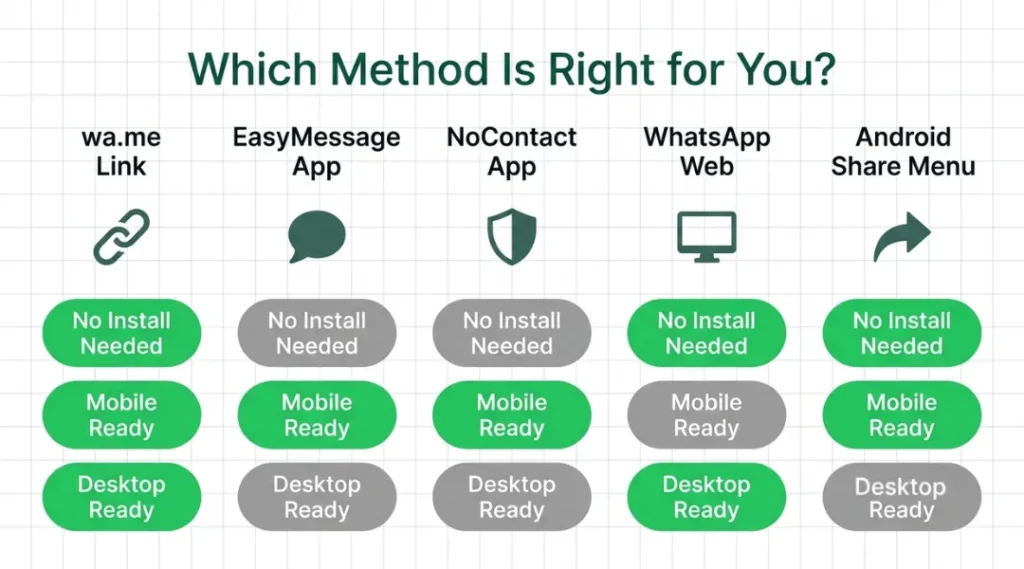
The best approach depends on your device, frequency of use, and whether you are on mobile or desktop. If you need a one-off message right now, the wa.me link method requires nothing and works in under 20 seconds. If you send dozens of messages to unsaved contacts each week, a dedicated app will save you time. Three dimensions most comparison guides skip: setup time (wa.me has zero; apps take 5-10 minutes), offline availability (no method works offline since WhatsApp requires internet), and privacy exposure (browser-based methods leave URL traces; apps with proper permissions do not).
Tool / Method | Best For | Key Strength | Real Limitation | Price (2026) | Verdict |
wa.me Link | Quick one-time chat | No app needed, instant browser open | Cannot save chats or media easily | Free | Best for fast outreach |
Click to Chat (wa.me) | Marketers & small biz | Custom pre-filled message text | Link expires if number changes | Free | Best for campaigns |
EasyMessage App | Android power users | In-app dialer without saving contact | Requires app install, ads in free tier | Free / ~$2.99/mo | Best for frequent use |
NoContact App | Privacy-focused users | Hides chat from main WhatsApp | Limited iOS support, small user base | Free / $1.99/mo | Best for discretion |
WhatsApp Web + Incognito | Desktop users, one-off chats | Zero installs, works on any browser | Slower, no notifications | Free | Best for PC users |
Can I Send a WhatsApp Message Without Saving Number on iPhone?
Yes, and the process is almost identical to Android. On iPhone, open Safari or Chrome and navigate to https://wa.me/[country-code][number]. Tap Open when prompted to launch WhatsApp. Alternatively, use the Siri Shortcut method: create a shortcut that accepts a phone number as input and opens the wa.me URL automatically. This gives you a one-tap widget on your iPhone home screen that functions like the third-party Android apps, without installing anything extra.
The WhatsApp new-chat search feature works on iOS as well. Open WhatsApp, tap the compose icon, and type the number with country code in the search field. For a deeper look at iOS-specific WhatsApp features, Apple’s iOS Privacy Guide explains how to manage which apps interact with your contacts.
How to Send WhatsApp Message Without Saving Number on Android
Android gives you the most flexibility. Beyond the wa.me link and in-app search covered in the step-by-step section, Android users can also use the Share menu. When you see a phone number in a webpage, email, or document, long-press it, tap Share, and select WhatsApp. Android’s intent system will pass the number to WhatsApp and open a chat, bypassing the phonebook entirely.
For users on Android 13 and above, the permission model introduced in Android 13 means that apps requesting ‘READ_CONTACTS’ permission need explicit approval. WhatsApp itself holds this permission for syncing, but third-party tools like EasyMessage and NoContact App explicitly state they do not require contact-read permission to function, which is a meaningful privacy advantage. The Reddit thread at r/androidapps has an active community discussion on the best tools for this workflow, with real user comparisons updated as recently as early 2026.
Whatsapp Without Saving Number: Frequently Asked Questions
No. From the recipient's perspective, your message appears exactly like any other WhatsApp message. The method you used to open the chat is invisible to them. They will see your name (if they have saved your number) or your phone number, and the message you sent.
Yes. Once you have opened a chat using the wa.me link or the in-app search method, you can tap the phone or video icon to place a WhatsApp call. The call works exactly like a normal WhatsApp call. You are not required to save the number at any point before, during, or after the call.
If the number is not registered on WhatsApp, the wa.me link will open your browser but WhatsApp will display an error saying the phone number is not on WhatsApp. The in-app search will simply return no results for that number. In both cases, no message is sent and no notification is triggered on either side.
The method itself is safe and does not expose any personal data. However, once you open a chat with an unknown contact, the standard WhatsApp privacy rules apply. They can see your profile photo and last-seen status based on your current privacy settings. Review your WhatsApp privacy settings under Settings, Privacy to control what strangers can see about you.
Final Thoughts
Messaging on WhatsApp without saving a number is not a hack. It is a built-in capability that WhatsApp has supported through the wa.me click-to-chat system for years, and one that has only become more accessible as third-party tools have matured in 2025 and 2026. The wa.me link method covers 90% of use cases at zero cost and zero setup time. If you need something more powerful for high-volume outreach or a cleaner mobile experience, EasyMessage and NoContact App are both credible options with active development teams.