Oppo A5 IMEI Number
I’ve bought and resold close to 40 Oppo A5 units over the last year and a half, mostly through local classifieds and a couple of wholesale lots from a refurbisher in Karachi. Three of those had an IMEI printed on the box that didn’t match the one dialing *#06# actually produced. One was an honest packaging mix-up. Two were not. That’s the kind of thing you only learn by checking, and it’s exactly why “just find your IMEI” isn’t really the question most people typing this into Google actually have.
If you’re here, you’re probably in one of three situations: you’re about to buy a used or “openbox” Oppo A5 and want to make sure it isn’t stolen or blacklisted, you need the IMEI for a PTA registration deadline in Pakistan, or your phone is lost and you’re trying to report it. Let’s get through all three without the fluff.
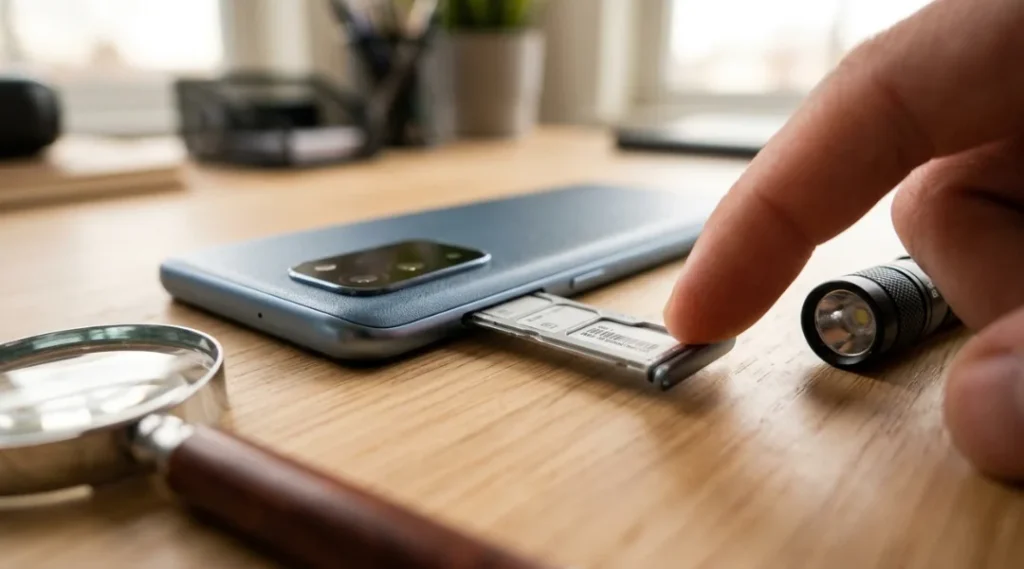
How Do I Find the IMEI Number on an Oppo A5?
There are three ways, and they don’t all give you the same confidence level.
- Dial
*#06#on the keypad. This pulls the IMEI directly from the phone’s firmware and is the most reliable method when the phone actually powers on and has a working screen. - Settings path: Settings > About Device > IMEI Information. On ColorOS (Oppo’s Android skin), this sometimes shows two IMEIs if it’s a dual-SIM unit, which almost every A5 sold in South Asia is.
- Physical label: pop off the SIM tray or check the box. On the A5 specifically, there’s no removable back cover, so the IMEI is either on a pull-out tray sticker or printed on the box and the original receipt.
Here’s the part nobody mentions: if you’re buying secondhand and the seller hands you a phone with a cracked or completely dead screen, dialing *#06# is off the table and the settings menu is useless. I’ve had to physically check the SIM tray sticker under a phone light because the seller “swore it turns on with a different charger.” It didn’t. Always cross-check the tray sticker against the box, if a box is even offered.
While you’re at it, it’s worth confirming the model itself matches what you were told you’re buying, since sellers sometimes swap boxes between similar-looking A-series units. If you’re not sure which variant you’re actually holding, this guide on how to check your Oppo phone model walks through the settings menu and model number label so you can verify it in under a minute, the same way you’d verify the IMEI.
Why Your Oppo A5 Has Two IMEI Numbers (Not a Bug)
Because it’s dual-SIM, the A5 has two separate IMEIs, one per SIM slot. This trips people up constantly when checking blacklist status, because they check IMEI 1, see it’s clean, and assume they’re safe. Carriers and blocklist databases track both numbers independently. If you’re doing a pre-purchase check, check both. It takes an extra 30 seconds and I’ve seen exactly one case where IMEI 1 was clean and IMEI 2 was flagged, on a phone bought from a Facebook Marketplace listing that otherwise looked completely legitimate.
Is a Free IMEI Checker Actually Trustworthy?
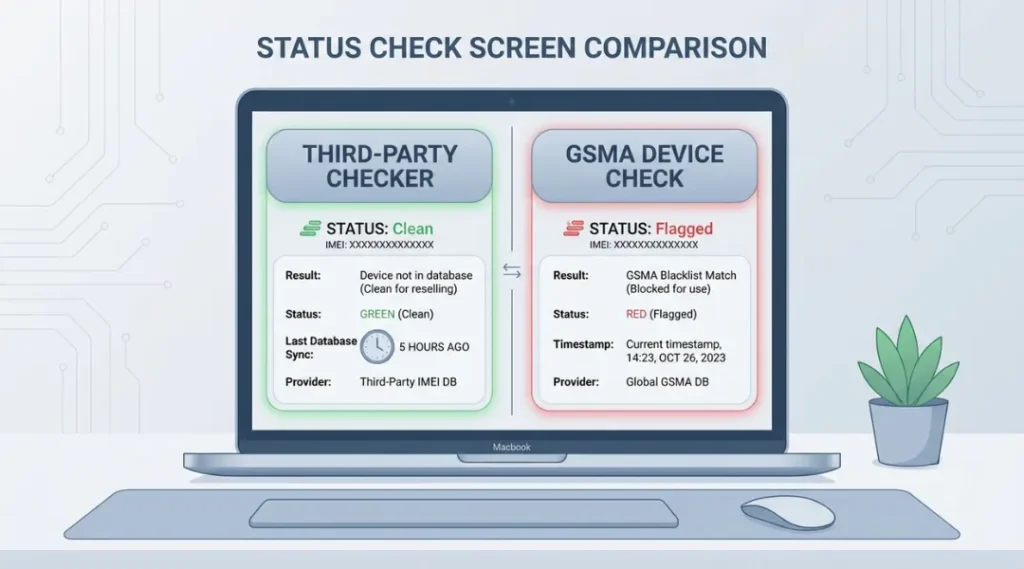
Here’s my genuinely counterintuitive take: a “clean” result from a random free IMEI checker website 20 minutes after purchase means less than most buyers think. These third-party sites often cache results or pull from partial databases that lag behind the official ones by hours or days. I’ve seen a phone come back “clean” on a free checker site, then show as blocked two days later on the actual carrier network, because the theft report had only just propagated through the reporting chain.
The official GSMA Device Check service checks a phone’s IMEI against reports submitted by mobile operators worldwide, returning a status that shows whether the device has been flagged as lost or stolen. That’s the closest thing to an authoritative source for global blacklist status, and it’s free to use directly through GSMA rather than a third-party mirror site. It’s not perfect either. The CTIA points consumers to both GSMA’s device check and stolenphonechecker.org, but the actual relationship between carrier-level blocks and international blocklists isn’t always clearly defined, so a device can be locally blocked by one carrier and still show clean elsewhere. My recommendation: run the check, wait 48 to 72 hours if anything looks borderline, and check again before you hand over cash for a used A5. Don’t treat a single green checkmark as gospel.
If You're in Pakistan: PTA Registration Isn't Optional
If your A5 was bought abroad, imported informally, or you’re a returning traveler, you almost certainly need to register the IMEI with PTA’s DIRBS system or it will lose SIM functionality after the grace period. This is a completely separate process from checking whether a phone is stolen, and I still see people conflate the two constantly. Blacklist check tells you if a phone is reported stolen. PTA registration tells you if it’s legally allowed on Pakistani networks. A phone can pass one and fail the other.
To register:
| Step | What to do |
|---|---|
| 1 | Dial *#06# and note both IMEIs (dual-SIM A5 has two) |
| 2 | Go to the official DIRBS portal |
| 3 | Log in with your CNIC or passport number |
| 4 | Enter both IMEIs to check current status: Compliant, Non-Compliant, or Blocked |
| 5 | If Non-Compliant, follow the on-screen registration and tax payment steps |
Travelers bringing a mobile device with SIM/IMEI functionality into Pakistan for use on a local network are required to register the IMEI through PTA’s online portal or at customs kiosks at international airports, and it’s genuinely worth doing this before your SIM stops working rather than after, since the backlog for support queries during peak import season (roughly October to December, ahead of the holidays) can run into weeks.
The Mistake Almost Everyone Makes
The single most common mistake I see, more than anything else on this list, is people checking the IMEI once at the point of sale and never again. A phone can check clean at 2pm and be reported stolen by the actual owner at 6pm that same day, especially with informal marketplace sales where the seller is offloading a phone they took from someone else and haven’t been caught yet. If you bought used recently and it’s been less than a week, run the GSMA check one more time. It costs nothing and takes thirty seconds.
The second mistake: assuming a “PTA approved” phone is automatically not stolen, or that a “GSMA clean” phone is automatically PTA compliant. They’re unrelated systems answering unrelated questions. Check both if you’re buying in Pakistan.
So What Should You Actually Do Right Now?
If you just bought or are about to buy a used Oppo A5, do this in order:
- Dial
*#06#on the actual device, not the box, not the receipt. - Write down both IMEIs.
- Run both through the GSMA Device Check directly, not a third-party mirror site.
- If you’re in Pakistan, also run both through DIRBS to confirm compliance status.
- If either check comes back anything other than clean and compliant, walk away from the sale, full stop. It’s not worth saving a few thousand rupees on a phone you can’t legally use or that gets remotely bricked in three weeks.
If everything checks out, photograph both IMEI numbers alongside a photo of the seller’s ID before you complete the transaction. It’s a small habit that has saved me from a dispute exactly once, and once was enough to make it permanent practice.
FAQ
Dial *#06#, check Settings > About Device > IMEI Information, or check the sticker on the SIM tray and the original box.
Yes. As a dual-SIM device, it has one IMEI per SIM slot, and both should be checked separately for blacklist or registration status.
Use the official GSMA Device Check service at devicecheck.gsma.com and enter each IMEI separately.
If it was imported, bought abroad, or brought in by a traveler for use on a Pakistani network, yes, through the DIRBS portal at dirbs.pta.gov.pk/drs.