How to Check Your OPPO Phone Model
You’re trying to buy a replacement screen, sell your phone, or find the right firmware update, and you’ve hit a wall: your OPPO phone just says “OPPO” somewhere in Settings, or it shows a name like “Reno8” with no model number attached. Now you’re stuck, because the seller wants a model number like CPH2359, not a marketing name.
I’ve spent the last six years buying, repairing, and reselling used phones for a small electronics shop, and OPPO devices cause more mix-ups on this exact point than any other brand we handle. Here’s the fast way to get it right, plus the mistake I still see people make every week.
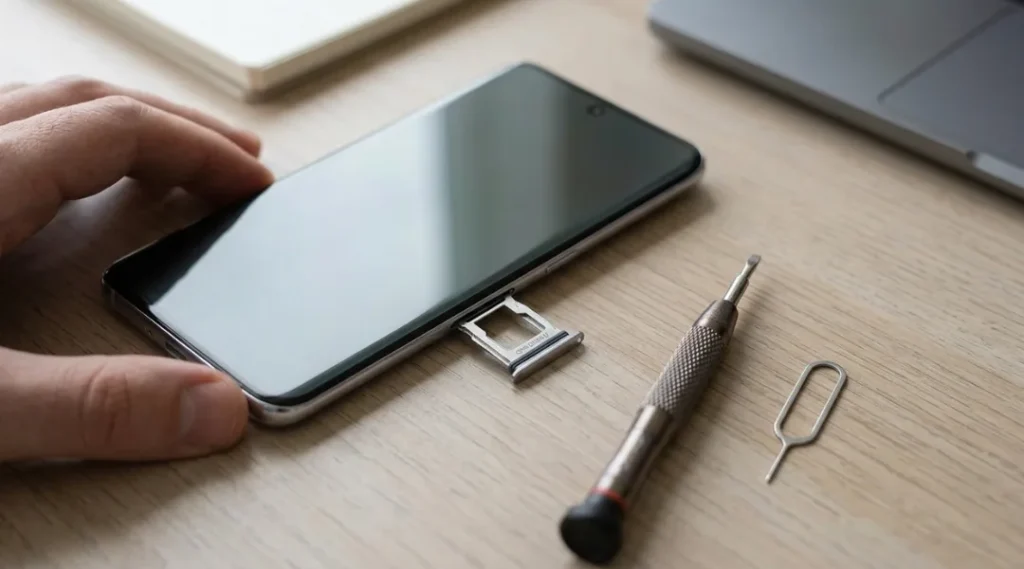
Table of Contents
ToggleWhy "OPPO Reno 8" Isn't Enough
Marketing names and actual model numbers are two different things, and OPPO uses both constantly. “Reno8” is the name you see in ads. “CPH2359” is the internal model number that parts suppliers, repair manuals, and firmware databases actually use.
This matters because a single marketing name can cover three or four regional variants with different chipsets, RAM configurations, or even camera hardware. I once ordered a batch of replacement back glass panels for what a customer told me was a “Reno8,” based on the box art alone. Wrong variant — the curvature was off by a few millimeters and none of them fit. That was a $180 mistake and a two-week delay waiting on the correct part, all because nobody checked the actual CPH number first.
Method 1: Settings > About Phone (Fastest, But Not Always Complete)
This is the first place everyone looks, and it’s usually fine:
- Open Settings
- Scroll to About Phone (sometimes labeled About Device)
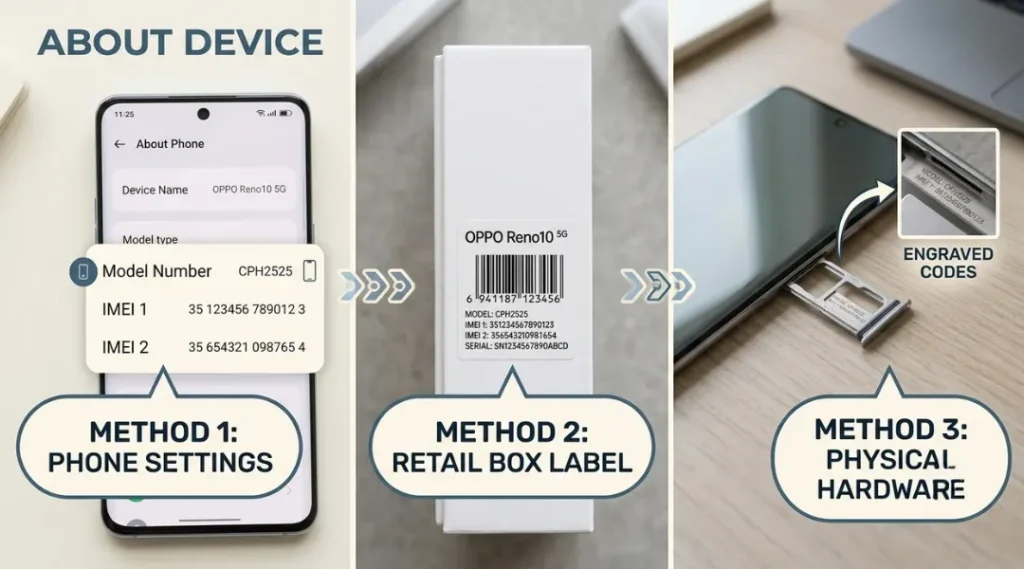
- Look for Model Name or Model Number
On most ColorOS builds this shows something like “CPH2359.” But here’s the catch I’ve run into more than once: on some regional software builds, especially certain India-market and carrier-locked units, this field displays a generic or truncated name instead of the full model code. If what you see doesn’t start with “CPH” or “PDVM” (OPPO’s two common prefixes), don’t trust it as final — cross-check with Method 2.
Is Checking the Physical Sticker Actually More Reliable?
Yes, honestly and this is the part most quick-answer articles skip entirely. Every OPPO phone has its full model number printed on a sticker either inside the SIM tray slot or on the original retail box, right next to the barcode.
Pop out the SIM tray (use the ejector tool or a paperclip) and look at the tray itself or the slot wall behind it on some models. You’ll see the full CPH code printed in small text. On boxed units, it’s on the side panel barcode label. I trust this more than the software field for one simple reason: it’s fixed at the factory and can’t be altered by a software update, a custom ROM, or a factory reset gone wrong. Software fields can lie after a bad flash. Stickers don’t.
The Dial Code Trick (Useful When the Screen Is Damaged)
If your screen is cracked or the phone won’t boot into settings properly, dial:
*#*#4636#*#*
This opens a hidden testing menu on most Android phones, including OPPO, that shows phone information including the model number. It doesn’t work on every ColorOS version OPPO has restricted some hidden dialer codes in newer builds for security reasons but it’s worth trying before you give up.
Comparing the Methods: Which One Should You Actually Use?
| Method | Speed | Reliability | Best for |
|---|---|---|---|
| Settings > About Phone | Fastest | Good, but occasionally shows generic name | Working phone, quick check |
| SIM tray / box sticker | Medium | Highest — factory printed | Confirming before buying parts or reselling |
| Dial code (##4636##) | Fast | Medium — blocked on some builds | Cracked screen, boot issues |
| IMEI lookup via GSMArena or manufacturer site | Slower | High | Verifying before a private sale |
My honest recommendation: if you’re just curious, Settings is fine. If money is on the line — buying a screen, a battery, or selling the phone — check the physical sticker too. It takes 20 extra seconds and it’s the one source that can’t be spoofed by software.
What About Using the IMEI Instead?
You can also dial *#06# to pull up your IMEI number, then run it through OPPO’s own device check or a lookup service. This is genuinely useful for confirming region and warranty status, not just model. According to GSMArena’s device database, IMEI-based lookups are one of the most reliable ways to confirm exact hardware specs when a model number alone is ambiguous across regional SKUs, since IMEI encodes manufacturing and allocation details that the model number doesn’t.
For anything warranty-related, go straight to OPPO’s official support and IMEI check page, since third-party IMEI checkers occasionally return outdated or mismatched regional data — I’ve seen this happen with gray-market units bought through resellers rather than OPPO’s direct channel.
The Mistake People Keep Making
The single biggest error I see: people quote the marketing name to a repair shop or a buyer instead of the model number, and assume it’s specific enough. It isn’t. “Reno8 Pro” alone doesn’t tell a parts supplier which chipset, which display panel, or which region’s charging standard your unit has. Always pair the marketing name with the CPH code when you’re asking for parts, warranty service, or posting a resale listing. It takes one extra sentence and it prevents the exact $180 mistake I mentioned earlier.
If you want a broader breakdown of how Android version numbering interacts with model numbers (useful once you’re checking for update eligibility), Android’s own source documentation on device identifiers is a decent technical starting point, though it’s written for developers rather than consumers.
If you’re specifically working with an older or budget unit, the process can look slightly different. We’ve got a dedicated walkthrough on how to find the IMEI number on an OPPO A5 if that’s the model in front of you.
What to Do Right Now
Open Settings on your OPPO phone and go to About Phone. Write down whatever model number you see. Then pop out your SIM tray and check the sticker against it.
If they match and it starts with CPH or PDVM, you’re done — that’s your model number, use it for parts, warranty claims, or resale listings. If they don’t match, or the Settings field looks generic, trust the sticker and move on with that number instead.