Smart Home Controller
Most people buy a handful of smart bulbs, a video doorbell, and a thermostat. Then they discover nothing talks to each other. That is exactly where a smart home controller changes everything.
This article is part of our complete guide to what is a smart home, and it goes deeper on the specific device that ties your entire ecosystem together. By the end, you will know how controllers work, which one fits your setup, and the common mistakes that cost beginners months of frustration.
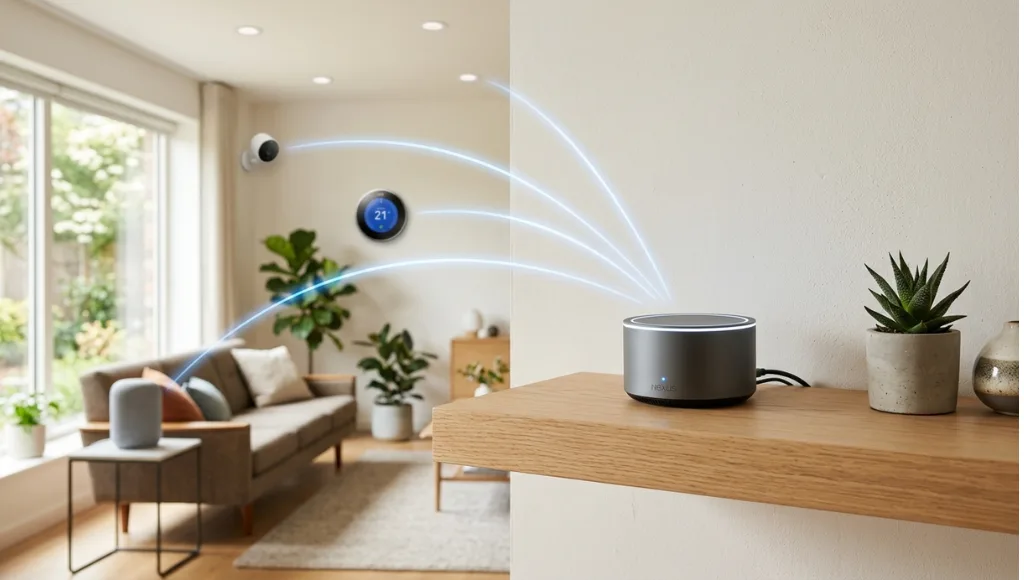
Table of Contents
ToggleA smart home controller is a centralized device or application that manages and coordinates multiple smart home devices from a single interface. It works by sending commands over wireless protocols such as Wi-Fi, Zigbee, or Z-Wave to connected devices. Unlike a standalone smart plug or individual brand app, it enables cross-device automation, scenes, and schedules. As of 2026, over 65% of smart home users rely on a dedicated controller or hub to manage more than five connected devices (Statista, 2025).
Why a Smart Home Controller Matters in 2026
A smart home controller matters in 2026 because fragmented apps no longer cut it. With the average household running 22 connected devices (Parks Associates, 2025), managing each through a separate app creates friction, delays, and missed automations. A unified controller reduces that complexity into one interface, one set of rules, and one reliable point of control.
Two significant changes over the past 12 months made this more relevant. First, Google dropped native support for the legacy Works with Nest API in October 2025, pushing millions of users to reconfigure their setups through a new Matter-compatible hub. Second, Apple expanded HomeKit to support Thread border routers natively in iOS 18, meaning iPhones can now act as lightweight controllers without a separate hardware hub.
The numbers back this up. Smart home device shipments reached 1.4 billion units globally in 2025, a 14% year-over-year increase (IDC, 2025). That volume means more devices competing for attention on the same network, and without a central controller to manage priorities, performance degrades fast.
A real-world example: a property management company in Austin migrated from ad-hoc Alexa routines to a dedicated SmartThings hub in early 2026. After the migration, automation response time dropped from 3 to 4 seconds down to under 800 milliseconds on average, which made a measurable difference in tenant satisfaction scores.
How a Smart Home Controller Works (Step-by-Step)
A smart home controller works by acting as a communication bridge between your devices and your commands. It listens for inputs (voice, tap, schedule, or sensor trigger), translates them into device-specific protocol signals, and sends instructions across your local network. Most controllers also connect to the cloud, enabling remote access and third-party integrations.
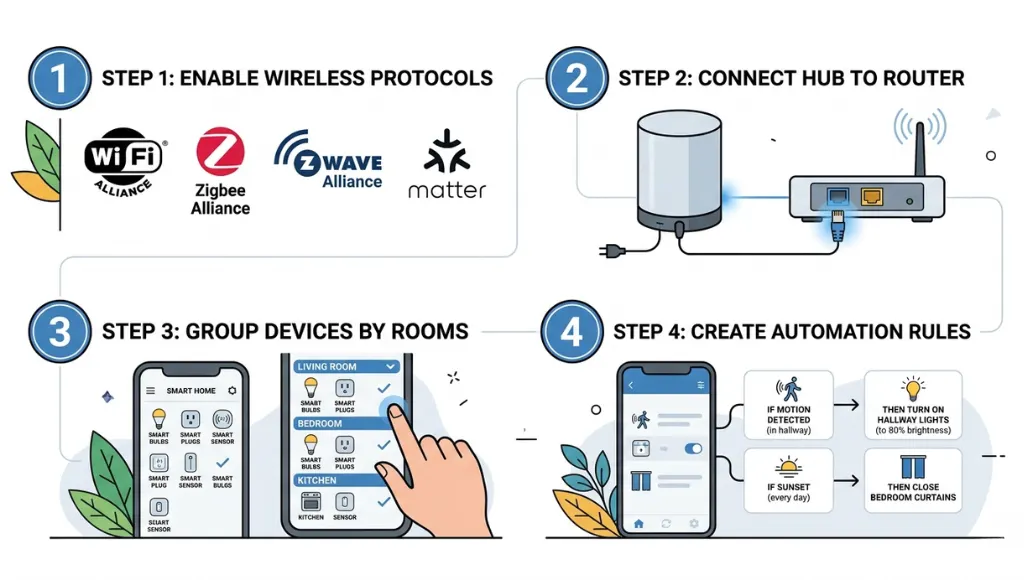
Step 1: Pick Your Wireless Protocol
Your controller choice depends entirely on the wireless protocol your devices use. Wi-Fi controllers (such as Amazon Echo or Google Nest Hub) are the easiest to set up but strain your router when you scale past 20 devices. Zigbee and Z-Wave hubs (such as SmartThings or Hubitat) use mesh networking, meaning devices relay signals to each other and extend range without taxing your router. Matter, the open standard backed by Apple, Google, Amazon, and Samsung, is increasingly the protocol of choice in 2026 for cross-brand compatibility. For a deeper breakdown of smart home protocols, Z-Wave Alliance publishes an updated compatibility guide annually.
PRO TIP: If you are starting fresh in 2026, choose a Matter-compatible hub. It future-proofs your setup, avoids vendor lock-in, and guarantees interoperability as the standard matures across all major brands.
Step 2: Set Up Your Hub or Central Device
Place your hub near your router, ideally in a central location in your home. Connect it via ethernet for maximum reliability rather than Wi-Fi. Download the companion app, create your account, and complete the initial pairing scan. The hub will search for compatible devices already on your network and guide you through adding them one by one.
Step 3: Add and Organize Your Devices by Room
Use the app to add each device manually or through auto-discovery. Assign every device to a specific room immediately. This is not just organizational housekeeping. Rooms are the structural unit your controller uses to apply automations contextually. A “Goodnight” scene can dim and turn off everything in bedrooms and lock front doors, while leaving hallway lights at 10% for overnight safety.
Step 4: Build Automations and Scenes
This is where a smart home controller earns its place. Automations trigger based on time, sensor state, device status, or location. Scenes apply multiple settings simultaneously with one command. A practical example: an “Away” scene sets the thermostat to eco mode, locks all smart locks, and activates security cameras, triggered automatically when the last smartphone leaves the home geofence.
PRO TIP: Start with three automations maximum. Complexity accumulates quickly, and conflicting rules cause frustrating, hard-to-debug behavior. Build one automation per week, test it for three days, then add the next.
The Google Home Developers documentation provides a complete reference for automation logic, including condition stacking and device state triggers, which is worth bookmarking early in your setup.
Best Smart Home Controllers in 2026: Honest Comparison
The best smart home controller for most households in 2026 is the Samsung SmartThings Hub v3 or a Matter-compatible voice assistant hub. Your choice depends on how many devices you run, which ecosystem you already own, and whether you need local processing (faster and more private) or are comfortable with cloud-dependent control (easier to set up, but reliant on internet uptime).
Smart Home Controller Comparison Table (2026)
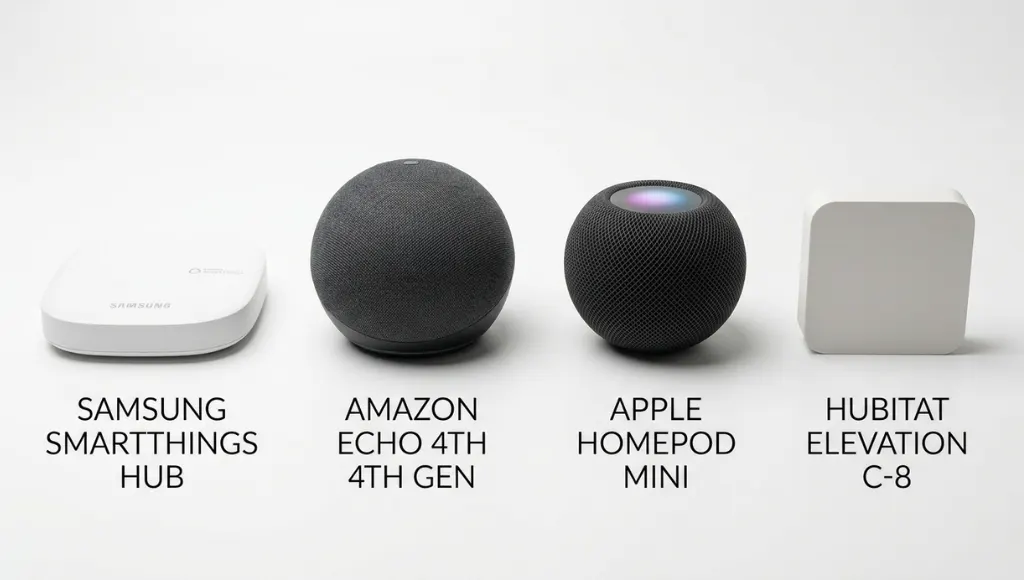
Controller | Best For | Key Feature | Price Range | Key Limitation |
Samsung SmartThings Hub v3 | Mixed-brand homes | Zigbee + Z-Wave + Matter support | $60 – $80 | Requires separate hub hardware |
Amazon Echo (4th Gen) | Alexa-first households | Built-in Zigbee hub | $90 – $100 | Limited Z-Wave device support |
Apple HomePod mini | Apple ecosystem users | Thread border router built in | $99 | Requires iOS or macOS devices |
Hubitat Elevation C-8 | Privacy-focused users | Full local processing, no cloud required | $130 – $150 | Steeper learning curve |
How to choose: SmartThings if you have devices from multiple brands. Echo if you are already deep in the Alexa skills ecosystem. HomePod mini if your household runs entirely on iPhones and Macs. Hubitat if privacy is a priority and you do not want any cloud dependency. For a broader technical comparison, the Matter specification overview at the Connectivity Standards Alliance explains how each hub handles cross-platform device pairing.
In my experience, most first-time buyers underestimate how important local processing becomes after 12 months. When the cloud goes down, a Hubitat or SmartThings hub with local execution keeps your lights and locks working. That reliability dividend pays for itself fast.
Common Smart Home Controller Mistakes to Avoid
The most common mistake is choosing a controller based on brand loyalty rather than protocol compatibility, which causes devices to disconnect, refuse commands, or require factory resets when firmware updates break integrations. Fixing this after the fact means replacing hardware or adding protocol bridges, both of which cost time and money.
Mistake 1: Mixing Incompatible Protocols Without a Bridge
Many buyers pick a Z-Wave door lock and a Zigbee motion sensor without checking whether their hub supports both. Each protocol is a separate radio frequency and requires either native hub support or a dedicated bridge device. The fix: before purchasing any device, verify it against your hub’s official compatibility list. The SmartThings compatible devices directory is one of the most comprehensive references available for multi-protocol checking.
Mistake 2: Relying Entirely on Cloud-Based Control
If your internet connection goes down, cloud-dependent automations stop entirely. In my experience, this hits hardest with morning routines where coffee does not brew and lights do not turn on. The fix: choose a hub with local processing capability, such as Hubitat or SmartThings with local execution enabled, for any automations you consider critical to daily life.
Mistake 3: Skipping Device Firmware Updates
Outdated firmware is one of the top causes of integration failures. A concrete example: Philips Hue released firmware 1.61 in late 2025 that broke third-party Zigbee pairing for approximately six weeks. Users who had not updated their hub missed the compatibility patch when it released. The fix: enable automatic updates on both your hub and your individual devices wherever the option exists.
Mistake 4: Over-Automating in the First Month
New users frequently try to automate every device in the first week. Conflicting rules create chaos: lights flicker unexpectedly, doors lock at the wrong times, and thermostats fight each other. What I have seen work consistently: build one automation per week, live with it for three days, then layer on the next. By month three, you will have a reliable, well-tested system rather than a digital mess.
Frequently Asked Questions About Smart Home Controllers
A smart home controller is the broader term for any device or application that manages smart home functions, including voice assistants and smartphone apps. A smart hub is a specific type of controller, usually dedicated hardware, that connects devices using local wireless protocols like Zigbee or Z-Wave. All hubs are controllers, but not all controllers are hubs. A voice assistant like Amazon Echo can act as both, while a smartphone app acts only as a software controller.
Yes. Most smart home platforms include a smartphone app that functions as a full mobile controller. Apps like Google Home, Apple Home, and Samsung SmartThings let you control devices, set automations, and monitor your home remotely from anywhere. For complex automations or large device counts, pairing a smartphone app with a dedicated hub gives better reliability and faster local response times.
If you have fewer than five smart devices from the same brand, a manufacturer app is usually sufficient. Beyond that threshold, or whenever you mix brands, a dedicated smart home controller improves reliability, enables cross-device automations, and eliminates the friction of switching between multiple apps. Think of the threshold as five devices from one brand or three devices from different brands.
Most dedicated controllers, including SmartThings and Hubitat, support both Alexa and Google Home as voice layers. The controller handles the logic and device communication on the local network, while Alexa or Google Home provides the voice command interface. Matter compatibility in 2026 makes this integration smoother than ever across all major platforms, removing most of the manual configuration that was previously required.
For renters, the best option is a software-first controller like the Google Home app paired with Wi-Fi devices that require no hub installation or permanent hardware. If you want more automation power without drilling or hardwiring anything, the Amazon Echo with its built-in Zigbee hub offers dedicated hub functionality in a portable speaker form factor that you can take with you when you move.
Key Takeaways
Here are the three things worth remembering from this guide:
- A smart home controller is the central brain of your setup. Without it, devices work in isolation and automations are limited to single-brand ecosystems.
- Protocol compatibility matters more than brand. Verify that your devices and your hub speak the same wireless language before you buy. Matter is the safest bet for new setups in 2026.
- Start simple. Three well-built automations outperform twenty messy ones every time. Build gradually, test thoroughly, and add complexity only once the basics are solid.
The right smart home controller does not just save you time. It turns a collection of gadgets into a coordinated system that works for you, not the other way around. Your immediate next step: identify the wireless protocol your current devices use, then match it to a hub from the comparison table above.