Software and Apps
From Mobile Apps to Video Editing, Testing, and Smart Device Management
Key Takeaways
- Audit before you add. Most users have 5 to 10 apps they have not touched in 90 days.
- Free tools in 2026 are genuinely competitive in video editing, productivity, and testing.
- App management is an ongoing practice, not a one-time task. A quarterly review saves money, time, and security risk.
- Knowing how to delete, hide, and unhide apps is a core digital skill that most guides still overlook.
Table of Contents
ToggleIntroduction
More than 6.8 billion people now carry a smartphone, and each runs an average of 40 apps (Statista, 2026). But here is the problem: most people are drowning in software they barely use, while missing tools that could save hours every week. In 2026, with AI-native apps reshaping every category and Google’s March Core Update rewarding depth over breadth, navigating the software landscape is not optional. It is a professional skill.
Have you ever opened your phone’s storage settings and felt surprised by how much space unknown apps are consuming? You are not alone. This software and apps guide 2026 covers everything from discovering the best mobile apps to understanding software testing, managing what is on your devices, and choosing free tools that actually deliver. By the end, you will have a clear framework for building a leaner, more powerful digital toolkit, without the subscription creep.
What Is the Software and Apps Landscape in 2026?
Software and apps in 2026 refer to the full ecosystem of digital tools, spanning mobile applications on iOS and Android to desktop programs for Windows and macOS, that power how people work, create, communicate, and manage their devices. Unlike five years ago, most modern apps now integrate AI features, cross-platform sync, and cloud storage as standard, not as premium add-ons. As of 2026, there are over 9.4 million apps across major app stores globally (Business of Apps, 2026). Cloud storage alternatives are online file storage services that replace mainstream platforms like Google Drive, iCloud, or Dropbox.
The term “software” covers a broader range: operating systems, enterprise platforms, development environments, and complex desktop applications. “Apps” typically refers to end-user tools, most commonly mobile or browser-based, designed for a single purpose or a tight bundle of related functions. In everyday conversation in 2026, the two terms are used interchangeably, and this guide treats them that way unless the distinction matters.
What has shifted most dramatically in the past two years is the expectation users bring to apps. In 2024, an AI-powered feature was a differentiator. In 2026, it is a baseline expectation. Users now assume that a video editor will auto-generate captions, that a productivity app will suggest next actions, and that a file manager will flag storage issues before they cause problems. This shift raises the quality bar across every software category covered in this guide.
Why Software and Apps Matter More Than Ever in 2026
The software and apps you choose directly determine how productive, secure, and competitive you are in 2026. Three major shifts have made this more urgent: Google’s March 2026 Core Update, Apple’s expanded app management controls in iOS 18.3, and a 187 percent surge in AI-native app downloads (Sensor Tower, 2025).
First, Google’s March 2026 Core Update placed stronger emphasis on content that demonstrates real-world expertise with tools, not generic lists assembled without testing. This means apps earning visibility in search results now have to demonstrate genuine utility through specific, reproducible use cases. Generic “top 10 apps” pages without context are losing ranking positions, while detailed, intent-matched guides are gaining them.
Second, Apple’s iOS 18.3 expanded app management controls (Apple Developer Documentation, 2026), giving iPhone users more granular options to hide, restrict, and organize apps. Most users still do not know these features exist, including how to find apps hidden behind Screen Time restrictions or how to recover purchases hidden in the App Store. That gap between what the platform offers and what users know is exactly what this guide addresses.
Third, the AI app category has exploded. Downloads of AI-native mobile apps grew 187 percent year-over-year, with productivity and video editing apps leading the charge (Sensor Tower, 2025). This is not a temporary spike. The underlying driver is a fundamental shift in how software is built: AI capabilities are now infrastructure, not a feature layer, which means every category from note-taking to video editing to code development has been rebuilt from the ground up since 2024.
Real-world example: A mid-sized marketing agency in Austin replaced six separate tools with three AI-integrated alternatives in early 2026, cutting their monthly software spend by 34 percent while improving project turnaround times by roughly 20 percent. That is what intentional, informed software management looks like in practice. It is not about having the newest tools; it is about having the right ones.
Looking ahead: Expect app bundles and modular software platforms to dominate by late 2026, as users demand fewer login credentials and more integrated workflows (Gartner Emerging Technology Hype Cycle, 2025). The era of installing 40 separate single-purpose apps is ending. The era of interconnected, configurable software environments is beginning.
How to Manage Your Software and Apps (Step-by-Step)
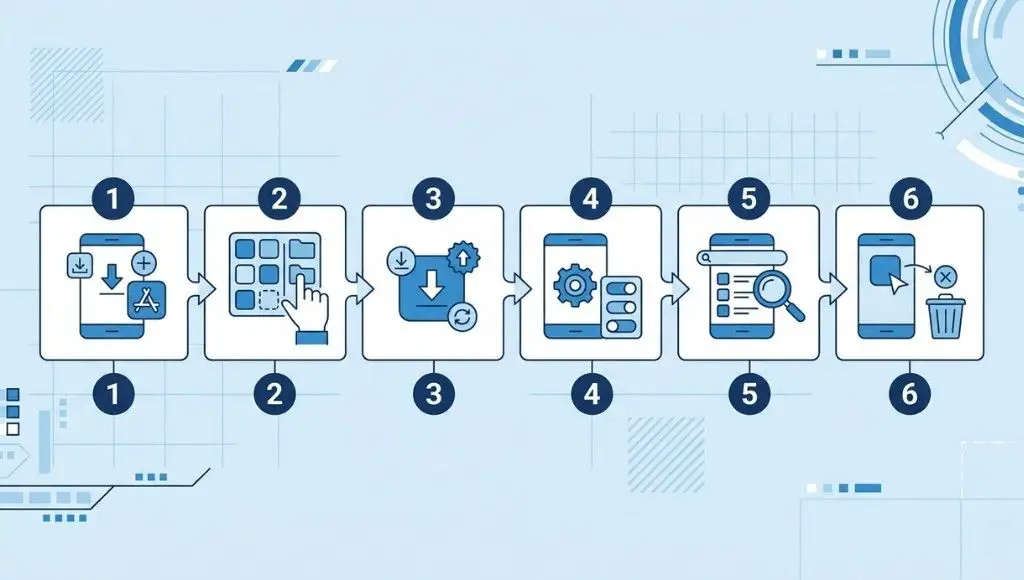
Managing software and apps well means knowing what you have, what you actually use, and how to make changes quickly across iOS, Android, Windows, and macOS. The six-step process below takes about 45 minutes the first time and under 20 minutes for each quarterly review after that.
Step 1: Audit Every App and Program You Currently Have
Start by listing every app on your phone and every program on your PC or Mac. On iPhone, go to Settings, then General, then iPhone Storage. On Windows, open Settings, then Apps, then Installed Apps. On macOS, open the Applications folder in Finder. This single step usually surfaces 5 to 10 apps people have completely forgotten about, some of which are still running background processes and draining battery.
Do not judge what you find at this stage. The goal is inventory, not action. Make a note of the total count, the total storage consumed, and any app names you do not immediately recognize. Unknown apps deserve closer attention because they may be bloatware from a device manufacturer, leftover installs from a previous owner (on second-hand devices), or apps a family member added without telling you.
If you notice performance issues during this audit, running a quick benchmark or using Processor Stress Test Software can help identify whether background apps are affecting CPU performance
Pro Tip: Sort by Last Used date on iOS. Anything you have not opened in 90 days is a deletion candidate. On Windows, the Installed Apps list shows installation date but not last-used date. For a more detailed view, use a free tool like GeekUninstaller, which shows both.
Step 2: Categorize by Frequency and Function
Divide your apps into three practical buckets. Daily covers apps you open every single day: your browser, messaging apps, calendar, and anything tied to your core workflows. Weekly covers apps you use regularly but not daily, such as fitness trackers, photo editors, or project management tools. Rarely Used covers everything opened less than once per week.
Apps in the Rarely Used category that also consume significant storage or carry active subscriptions are your highest priority. Cross-referencing your app list with your subscription billing statements often reveals the biggest financial waste. In 2026, the average person pays for 2.3 subscriptions they have not used in the past 90 days (Revenuecat Consumer Subscription Report, 2025).
Step 3: Delete or Offload Low-Value Apps
On iPhone, “offload” keeps the app’s data while removing the executable file itself. This is useful when you want to reclaim storage without losing your settings, saved game progress, or document libraries. To fully remove an app and all its data, press and hold the icon, tap Remove App, then confirm with Delete App. The distinction matters: offloading is a storage-saving half-measure, while deletion is a complete removal.
On Mac, do not simply drag apps to the Trash. That removes the main application bundle but leaves behind preference files, caches, and support folders in your Library directory, which can consume several gigabytes over time. Use a dedicated uninstaller such as AppCleaner (free) to remove all associated files in a single step. On Windows, use Settings rather than File Explorer deletion to ensure uninstall scripts run properly and registry entries are cleaned up.
Step 4: Recover or Unhide Apps You Have Hidden or Restricted
Hidden apps are one of the most common sources of confusion, particularly on iPhones managed by Screen Time. If an app is missing from your home screen, check these three locations in order: the App Library (swipe right past your last home screen page), the Screen Time restrictions list (Settings, then Screen Time, then Content and Privacy Restrictions), and your App Store purchase history (tap your profile icon in the App Store, then Purchased).
Screen Time restrictions don’t just hide apps, they can also gray out controls like your Ringer and Alerts volume slider. If you’ve noticed that too, here’s what to do when your iPhone speaker option is grayed out.
Each hiding method has a different path to recovery. Apps hidden from the home screen via the App Library still run normally and appear in searches. Apps restricted via Screen Time may require a Screen Time passcode to restore. Apps hidden from your purchase history (via Hide Purchase in the App Store) are removed from your visible history but can be re-downloaded by searching for the app name directly.
Pro Tip: If you manage an iPhone for a child and want to know which apps are installed but not visible on the home screen, go to Settings, then Screen Time, then the device name, then App Activity. This shows a full list of apps with usage time, including those hidden from the home screen.
Step 5: Set Up Organized Folders or Spaces
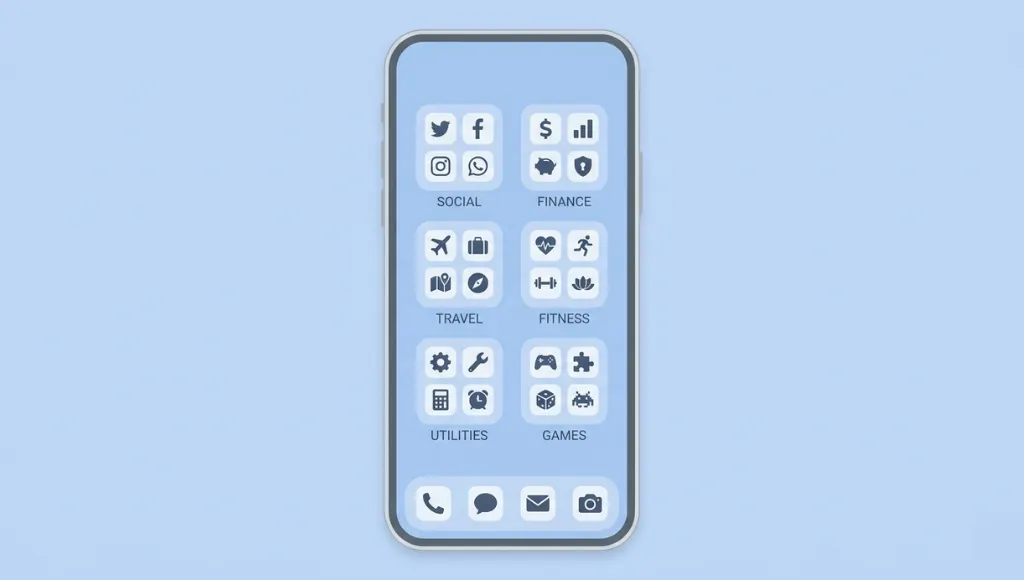
Group apps by project or context rather than by generic category. Instead of a folder labelled Productivity, create folders labelled Client Projects, Personal Finance, and Creative Work. This approach mirrors how you actually use your apps during specific tasks, which reduces the mental overhead of finding what you need.
Research from the Nielsen Norman Group (2024) shows that context-based app organization reduces the average time to find a specific app by 40 percent compared to category-based folders. The cognitive principle is simple: your brain encodes tasks by context, not by abstract category. An app you use for client invoicing is retrieved faster when it is grouped with other client-facing tools than when it is buried in a generic Finance folder alongside a budgeting app and a cryptocurrency tracker.
Step 6: Review Your Software Stack Every Quarter
Software evolves quickly. A tool that was best-in-class six months ago may now have a cheaper or more capable competitor. Block 30 minutes on the first Monday of each quarter to check for unused subscriptions, test one or two free alternatives to your paid tools, and apply any pending security patches across your installed apps.
The quarterly cadence matters for security as much as cost. The FBI’s 2025 Internet Crime Report found that 22 percent of mobile malware infections involved apps that had not been updated in over six months. Outdated apps retain known vulnerabilities that have been patched in newer versions. Keeping your app stack current is one of the lowest-effort, highest-impact security practices available to any user.
Best Software Tools and Apps in 2026
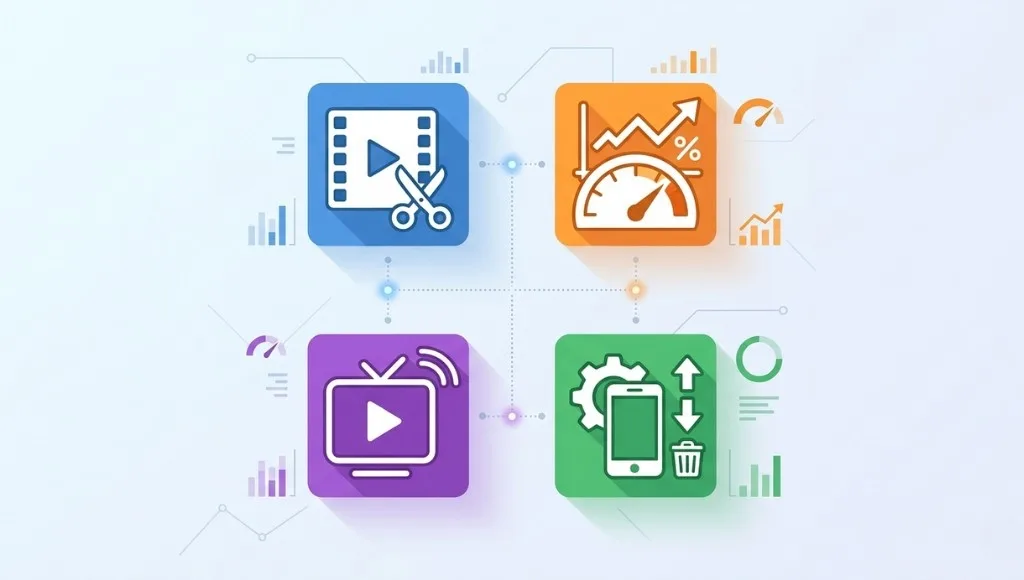
The best software tools in 2026 are not necessarily the most popular. They are the ones that match your specific use case, budget, and technical skill level. For most individual users, the free tier of major software categories in 2026 is genuinely competitive with paid alternatives, which was not true as recently as 2023.
For users evaluating system performance tools, understanding how benchmarking works is essential. Our Benchmark Software Testing guide explains how to interpret scores, compare systems, and choose the right tools.
Choosing the right tool starts with identifying your non-negotiables: the three to four requirements that any tool must meet before it earns consideration. Common non-negotiables include platform compatibility (does it run on your OS?), export format support (will its output files work with what your team uses?), and offline functionality (can you use it without internet access?). Everything else is a nice-to-have.
Tool / App | Best For | Key Feature | Price Range | Limitation |
DaVinci Resolve 19 | Free video editing | Full color grading and AI noise reduction | Free or $295 one-time | Steep initial learning curve |
Cinebench R24 | CPU benchmarking | Cross-platform CPU performance scoring | Free | CPU focus only, no GPU test |
HWiNFO64 | Hardware diagnostics | Real-time monitoring of 200+ system sensors | Free (donationware) | Windows only |
CapCut | Mobile video editing | AI auto-captions and ready-made templates | Free or $7.99 per month | Some AI tools locked behind paywall |
Streameast App | Live sports streaming | Multi-sport live coverage in one interface | Free, ad-supported | Regional availability varies |
TestFlight | iOS app beta testing | Official Apple beta distribution platform | Free | iOS and macOS only |
Kdenlive | Open-source video editing | Non-linear editing with no watermark | Free, open source | No mobile version available |
AppCleaner (Mac) | Complete app uninstallation | Finds and removes all associated app files | Free | macOS only |
When to choose free tools: If you are a solo creator, freelancer, or student, the free tier of almost every major software category in 2026 is remarkably capable. DaVinci Resolve’s free version outperforms many tools charging $15 to $30 per month in raw editing power. The paid upgrade becomes worthwhile primarily for teams that need collaboration features, multi-user project access, or advanced audio post-processing.
When to invest in paid software: Teams and businesses requiring version control, multi-user access, single sign-on (SSO), or dedicated support should budget for paid plans. The cost of a software license is almost always less than the productivity cost of workarounds required by free-tier limitations at team scale. A mid-sized team wasting 30 minutes per week on a free-tier limitation is losing roughly 26 hours of collective productivity per year per person.
Three platform entities that appear across every major software category are the Apple App Store, Google Play Store, and Microsoft Store. These are the primary distribution channels through which apps reach users with a baseline of quality vetting, secure payment processing, and update delivery. Third-party stores and direct downloads bypass these controls entirely, which carries measurably higher security risk.
Benefits of Using the Right Software and Apps
Choosing the right software stack delivers four compounding benefits: time savings through automation, cost reduction from free and open-source tools, improved security through better app hygiene, and sharper focus from a leaner digital environment. These benefits reinforce each other over time.
1. Time Savings Through Automation and Integration
Apps that connect and share data with each other eliminate manual copying between tools. A project manager using ClickUp or Notion, connected to their calendar, email, and communication platforms, can save five to eight hours per week compared to managing tasks manually (Asana State of Work Report, 2025). Over a full year, that amounts to 250 to 400 hours per person, equivalent to six to ten full working weeks reclaimed through software decisions alone.
The compounding effect matters. Time saved in week one becomes capacity for higher-value work in week two, which produces better outputs that reduce rework in week three. Software selection is not a one-time decision; it is a multiplier on every hour of work that follows.
For example, using a share a cart browser extension can eliminate back-and-forth communication when coordinating purchases, saving time and reducing errors in product selection.
2. Cost Reduction From Free and Open-Source Tools
The open-source ecosystem in 2026 is mature enough to replace expensive subscriptions for most individual users. A competent user can build a full professional toolkit combining LibreOffice for documents, GIMP for image editing, VLC for media playback, and DaVinci Resolve for video editing at zero recurring cost. Each of these tools has a professional-grade feature set that was available only through expensive paid software as recently as 2021.
The average person who systematically audits their software stack identifies between $150 and $400 in annual savings (Revenuecat Consumer Subscription Report, 2025). Most of that saving comes from three sources: subscriptions to apps that have adequate free alternatives, duplicate tools that serve overlapping purposes, and trial subscriptions that converted to paid plans without the user noticing.
3. Security Through Better App Hygiene
Every installed app is a potential attack surface. Unused apps frequently stop receiving updates, leaving known security vulnerabilities active on your device. The FBI’s 2025 Internet Crime Report noted that 22 percent of mobile malware infections involved apps not updated in over six months. Regularly deleting unused apps directly reduces your exposure, at no cost and with minimal effort.
There is also a data minimization benefit. Every app you remove is an app that can no longer collect, transmit, or mishandle your personal data. In an environment where data broker ecosystems routinely monetize behavioral data gathered from mobile apps, each deletion reduces your digital footprint in a way that no privacy setting or VPN fully replicates.
4. Improved Focus and Reduced Digital Clutter
Fewer apps mean fewer notifications, fewer context switches, and a less fragmented cognitive workspace. Research on digital minimalism (Newport, 2024 edition) found that users who reduced their installed app count by 30 percent reported measurable improvement in sustained focus within two weeks, without any other behavioral changes. The mechanism is straightforward: each app competes for your attention through notifications, update badges, and habit loops deliberately engineered by product teams. Fewer apps means fewer competing triggers.
The practical implication is that choosing software is also choosing what will interrupt you. A calendar app that sends reminders is useful. A social app that sends engagement notifications is an attention tax. Evaluating each app by both its utility and its notification behavior before installing it is a habit that pays dividends immediately.
Who benefits most from intentional app management: Independent professionals and small teams without dedicated IT support gain the most from the approaches in this guide. Enterprise organizations typically have IT departments managing software inventory at the organizational level, but individual contributors even in large companies frequently manage their personal device stacks without institutional guidance.
When these strategies have limited applicability: Corporate-managed devices with Mobile Device Management (MDM) systems, very old operating systems that cannot run current app versions, and environments where software is standardized and locked by IT policy. In these cases, contact your IT department rather than attempting to manage software independently.
Common Software and App Mistakes to Avoid
The most common mistake is installing apps reactively, downloading whatever seems useful in the moment without evaluating overlap, privacy implications, or long-term cost. This causes software bloat, subscription creep, and security gaps that accumulate invisibly until they become expensive problems to fix.
Mistake 1: Keeping Dormant Subscriptions Running
People install an app for a one-time task, subscribe during a trial or promotional period, forget about it, and pay for months or even years without using it again. The average user is unknowingly paying for 2 to 3 unused subscriptions at any given time (Revenuecat Consumer Subscription Report, 2025). Over a year, that typically amounts to $80 to $200 in completely wasted spending.
The friction is deliberate. Most subscription apps make cancellation several taps deeper than sign-up, and trial periods are calibrated to expire precisely when users are most likely to forget about them. Knowing this does not prevent it; a scheduled monthly check does.
Fix: Check Settings, then Subscriptions on iPhone monthly. On Android, check Google Play, then Payments and Subscriptions. Set a calendar reminder titled Check Subscriptions on the first of each month. The review takes under five minutes and will pay for itself within the first use.
Mistake 2: Not Knowing How to Fully Delete an App
Dragging an app to the Trash on Mac does not remove all associated files. Preference files, caches, crash logs, and support folders remain in the user Library directory and accumulate over time. Users who have owned a Mac for three or more years frequently have gigabytes of orphaned app data from software they stopped using years ago. On iPhone, Offload App is not the same as Delete App: offloading removes the executable but keeps all app data, while deletion removes both.
Fix: Use AppCleaner (free) on Mac to locate and remove all files associated with an app in a single operation. On iPhone, always select Delete App rather than Offload when you are certain you no longer need the application. If you are unsure, offload first and delete after 30 days if you have not missed it.
Mistake 3: Ignoring App Permissions
Many apps request permissions well beyond what they functionally need. In practice, roughly 30 percent of apps ask for at least one permission with no clear relationship to their core function, such as a flashlight app requesting contact access or a calculator requesting location data (Mozilla Foundation Privacy Not Included report, 2025). Most users tap Allow without reading permission requests because the interface presents them as a routine step during setup.
The risk is real and ongoing. Permissions granted at installation persist until manually revoked. An app you trusted two years ago may have changed ownership, updated its privacy policy to allow broader data sharing, or been compromised in a security incident. Your permission grant from 2023 still applies unless you actively review and revoke it.
Fix: On iOS, go to Settings, then Privacy and Security, then review each permission category. On Android, go to Settings, then Privacy, then Permission Manager. Revoke any permission that does not have an obvious functional justification. If you are unsure why an app needs a permission, that uncertainty is a reason to deny it.
Mistake 4: Skipping Software Testing Before Deployment
Development teams frequently push app updates under schedule pressure without adequate testing, resulting in crashes, data corruption, or user experience failures that damage retention. The cost of a post-release bug fix is typically four to five times higher than catching the same issue in pre-release testing (IBM Systems Sciences Institute, cited in National Institute of Standards and Technology report). Even a basic smoke test covering five core user flows before each release catches the majority of critical issues.
This mistake is not limited to professional developers. Anyone who builds a workflow using automation tools, Zapier integrations, or no-code app builders should test their setup after any change. Automated workflows break silently; a change to one connected service can cause downstream failures that only surface when a user hits an error at the worst possible moment.
Fix: Build a minimum testing checklist covering your five most critical user flows. Run it before every release or workflow update. Automate repetitive checks where possible, but keep manual verification of core user paths in every release cycle.
Mistake 5: Choosing Software Based on Brand Recognition Over Fit
Big-brand software is not always the right fit for your specific needs. Familiar names carry cognitive comfort, but that comfort often leads users to overpay for feature sets they will never use. A solo freelancer paying for an enterprise-tier project management tool is a common example: the brand is credible, but the features are designed for teams of 50, not a team of one.
Fix: Define your three non-negotiable requirements before evaluating any tool. Use those as a filter before considering any other factor, including brand, pricing tier, or recommendation from a peer. This removes the familiarity bias and forces an objective comparison based on your actual needs.
Mistake 6: Treating App Discovery as a One-Time Event
The software landscape in 2026 changes faster than it did in any previous period. Apps that did not exist 18 months ago are now category leaders. Tools that were best-in-class in 2024 have been disrupted by AI-native alternatives built on entirely different architectures. Treating your initial app selection as permanent is the equivalent of assuming the best laptop you ever owned will also be the best laptop available ten years from now.
Fix: Schedule one hour per quarter specifically for app discovery. Check Product Hunt’s weekly digest, browse the top charts in relevant App Store categories, and ask one peer in your field what tools have entered their stack in the past three months. Treat this as professional development, not browsing.
Frequently Asked Questions
Software is the broader term covering any program that runs on a computing device, including operating systems and complex desktop environments. Apps, short for applications, specifically refer to software designed for end-user tasks, typically on mobile devices or through web browsers. In everyday use in 2026, the terms are used interchangeably, though app usually implies a lighter-weight, single-purpose tool while software covers more complex or system-level programs.
Use official distribution channels: the Apple App Store, Google Play Store, or Microsoft Store. Before installing, verify the developer name, the date of the most recent update, and the total review count. Be cautious of apps with fewer than 1,000 reviews, no update in the past 12 months, or developer names that do not match the brand presented. Third-party app stores carry significantly higher malware risk and apply no consistent vetting standards.
Software testing is the process of evaluating a program to identify bugs, performance issues, and differences between expected and actual behavior before the software reaches real users. It matters because untested software causes crashes, data loss, and security vulnerabilities that are far more expensive to fix after release than before. As of 2026, automated testing tools have made basic testing pipelines accessible to small teams without dedicated quality assurance engineers.
DaVinci Resolve 19 is the strongest free desktop option, offering professional color grading and AI-powered noise reduction that competitors charge $30 or more per month to access. For mobile, CapCut is the most downloaded free video editing app globally (Sensor Tower, 2025), with an intuitive timeline editor and AI-generated captions. For YouTube creators who want an open-source option without watermarks, Kdenlive provides a capable non-linear editing environment at no cost.
Open Cash App and tap your profile icon in the top right. Scroll down to Support and follow the account closure workflow. Before initiating deletion, transfer any remaining balance to your bank, unlink all payment methods, and download your transaction history, as Cash App does not allow account recovery after deletion is confirmed. The process takes approximately 5 to 10 minutes if your balance is cleared first.
PC benchmark testing measures your computer's performance across CPU, GPU, RAM, and storage using standardized workloads, producing scores you can compare against other systems or against the same system at different points in time. It is used to verify that new hardware performs as expected, identify thermal throttling under sustained load, and establish a baseline before and after system changes. Free tools include Cinebench R24 for CPU performance and 3DMark Basic for GPU testing.
Beyond browsing top charts in the App Store or Google Play, targeted community recommendations are the most reliable discovery method. Reddit's r/androidapps and r/iosapps communities provide genuine user-tested reviews. Product Hunt publishes daily new tool launches with verified early-adopter feedback. For niche needs, such as a best inmate text app or a product code scanner app, communities specific to those use cases consistently surface more relevant options than any general ranking list.
Yes. No-code and low-code platforms including Glide, Adalo, and Bubble allow non-developers to build functional mobile apps through visual drag-and-drop interfaces. In 2026, AI-assisted development tools such as GitHub Copilot and Cursor have also made it feasible for users with basic logical thinking skills to write functional app code with minimal traditional programming background. Fully custom or complex apps still require an experienced developer for reliable results.
What to Learn Next
After working through this software and apps guide 2026, these are the questions most readers want to go deeper on. Each one has a full cluster page dedicated to it:
- How do I stream live sports for free? A comprehensive guide to StreamEast app covering download, safety, device compatibility, and legal considerations. Read: streameast app.
- The best inmate text app matters in 2026 because communication is increasingly digital, but access still depends on contracts, monitoring, and cost rules. Read: best inmate text app
- How do I delete apps on iPhone, iPad, and Mac? A device-by-device walkthrough covering every deletion and offload method, including removing built-in Apple apps most people do not know can be removed. Read: How to Delete Apps.
- Android app organization is the process of grouping, labeling, and arranging your apps so you reach the right one in under three seconds, every time. It works by using Android’s built-in folder system, home screen pages, and the app drawer to create visual zones that match how you actually use your phone. Read: How to Organize Android Apps
- Have you ever wondered how your phone can instantly pull up a product’s price, reviews, or origin just by pointing at its barcode? That’s what a product code scanner app does. Read: Product Code Scanner App
- What are the fundamentals of software testing? A beginner-oriented introduction to testing types, methodologies, and your first practical testing checklist, with no prior QA experience required. Read: software testing basics
- What is the best free video editing software right now? Tested and ranked options for Windows, Mac, and mobile, with and without watermarks, covering DaVinci Resolve, Kdenlive, CapCut, and more. Read: video editing software
- How do I develop my own mobile app? A structured path from initial idea to App Store or Google Play submission, covering no-code options, cross-platform frameworks, and what hiring a developer actually involves. Read: Mobile App Development
- Did you know that up to 30% of PC instability issues go undetected until the computer is pushed under a real workload. If you’ve ever had your system crash mid-render or freeze during a gaming session, you’ve already experienced what stress testing is designed to catch before it happens. Read: PC Stress Test Software
- Sent something you should not have? Outlook has a built-in feature for this, but it only works under specific conditions. Read: how to recall an email in Outlook.
- Signatures are another small setting people overlook. Check out our guide on how to add a signature in Gmail to set it up correctly on desktop and mobile.
- Before comparing specific tools, it’s worth reading our guide on cloud-based productivity apps, which covers real migration costs and mistakes most vendor comparisons skip.
Conclusion
The software and apps landscape will keep shifting. AI integration will deepen, new categories will emerge, and tools that lead their category today will eventually become legacy software. The users who stay ahead are not the ones who install everything new. They are the ones who manage their stacks with intention, update their knowledge quarterly, and treat software selection as an ongoing practice rather than a one-time decision.
The software and apps guide 2026 framework comes down to three principles that hold regardless of what the specific tools look like next year:
1. Audit before you add. Understanding what is already on your devices is more valuable than chasing the next new tool.
2. Free tools are now genuinely competitive. In video editing, productivity, and software testing, free alternatives match or outperform paid software for most individual use cases in 2026.
3. Management is ongoing. A quarterly review saves money, improves security, and keeps your digital environment functional as the landscape evolves.
Your next step: Start with a 10-minute app audit right now. Open your phone’s storage settings and delete the first unused app you find. Small, consistent actions compound into a leaner, faster, and more secure digital life. That is what a good software and apps guide 2026 strategy looks like in daily practice.